

Bluetooth mesh networking lets many Bluetooth Low Energy (BLE) devices send messages across a network. Instead of relying on one direct connection between a phone and a device, compatible mesh devices can relay messages through other devices to reach a destination.
This makes Bluetooth mesh useful for smart lighting, building automation, sensors, and other systems that need many devices to work together.
For example, in a smart building, a light switch can send a command to a nearby mesh device. That device can pass the message along until it reaches the lights that need to turn on. The network can cover a larger area without requiring every device to connect directly to your phone.
Bluetooth mesh is not the same as ordinary Bluetooth pairing. It uses a special network system with defined message rules, device roles, and security features.
What Is Bluetooth Mesh? Beyond Point-to-Point Connections
Bluetooth mesh is a networking technology built on Bluetooth Low Energy. It allows many compatible devices to communicate using a many-to-many network, where messages can travel through several devices.
To understand why this matters, compare two common network designs.
Traditional Bluetooth vs. Bluetooth Mesh
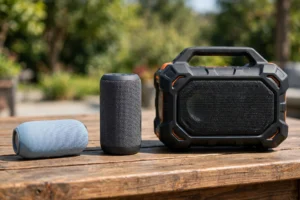
With a traditional Bluetooth connection, two devices usually communicate directly. For example, your phone connects to a Bluetooth speaker to play music — a direct connection between the two devices.
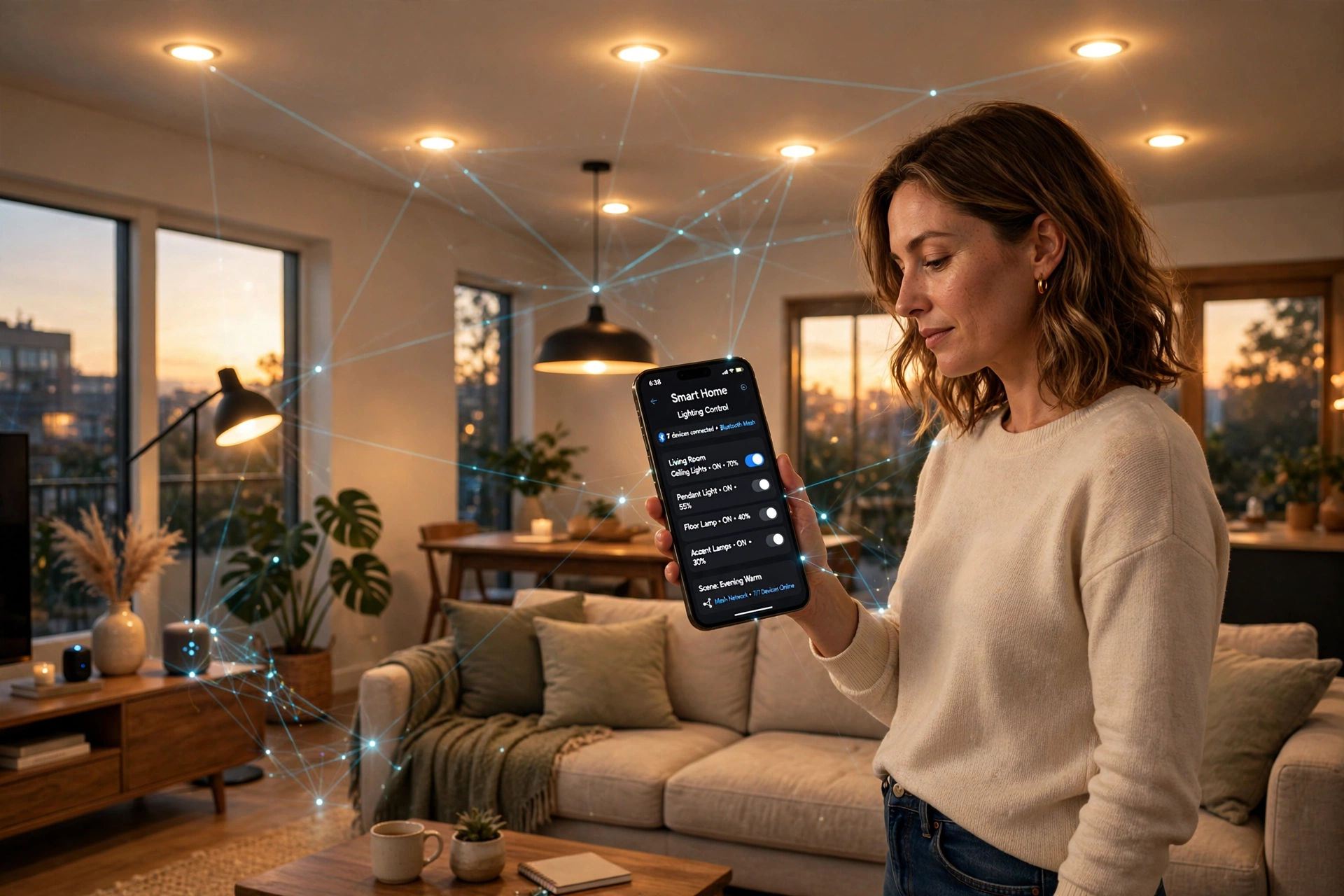
A Bluetooth mesh network works differently. Many devices can send and receive messages, and certain devices can relay messages for others. Your phone might reach Light 1, which relays the message to Light 2, which relays it to Light 3 — compatible devices pass messages across the network.
The key difference is how messages move. A traditional connection generally relies on a direct link between devices. Bluetooth mesh allows messages to travel through relay-capable devices when needed.
Bluetooth Mesh vs. Standard BLE
Bluetooth Low Energy is designed to use little power. It supports many types of short-range wireless communication, including connections between phones, sensors, and accessories.
Bluetooth mesh uses BLE radio technology but adds a mesh networking system on top of it.
- Standard BLE: Often used for direct connections, device setup, sensors, and small amounts of data.
- Bluetooth mesh: Designed for networks of many devices that need to share commands and status messages across a wider area.
Bluetooth mesh is especially useful when a system contains many lights, switches, and sensors. It is not intended to replace every Bluetooth use case, such as streaming music from a phone to headphones.

How Bluetooth Mesh Works: Managed Flooding and Publish-Subscribe
Bluetooth mesh needs a way to move messages from one device to another, even when the devices cannot communicate directly. It does this through a method called managed flooding.
What Is Managed Flooding?
Imagine you tell one person a message, and that person passes it to nearby people who can pass it on again. The message can travel through several people to reach someone far away.
Bluetooth mesh uses a similar idea. A device sends a message, and relay-capable devices within range can forward it. Other devices may receive the same message, but rules prevent the network from forwarding every copy endlessly.
This helps messages reach devices that are too far away for a direct radio connection.
Managed flooding uses several controls:
- Message caching: A device remembers messages it has already seen so it can avoid forwarding duplicate copies.
- TTL (Time to Live): A message carries a limit on how many network steps it can travel. Each relay reduces this value, and the message is no longer forwarded when the limit is reached.
- Relay rules: Only devices configured and capable of relaying messages forward them.
These controls help reduce unnecessary traffic. However, managed flooding still creates extra message traffic compared with systems that send a message along one selected route.
What Is Publish-Subscribe?
Bluetooth mesh also uses a publish-subscribe model to organize messages.
A device that publishes a message sends information to a particular address or group. Devices that subscribe to that address or group are set up to receive the relevant messages.
For example, imagine a building has a group called “Meeting Room Lights.” A wall switch can publish an instruction to that group. The lights that subscribe to the group can respond to the command.
This is more flexible than having the switch maintain a separate direct connection to every light. It also makes it easier to control groups of devices.
Important: Bluetooth mesh does not require one central router to forward every message. But a real system may still use a phone, gateway, or server for setup, remote access, automation, or integration with other networks.
The Four Core Node Types in a Bluetooth Mesh Network
Bluetooth mesh devices can have different roles. The role a device supports depends on its hardware, power supply, and configuration.
1. Relay Nodes
Relay nodes receive eligible mesh messages and forward them so they can travel farther across the network.
For example, a powered smart light in a hallway may relay a command toward lights in another room. The devices do not need to be connected directly to the phone that sent the command.
Relay nodes are especially useful in large buildings. However, not every mesh device needs to relay messages, and a device must support and enable the relay feature to perform this role.
2. Proxy Nodes
Proxy nodes help devices that cannot communicate with the mesh network directly through its normal advertising method.
A proxy node can provide a connection using the Bluetooth Generic Attribute Profile (GATT). A compatible phone or other client can use this link to communicate with the mesh network.
For example, a smartphone app may connect to a mesh proxy and use it to control smart lights.
3. Friend Nodes
Friend nodes help certain low-power devices receive messages without keeping their radios active all the time.
A Friend node stores messages intended for a connected Low Power node. The Low Power node can wake up, ask for its saved messages, and then return to a low-power state.
This reduces the time the battery-powered device needs to keep its radio on.
4. Low Power Nodes
Low Power Nodes (LPNs) are designed for devices that need to save energy, such as battery-powered sensors, switches, and small controls.
An LPN works with a Friend node to receive messages. Instead of listening continuously, it checks in with its Friend node when needed.
This can help reduce battery use. However, it does not guarantee that every sensor will run for years on one battery. Battery life depends on how often the device communicates, its hardware, its settings, and the type of battery it uses.
| Node type | Main job | Typical example |
|---|---|---|
| Relay | Forwards mesh messages | Powered smart light |
| Proxy | Connects compatible GATT clients to the mesh | Smart home device that connects with a phone |
| Friend | Stores messages for a Low Power Node | Powered mesh device |
| Low Power Node | Communicates while saving battery | Battery-powered sensor |
These are mesh features, not four separate kinds of products. A device may support more than one role if its design and configuration allow it.
Bluetooth Mesh Architecture and Security
Bluetooth mesh has several layers that work together. The lower layers handle how messages travel, while higher layers help devices understand and act on the messages.
You do not need to know every protocol detail to understand the basic structure.
How the Architecture Fits Together
- Bearer layer: Carries mesh messages over a supported transport, such as Bluetooth Low Energy advertising or GATT.
- Network layer: Handles network message delivery, relaying, and related network controls.
- Lower and upper transport layers: Help manage message delivery and protect the transport of data.
- Access layer: Helps devices process messages intended for the right functions.
- Models: Define common device behaviors, such as turning lights on or off and reporting sensor values.
For example, when you tap a button in a lighting app, the app sends a command through the network. The mesh carries the message to the target device or group, and the relevant model determines what the device should do.
How Bluetooth Mesh Security Works
Security matters because mesh devices may control lights, building systems, sensors, or other important equipment.
Bluetooth mesh includes security features such as provisioning, keys, and message encryption.
Provisioning is the process of securely adding a device to a mesh network. During this process, the device is configured with the information it needs to take part in that network.
Bluetooth mesh uses AES-128 cryptography for important security functions. Two key types are especially useful to understand:
- Network keys: Help a device take part in a particular mesh network and support network-level security.
- Application keys: Protect access to particular application functions, such as controlling lights.
Keeping these key roles separate allows network access and application control to be managed differently. For example, access to network functions does not automatically mean a device should be allowed to control every application feature.
A secure design still depends on correct setup, safe key handling, trusted provisioning tools, and timely updates. Using Bluetooth mesh does not make a poorly configured system automatically secure.
How Smartphones Interact With Bluetooth Mesh
A common question is whether an iPhone or Android phone can act as a full Bluetooth mesh node.
In many smart home systems, the phone is mainly a control device, not a normal relay in the mesh network. The phone app connects to a compatible proxy node through a standard BLE GATT connection. The proxy then provides a way to send and receive mesh messages.
Here is the typical process:
- You open the smart home app on your phone.
- The app connects to a supported mesh proxy device.
- The app sends a command, such as turning on a light.
- The proxy passes the message into the mesh network.
- The intended device or group receives the message and responds.
This setup lets a phone control a mesh network without acting as a relay for every message.
The exact support depends on the phone, app, mesh product, and network configuration. Some systems also use a gateway to connect the mesh network to Wi-Fi, the internet, or a home automation platform. That gateway may enable remote control when your phone is away from home.

Bluetooth Mesh vs. Zigbee, Thread, and Wi-Fi
Bluetooth mesh, Zigbee, Thread, and Wi-Fi can all be used in connected devices, but they are designed for different needs. The best option depends on the type of devices, power limits, network size, and whether you need direct IP connectivity.
| Feature | Bluetooth mesh | Zigbee | Thread | Wi-Fi |
|---|---|---|---|---|
| Common uses | Smart lighting and building control | Smart home sensors, lights, and controls | Smart home devices and IP-based networks | Internet access, cameras, and high-data devices |
| Network design | Mesh using managed flooding | Mesh networking | IPv6-based mesh | Commonly access point based, though other modes exist |
| Power use | Can be low, especially with LPN support | Designed for low-power devices | Designed for low-power connected devices | Often higher for small battery-powered devices |
| IP connectivity | Not native to the mesh protocol itself | Not native to classic Zigbee | Native IPv6 support | Native IP networking |
| Phone control | Often through an app and proxy or gateway | Often through a compatible hub or gateway | Usually through a compatible border router or controller | Often through the local network or cloud |
| Best fit | Large groups of coordinated devices | Low-power home automation | Low-power devices that benefit from IP networking | Higher bandwidth and internet-connected devices |
These are broad comparisons. Actual performance, power use, and hub requirements depend on the product and system design.
Bluetooth Mesh vs. Zigbee
Bluetooth mesh and Zigbee are both used for smart lighting and other connected devices. Bluetooth mesh is often a good fit for systems that need many devices to share control messages, including commercial lighting and building automation.
Zigbee is widely used in smart home sensors, lights, and switches. It often relies on a compatible coordinator or hub to form and manage the network.
Do not choose between them based only on range or power claims. Check whether the devices you want to use support the same standard and can work together.
Bluetooth Mesh vs. Thread
Thread is an IP-based mesh networking technology. It lets compatible devices communicate using IPv6, which can make it useful for smart home systems that benefit from IP networking.
Bluetooth mesh uses its own mesh messaging system rather than providing native IPv6 connectivity to each mesh node.
Choose Thread when native IP networking and compatibility with your planned smart home setup are important. Consider Bluetooth mesh when your application is built around its device models and many-to-many control messaging.
Bluetooth Mesh vs. Wi-Fi
Wi-Fi is usually the better choice for devices that need to move larger amounts of data, such as cameras or computers. Bluetooth mesh is designed for messages and commands shared among many devices, not high-bandwidth video or general internet access.
For example, a smart light may only need a short command to turn on. A security camera needs to send much more data, so Wi-Fi is usually more suitable.
Which Technology Should You Choose?
- Choose Bluetooth mesh for supported systems with many coordinated devices, such as commercial lighting.
- Choose Zigbee for compatible smart home sensors, lights, and controls.
- Choose Thread when low-power mesh networking and native IP connectivity are important.
- Choose Wi-Fi for devices that need more bandwidth or direct access to an IP network.
Before buying products, check their compatibility with your existing hub, app, and other devices. Two products marketed as “smart home” devices will not necessarily work together.
Real-World Applications of Bluetooth Mesh
Bluetooth mesh is most useful when many devices need to share commands and status information. Here are some common applications.
Smart Lighting
A building may contain hundreds of lights, switches, and sensors. Bluetooth mesh can help coordinate these devices across rooms and floors.
A single command can control a group of lights, while sensors can send information that helps the system respond to occupancy or other events.
Building Automation
Offices, schools, hotels, and commercial buildings can use mesh-connected controls for lighting and other supported building functions.
For example, a sensor can send an occupancy message that helps a lighting system decide whether to turn lights on or off. The exact automation depends on the system’s software and configuration.
Industrial Internet of Things
Industrial systems may use mesh-connected devices to report sensor readings, send commands, or monitor equipment in suitable environments.
However, Bluetooth mesh is not automatically the best option for every industrial task. Systems that need very low delay, high data rates, or strict real-time control may need a different technology.
Sensors and Low-Power Devices
Temperature sensors, switches, and other small devices may benefit from Bluetooth mesh features designed to reduce power use. Low Power Nodes can work with Friend nodes to limit how often they need to keep their radios active.
The result can be a practical network for devices that send small amounts of information rather than continuous streams of data.
Asset and Equipment Monitoring
Some tracking and monitoring systems use Bluetooth technologies to help identify nearby equipment or report its status. Whether Bluetooth mesh is appropriate depends on the application’s requirements. Not every Bluetooth tracker uses mesh networking, and mesh alone does not provide precise location tracking.
Frequently Asked Questions About Bluetooth Mesh
How does Bluetooth mesh work without a central router?
Bluetooth mesh can use relay-capable devices to forward messages across the network. Managed flooding, message caching, and TTL limits help messages travel through multiple devices without endless forwarding. A system may still use a gateway or controller for setup and remote access.
Is Bluetooth mesh the same as Bluetooth Low Energy?
No. Bluetooth Low Energy is the underlying wireless technology. Bluetooth mesh adds a networking system that allows many compatible devices to exchange messages across a mesh network.
Can an ordinary smartphone act as a full Bluetooth mesh node?
A smartphone can often control a compatible Bluetooth mesh network through a mesh app and proxy connection. That does not mean it acts as a full relay node. Its role depends on the phone, app, and supported implementation.
Is Bluetooth mesh secure?
Bluetooth mesh includes security features such as secure provisioning, AES-128 cryptography, and separate network and application keys. However, the security of a real installation also depends on safe configuration, key management, software updates, and the way devices are added to the network.
Do all Bluetooth mesh devices relay messages?
No. Relaying is a supported and configured role. Some devices relay messages, while others serve as proxies, Friend nodes, Low Power Nodes, or other types of mesh devices.
Does Bluetooth mesh need Wi-Fi?
No. Bluetooth mesh can communicate among its mesh devices without using Wi-Fi. However, a system may use Wi-Fi or another network through a gateway when it needs internet access, cloud services, or remote control.
Can Bluetooth mesh work over a large area?
It can cover an area larger than a single direct Bluetooth link when suitable relay devices are placed throughout the network. Actual coverage depends on device placement, building materials, radio conditions, network settings, and the number of working relay nodes.
Final Verdict
Bluetooth mesh networking helps many compatible devices communicate across a shared network. Its main strength is allowing messages to travel through relay-capable devices, which makes it useful for smart lighting, building automation, and other systems with many connected devices.
Managed flooding helps messages reach their destinations, while node roles such as Relay, Proxy, Friend, and Low Power Node allow devices to work according to their needs. Provisioning and encryption help protect the network when devices are added and managed correctly.
Bluetooth mesh is not a replacement for every wireless technology. Choose it when your system needs many-to-many device messaging and the products support the required mesh features. For high-bandwidth data or native IP networking, Wi-Fi or Thread may be a better fit.