

Bluetooth compatibility determines whether two devices can connect and which features they can use together. In most cases, newer Bluetooth headphones, speakers, and controllers can connect to older devices. However, a successful connection does not guarantee that every feature will work.
For example, Bluetooth 5.3 earbuds may pair with an older laptop, but the connection will not automatically gain newer features such as LE Audio. Audio quality, battery life, microphone performance, and other features depend on the devices, their supported Bluetooth features, and the software they use.
This guide explains Bluetooth versions, Classic Bluetooth, Bluetooth Low Energy (BLE), audio codecs, and device profiles in simple terms. It also includes compatibility tables to help you check whether your devices will work together.
Are All Bluetooth Versions Backward Compatible?
Bluetooth versions are generally designed to support connections with older versions when both devices share a compatible Bluetooth mode and the features needed for the connection.
For example, a pair of Bluetooth 5.3 headphones may work with a laptop that has Bluetooth 4.2. The laptop and headphones must still support a compatible type of Bluetooth connection.
Here is a quick guide:
| Device A | Device B | Will they connect? |
|---|---|---|
| Bluetooth 5.3 headphones | Bluetooth 4.2 laptop | Usually, if they share a compatible audio mode |
| Bluetooth 5.0 speaker | Bluetooth 4.0 phone | Usually, if both support the required Classic Bluetooth audio features |
| Bluetooth 5.2 earbuds | Bluetooth 5.3 phone | Usually, with newer features available only when both support them |
| Bluetooth LE heart rate monitor | Older Bluetooth adapter | Depends on whether the adapter supports Bluetooth Low Energy |
| Bluetooth controller | Phone or PC | Depends on the controller’s wireless mode and device support |
The key is that Bluetooth version numbers alone do not tell you whether two products are compatible. You also need to check their supported Bluetooth modes, profiles, codecs, and operating system requirements.
The Lowest Common Denominator Rule
When two Bluetooth devices connect, they can use only the features that both devices support.
Think of it like two people speaking different languages. If both understand English, they can communicate even if one person also speaks several other languages.
Bluetooth works in a similar way. A newer device may support more features, but an older device cannot use features it does not understand.
Example: Bluetooth 5.3 Earbuds With a Bluetooth 4.2 Laptop
Imagine you buy new Bluetooth 5.3 earbuds and connect them to a laptop with Bluetooth 4.2.
The earbuds may play music because both devices support a compatible Bluetooth audio connection. However, you may not get every feature advertised with the earbuds.
Depending on the models, you could miss out on:
- LE Audio: This requires compatible Bluetooth hardware, software, and audio support on both devices.
- Newer power-saving features: Actual power use depends on the Bluetooth mode, device design, and connection.
- Advanced audio options: These depend on supported codecs and software.
- Multipoint behavior: Connecting to multiple devices depends on the earbuds’ design and supported features, not just the Bluetooth version.
Do not assume every older connection will have poor sound or shorter battery life. Basic audio may work very well. The important point is that newer features do not become available simply because one device supports them.
Can You Upgrade an Older Device to a Newer Bluetooth Version?
Usually, you cannot upgrade the Bluetooth version of an existing Bluetooth chip through a normal software update. A software update may add features that the hardware already supports, but it cannot usually add missing radio capabilities.
A compatible USB Bluetooth adapter may add newer Bluetooth support to a computer. Even then, the adapter, operating system, drivers, and connected device must support the feature you want.
Bluetooth Classic vs. Bluetooth Low Energy (BLE)
Bluetooth uses different ways to send data. Two important types are Bluetooth Classic and Bluetooth Low Energy (BLE).
They are related, but they are not interchangeable in every situation.
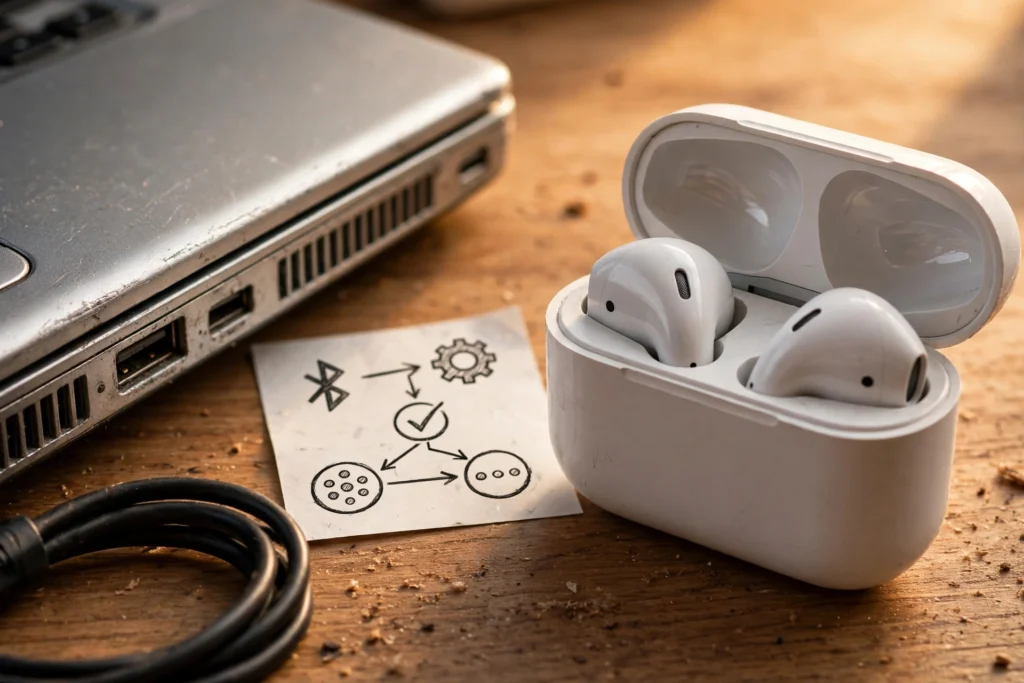
Bluetooth Classic
Bluetooth Classic, also called BR/EDR, is commonly used for tasks that need a steady stream of data.
Examples include:
- Wireless headphones and speakers
- Many car audio systems
- Some game controllers
- Older Bluetooth accessories
Classic Bluetooth supports common audio features such as stereo music playback. The devices must still support the right audio profiles to work together.
Bluetooth Low Energy
Bluetooth Low Energy, or BLE, was designed to use less power for many types of short data exchanges.
It is commonly used by:
- Fitness trackers
- Heart rate monitors
- Smart home sensors
- Some keyboards and other accessories
- Devices that send small amounts of data at intervals
BLE is not simply a newer version of Classic Bluetooth. It is a different Bluetooth communication mode.
Why This Difference Matters
A Bluetooth 4.0 or newer label does not automatically mean that a device supports every Classic Bluetooth and BLE feature. Support depends on the actual hardware and product design.
Some Bluetooth devices are dual-mode, which means they support both Classic Bluetooth and BLE. Others support only one mode.
For example, a BLE heart rate monitor may not connect directly to an older computer adapter that supports Classic Bluetooth but lacks BLE support. The Bluetooth version number alone cannot confirm compatibility.
Before buying a fitness sensor, controller, or other accessory, check that the computer or phone supports the same Bluetooth mode and the required device profile.
The Hidden Trap: Bluetooth Audio Codec Compatibility
If your Bluetooth headphones connect but the sound quality is not what you expected, the audio codec may be part of the problem.
An audio codec is a method used to encode and decode sound for wireless playback. Different codecs can affect sound quality, data use, and delay.
Common Bluetooth audio codecs include SBC, AAC, aptX, and LDAC.
| Codec | Where you may find it | What to know |
|---|---|---|
| SBC | Many Bluetooth audio devices | A common baseline codec for Classic Bluetooth audio |
| AAC | Many Apple devices and some Android devices | Support and performance depend on the phone, headphones, and software |
| aptX | Supported Android devices, headphones, and computers | Both ends must support the relevant aptX version |
| LDAC | Supported Android devices and compatible headphones | Designed to support higher-bitrate audio, but needs compatible devices and settings |
| LC3 | Compatible LE Audio devices | A codec designed for Bluetooth LE Audio |
Does Your Phone Support aptX or LDAC?
Not every phone supports every codec.
iPhone users: Apple devices generally use AAC or SBC for standard Bluetooth audio playback. They do not provide the same native aptX or LDAC audio support found on some Android devices. Buying headphones mainly for their aptX or LDAC feature is therefore unlikely to provide that codec benefit when used with an iPhone.
Android users: Some Android phones support aptX, LDAC, or both, but support varies by model. Your headphones must support the same codec, too.
Windows and Mac users: Codec support depends on the operating system version, hardware, drivers, and connected headphones. Do not assume a codec works just because the headphones advertise it.
What Happens When Devices Do Not Share a Codec?
They may choose another codec that both support. For example, compatible headphones and a phone may use SBC instead of a higher-quality option that is not available on both ends.
This does not necessarily mean the sound will be bad. The result also depends on the headphones, audio source, wireless conditions, and listening settings.
If you want a particular codec, check both products’ specifications before buying. On supported devices, you may also be able to see or select the active codec in the audio or developer settings.
Understanding Bluetooth Profiles: A2DP, HFP, and AVRCP
Bluetooth profiles define how connected devices use Bluetooth. A device can connect successfully but still lack the profile needed for a particular task.
Here are three important profiles for Bluetooth audio.
| Profile | Main purpose | Example |
|---|---|---|
| A2DP | Stereo audio streaming | Listening to music through wireless headphones |
| HFP | Hands-free calling and two-way voice audio | Using a headset microphone during a call |
| AVRCP | Controlling media playback | Using headphone buttons to pause music or skip tracks |
Why Does Headphone Sound Get Worse During a Call?
You may notice that your Bluetooth headphones sound clear when listening to music but less clear when you join a call on a computer.
One reason is that the device may switch from a high-quality stereo music mode to a hands-free mode that supports the microphone. The available audio quality depends on the Bluetooth mode, codec, operating system, and hardware.
To test this on a PC:
- Start playing music with the microphone unused.
- Join a voice call or enable the headset microphone.
- Listen for a change in audio quality.
- If the quality drops, check the sound settings in your call app and operating system.
If you do not need the headset microphone, you may be able to select a separate microphone while keeping the headphones as the output device. The available choices depend on your computer and headset.
Why Can a Bluetooth Controller Connect but Not Work?
A Bluetooth connection does not guarantee that an accessory will perform every task you expect. A controller needs compatible input support, and a game must recognize that controller.
The same principle applies to keyboards, fitness trackers, and other accessories. Check the device’s supported profiles and the software that will use it, not just the Bluetooth version.
Will Bluetooth 5 Work With Bluetooth 4?
In many cases, yes. Bluetooth 5 devices can often connect to Bluetooth 4 devices, provided they support a compatible Bluetooth mode and the required features.
Use this table as a quick guide.
| Bluetooth combination | General compatibility | Important limitation |
|---|---|---|
| Bluetooth 5.3 with 5.2 | Usually compatible | Newer features may not be shared |
| Bluetooth 5.2 with 5.0 | Usually compatible | LE Audio requires support at both ends |
| Bluetooth 5.0 with 4.2 | Often compatible | Bluetooth 5 features may not be available |
| Bluetooth 5.0 with 4.0 | Often compatible | Check the Bluetooth mode and device profiles |
| Bluetooth 4.2 with 4.0 | Often compatible | Product-specific features may differ |
| BLE accessory with a Classic-only adapter | Not directly compatible through BLE | The host needs BLE support |
These are general rules, not a guarantee for every product. Manufacturers can support different features within the same Bluetooth version.
Will Bluetooth 5.3 Headphones Work With a Bluetooth 4.0 Phone?
They may work for basic audio if the phone and headphones share a compatible Classic Bluetooth audio profile and codec.
However, the phone may not support newer features that depend on later Bluetooth capabilities. For example, Bluetooth LE Audio is not automatically available just because the headphones support Bluetooth 5.3.
Check the specifications for both devices, especially if you need a feature beyond basic music playback.
Can I Force My Phone to Use a Newer Bluetooth Version?
No. You cannot normally force an older Bluetooth chip to use a newer version through a settings change.
Some devices let you select an audio codec or other connection options, but those choices are limited to features supported by the hardware and software. A developer setting cannot add missing Bluetooth hardware capabilities.
Do I Need LDAC Headphones for an iPhone?
Not if your main reason is to use LDAC with the iPhone. iPhones do not natively transmit Bluetooth audio using LDAC or aptX. Compatible headphones can still play audio from an iPhone using a supported codec, such as AAC or SBC.
If you mainly use an iPhone, compare headphone comfort, sound quality, battery life, noise cancellation, and supported Apple features rather than paying extra only for LDAC.
How to Check Bluetooth Compatibility Before Buying
Before buying headphones, a controller, or another Bluetooth accessory, use this checklist.
- Check the Bluetooth mode. Does the accessory use Classic Bluetooth, BLE, or both?
- Check the required profile. For headphones, look for the audio profiles needed for music or calls. For a controller, check operating system and game support.
- Compare audio codecs. If sound quality is important, confirm that both devices support the codec you want.
- Check operating system support. A feature may work on one phone or computer but not another.
- Look for feature-specific requirements. Multipoint, LE Audio, low-latency modes, and other features may need support from both devices.
- Read the product’s compatibility list. Manufacturer documentation is more useful than comparing version numbers alone.
Bluetooth operates in the 2.4 GHz radio band, which is shared with other wireless technologies. Interference and distance can also affect connection quality, even when two devices are technically compatible.
The Bluetooth Special Interest Group (Bluetooth SIG) maintains the Bluetooth specifications, but product makers choose which supported features to include in their devices.
Final Takeaway
Bluetooth compatibility is about more than matching version numbers. Newer devices often connect to older ones, but they may not share every Bluetooth mode, audio codec, profile, or advanced feature.
For the best result, check Bluetooth mode, device profiles, codec support, and operating system compatibility before buying. If two devices already connect but a feature does not work, investigate that specific feature instead of assuming the Bluetooth connection itself is broken.


3 Comments
Pingback: Bluetooth Device Errors: Fix Unknown Device & Codes
Pingback: How to Prevent Bluetooth Drops & Stuttering (2026 Guide)
Pingback: Bluetooth Profiles Explained: A2DP, HFP, AVRCP Simplified