


Best Bluetooth Microphone for Streaming: Top Picks for Mobile, Podcasting, and Gaming
Looking for the best Bluetooth microphone for streaming? The short answer is that Bluetooth mics work great for mobile streaming, outdoor IRL streams, and casual podcasting. They give you freedom to move without cables. But they have real limits: a small audio delay (latency) and some sound compression. In this guide, we cover the best Bluetooth microphone for streaming in every use case, plus honest advice on when you should skip Bluetooth and pick a 2.4GHz wireless or USB mic instead.
Our Top Picks at a Glance
- Best overall for streamers: Razer Seiren BT. Budget friendly, low latency mode, works with your phone.
- Best for mobile creators and podcasting on the go: Shure MoveMic. Tiny clip on mic that connects straight to your phone with no dongle.
- Best all rounder wireless system: DJI Mic Mini. Great sound, long battery, direct phone connection.
- Best for multi person streams: Razer Seiren BT or a dual transmitter lavalier set like the Hollyland Lark M2S.
- Best for gaming commentary on mobile: Razer Seiren BT with its Low Latency Mode turned on.
The Honest Truth About Bluetooth Mics for Streaming
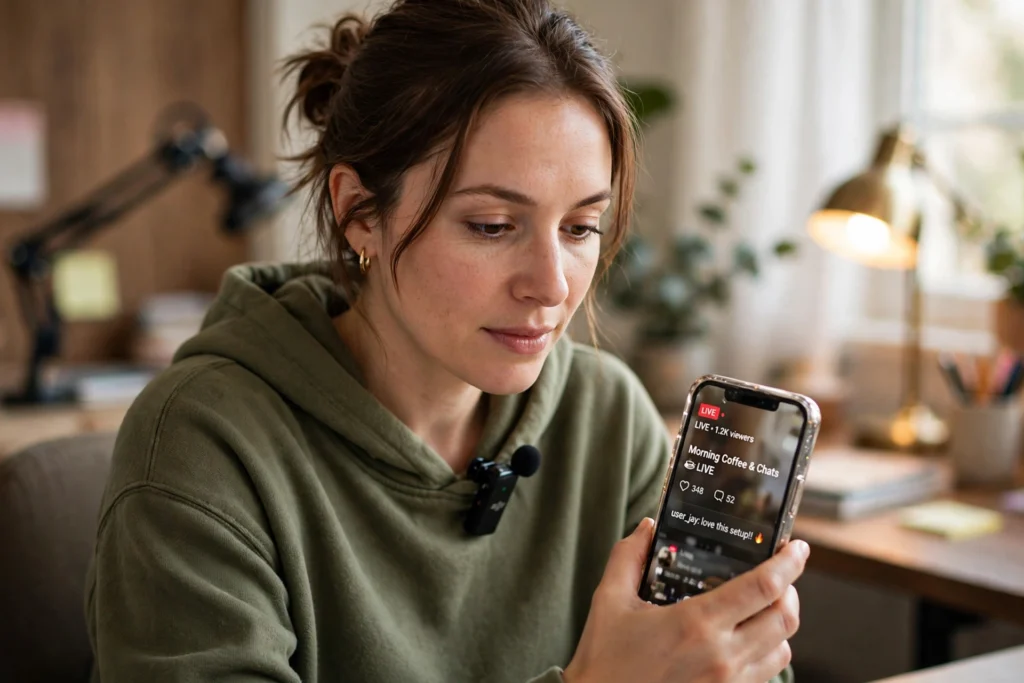
Let us be honest before we start. A Bluetooth microphone will never match a wired USB or XLR mic for pure sound quality. Bluetooth compresses your audio. It also adds delay, usually between 30 and 150 milliseconds, depending on the mic and the codec your phone or PC uses.
Does that delay ruin a stream? It depends on what you stream. For IRL streams, walking tours, interviews, and mobile podcasting, a delay of 50 to 80 ms is barely noticeable. Your viewers will not care. For live gaming commentary where your voice must match the game action on screen, that same delay can feel off, especially if your mic and your audio output fight each other.
That is why this guide exists. We will tell you exactly where Bluetooth mics shine and where they do not. No hype, no brand sponsorships, just what you need to know before you buy.
How We Chose the Best Bluetooth Microphone for Streaming
We looked at the current top results, real creator reviews, and product tests to build this list. Here is what mattered most:
- Latency: Does the mic have a low latency mode for real time streaming?
- Sound quality: Clear voice, decent noise handling, no harsh compression.
- Battery life: Long enough for a full stream. Six hours minimum is a good bar.
- Ease of use: Pairs fast, stays connected, and works with your streaming apps.
- Range: You can walk away from your phone without dropouts.
- Value: Fair price for what you get, from budget to pro.
Bluetooth vs 2.4GHz vs USB or XLR: Which Should You Pick?
This is the question most guides skip, and it is the most important one. Bluetooth is not the only wireless option.
Bluetooth mics are best when you stream from a phone, tablet, or laptop and want the simplest setup. No dongle, no receiver. You pair and go. They are perfect for IRL streaming, street interviews, travel vlogging, and podcasting from a coffee shop.
2.4GHz wireless mic systems (like the DJI Mic series or Hollyland Lark series) use a small receiver that plugs into your phone or camera. They usually sound better than pure Bluetooth and have lower delay. The trade off: you must carry and charge the receiver, and the receiver takes up your charging port.
USB and XLR mics are still the kings of studio streaming. If you stream from a fixed desk on PC, a wired mic gives you the cleanest sound and zero wireless delay. Bluetooth cannot beat that.
Simple rule for picking the best Bluetooth microphone for streaming: If you stream from a desk, buy a USB mic. If you stream on the move, buy a Bluetooth or 2.4GHz wireless mic. If you do both, this list covers the mobile side.
Best Bluetooth Microphone for Streaming: Detailed Picks
1. Razer Seiren BT. Best Overall for Streamers on a Budget
The Razer Seiren BT is a clip on Bluetooth mic that was made for streamers. It has an omnidirectional pattern, so it picks up your voice clearly even if the mic sits a little off center on your shirt. The killer feature is its Low Latency Mode, which cuts the audio delay for real time streaming and mobile gaming.
Downside: the omnidirectional pattern also picks up room noise, so it is not ideal for noisy streets without a windscreen. But at its price, it is the easiest pick for a first Bluetooth streaming mic.
2. Shure MoveMic. Best for Podcasting on the Go
The Shure MoveMic is tiny. It clips on your shirt and disappears. It connects directly to your phone over Bluetooth using the free Shure MOTIV app, with no receiver or dongle. That makes it perfect for podcasters and mobile journalists who want a clean, cable free setup.
Shure is a legend in microphones, and the sound quality shows it. Voices sound full and natural. The catch: for third party apps like the native Camera app or Instagram, you may need the separate Shure receiver. Check app compatibility before you buy.
If you want the most minimal podcasting setup possible, this is it: one mic, one phone, no extras.
3. DJI Mic Mini. Best All Round Wireless System
The DJI Mic Mini is technically a 2.4GHz wireless system, not pure Bluetooth, but it deserves a place here because newer versions connect directly to phones and it is one of the most popular mics among mobile streamers. It is tiny, weighs almost nothing, and sounds excellent for its size.
You get around 5.5 hours of battery on the transmitter, and the charging case adds much more. It handles wind and crowd noise well, which is why so many IRL streamers use it. It is more expensive than a basic Bluetooth mic, but the sound jump is real.
4. Hollyland Lark M2S. Best Dual Mic Set for Two Person Streams
Streaming with a co host or doing street interviews? The Hollyland Lark M2S gives you two tiny transmitters and one receiver. Both voices get recorded cleanly, and you can plug the receiver straight into your phone or camera.
Noise cancellation is strong for outdoor use. Setup takes under a minute: turn on, pair, clip on, start streaming. It is a step up in price, but splitting the cost per mic makes it fair value for two person content.
5. SmartMike+. Best for Livestreaming and Real Time Recording
The SmartMike+ is built for livestreaming. It has four levels of noise reduction, so you can dial down background noise in busy places. It pairs over Bluetooth and is popular with TikTok live hosts and mobile streamers who want a simple clip on mic.
Note that it works through its own app and records in AAC format. If you are fine with that, it is a solid, affordable streaming mic. If you need raw WAV files, look at the DJI or Hollyland options instead.
6. Samson Go Mic Mobile. Best for Phone Streaming With Pro Audio Apps
The Samson Go Mic Mobile pairs a wireless transmitter with a dual channel receiver that mounts on your phone. It gives you two mic inputs, which is great for interview style streams. It sounds cleaner than most pure Bluetooth mics because it uses its own wireless link.
It is bulkier than the clip on options, and the phone mount setup takes a minute. But if you want pro style control on a mobile stream, it is worth a look.
Comparison: Specs That Matter
| Mic | Type | Battery | Best For |
|---|---|---|---|
| Razer Seiren BT | Bluetooth | ~6 hours | Budget streamers, gaming |
| Shure MoveMic | Bluetooth | ~8 hours | Podcasting on the go |
| DJI Mic Mini | 2.4GHz wireless | ~5.5 hours + case | All round mobile streaming |
| Hollyland Lark M2S | 2.4GHz wireless | ~9 hours + case | Two person streams |
| SmartMike+ | Bluetooth | ~6 hours | TikTok live, real time recording |
| Samson Go Mic Mobile | Wireless link | ~13 hours | Phone interviews |
Setup Tips to Cut Delay and Improve Sound
You can make the best Bluetooth microphone for streaming sound even better with a few simple setup steps:
- Turn on low latency mode. If your mic has one (like the Razer Seiren BT), always enable it before going live. It can cut delay in half.
- Stay close to your phone. Bluetooth works best within 10 meters with a clear line of sight. Walls and bodies weaken the signal, and a weak signal adds delay and dropouts. Learn more about real world Bluetooth range before your stream.
- Use the best codec available. Codecs like aptX Low Latency beat the default SBC codec for delay. Check your phone’s developer settings or your mic’s app. Our Bluetooth audio codecs compared guide explains which codec does what.
- Monitor your audio. If your mic or app supports real time monitoring, use earbuds to hear yourself. You will catch problems before your viewers do.
- Reduce background noise at the source. Move away from fans, traffic, and music. No noise reduction software beats a quieter room. For more on why delay happens, see our Bluetooth latency explained guide.
- Charge fully before streaming. A low battery can cause dropouts and weird audio glitches on some mics.
- Test before you go live. Record a 60 second test stream and listen back. Check for lip sync delay, crackle, and volume level.
Buying Checklist: What to Look For
- Latency rating: Look for a stated low latency mode. Under 50 ms is excellent for streaming.
- Battery life: 6 hours or more for real streams. Check if the case adds extra charge.
- Connection type: Pure Bluetooth for simplicity, or a receiver based system for better sound.
- App support: Does the mic work with your streaming app (Twitch, TikTok Live, YouTube), or only its own app?
- Noise handling: Windscreens, noise reduction levels, and how it performs outdoors.
- Monitoring: Can you hear yourself in real time while streaming?
- Extra mics: If you stream with a guest, a dual transmitter set saves you from buying twice.
If you are still deciding between wireless and wired audio, our wired vs Bluetooth breakdown covers the sound quality trade offs. And if you are building a full streaming setup, browse our Bluetooth buying guide for more gear picks.
FAQs: Best Bluetooth Microphone for Streaming
Can you use a Bluetooth microphone for streaming?
Yes. Bluetooth mics work well for mobile streaming, IRL streams, and casual podcasting. They add a small delay (usually 30 to 150 ms) and some sound compression, so they are not ideal for studio grade PC streaming. For that, use a USB or XLR mic.
How much latency do Bluetooth microphones have?
Most Bluetooth mics have 30 to 150 ms of latency. Mics with a low latency mode can get under 50 ms, which is fine for most streaming. The codec matters too: aptX Low Latency is faster than standard SBC. See our full Bluetooth latency explained guide for details.
Are Bluetooth mics good enough for podcasting?
For on the go and video podcasting, yes. Mics like the Shure MoveMic and DJI Mic Mini sound clean and natural. For a fixed home studio, a wired USB mic will still sound better and cost less for the same quality.
Can I use a Bluetooth mic with Twitch or TikTok Live?
Yes, as long as your phone or PC recognizes the mic as an audio input. Most Bluetooth mics pair like any Bluetooth headset. Some mics, like the SmartMike+, need their own app, so check compatibility with your streaming app before buying.
Should I get Bluetooth or a 2.4GHz wireless mic for streaming?
Pick Bluetooth if you want the simplest setup with no extra hardware. Pick 2.4GHz wireless (DJI Mic Mini, Hollyland Lark M2S) if you want better sound and lower delay and do not mind a small receiver. Pick a USB mic if you stream from a desk and want the best sound.
Final Verdict
The best Bluetooth microphone for streaming depends on how you stream. For most mobile streamers, the Razer Seiren BT hits the sweet spot: low latency mode, solid sound, and a friendly price. If you podcast on the move, the Shure MoveMic is the cleanest setup you can buy. And if sound quality is your top priority, step up to a 2.4GHz system like the DJI Mic Mini.
Whatever you choose, remember the basics: enable low latency mode, stay close to your phone, and always test before going live. Your viewers will hear the difference.