


Buying a Bluetooth speaker, earbuds, headphones, keyboard, or mouse can be confusing when product boxes are full of numbers and technical terms. Bluetooth 5.4, LDAC, multipoint, Class 1 range, and low latency may sound impressive, but not every feature makes a device better for your needs.
This Bluetooth buying guide explains how to read the most important specifications before you spend money. You will learn what Bluetooth versions actually mean, which audio codecs work with your phone, what controls wireless range, and when a USB wireless dongle is a better choice than Bluetooth. Use these simple checks to compare devices without paying extra for features you cannot use.
How to Choose Bluetooth Devices: The 4 Universal Specs
Before buying any Bluetooth device, check four things: the Bluetooth version, supported features and audio codecs, wireless range, and connection options. These specifications help you understand what a product can do, but they do not tell the whole story.
Battery life, comfort, build quality, software support, and real-world performance matter too. A device with a newer Bluetooth version is not always the best choice.
1. Bluetooth Versions Explained: 5.0, 5.2, 5.3, 5.4, and 6.0
Bluetooth versions show which generation of Bluetooth technology a device uses. Newer versions can add features, improve parts of the connection, or make certain tasks more efficient. However, a higher version number does not automatically mean better sound, longer range, or fewer connection problems.
Here is a simple guide to the versions you may see on product pages.
| Bluetooth version | What to know when buying |
|---|---|
| Bluetooth 5.0 | A widely used generation that supports Bluetooth Low Energy improvements over older Bluetooth generations. |
| Bluetooth 5.2 | Added features such as support for LE Audio-related capabilities, when the hardware and software implement them. |
| Bluetooth 5.3 | Includes updates designed to improve how compatible devices manage Bluetooth connections and power. |
| Bluetooth 5.4 | Adds features aimed at certain connected-device and low-power use cases. Not every feature matters for headphones or speakers. |
| Bluetooth 6.0 | Introduces Channel Sounding, which can help supported devices measure distance more securely and accurately. |
A product may use Bluetooth 5.4 without supporting every feature associated with that version. The phone or computer must also support the relevant technology for many advanced features to work.
Is Bluetooth 5.3 Better Than Bluetooth 5.0?
It can be better in some situations, but the difference depends on how the product uses the technology.
For example, Bluetooth 5.3 earbuds may offer useful connection or power-management improvements over an older model. But if both pairs use similar audio hardware, the newer version alone does not prove that the newer pair sounds better.
When comparing two products, check their battery life, codec support, multipoint features, and reviews instead of paying extra just for the version number.
Does a Newer Bluetooth Version Give You Longer Range?
Not by itself. Wireless range depends on several things, including the radio power, antenna design, receiver sensitivity, walls, interference, and the device’s Bluetooth power class.
A well-designed older device can maintain a better connection than a poorly designed newer one.
Bluetooth Low Energy (BLE) is also important to understand. BLE is designed for low-power connections used by many accessories and sensors. It is not simply another name for every Bluetooth connection, and support for BLE does not automatically mean a device supports Bluetooth LE Audio.
2. Audio Codecs and Phone Compatibility
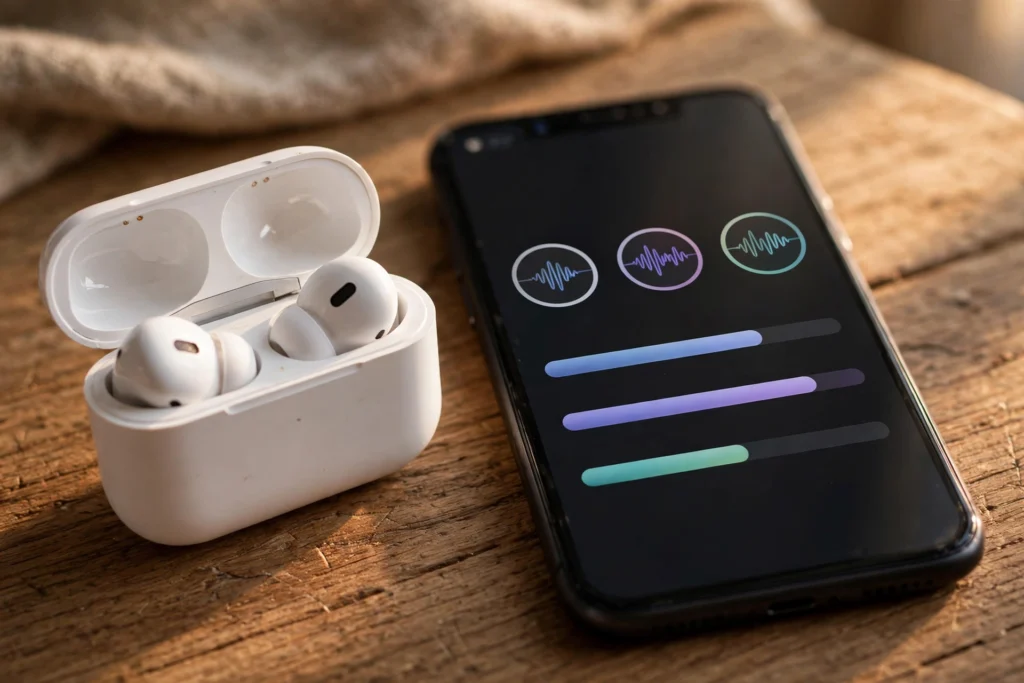
If you are buying Bluetooth headphones or earbuds, audio codecs are worth checking. A codec is a method used to encode and send sound over a wireless connection.
Different codecs can affect sound quality, data use, and delay. But buying headphones with a premium codec is useful only if your phone or computer supports that codec too.
SBC, AAC, aptX, and LDAC Explained
| Codec | What buyers should know |
|---|---|
| SBC | A basic Bluetooth audio codec widely supported by Bluetooth audio devices. |
| AAC | Used by Apple devices and supported by many other phones and headphones. Results can vary by device and software. |
| aptX | A family of codecs found on some Android devices and compatible headphones. Support depends on the exact model. |
| LDAC | A higher-bitrate audio codec supported by selected devices, especially within the Android ecosystem. Both ends need compatible support. |
These codecs are relevant to common Bluetooth audio profiles such as A2DP, which is used for streaming music from a source device to headphones or speakers.
The best codec depends on the source device, receiving device, settings, and listening conditions. A higher bitrate does not guarantee that every listener will hear a clear improvement.
The Apple and Android Compatibility Trap
A common mistake is buying expensive LDAC or aptX headphones and assuming an iPhone will use those codecs.
iPhones do not natively support LDAC or aptX for standard Bluetooth audio streaming. They commonly use AAC or SBC, depending on the devices and connection. Android support varies by phone, operating system, and manufacturer.
Use this simple compatibility table before buying:
| Phone or source device | Headphones support | What to check |
|---|---|---|
| iPhone | LDAC only | Do not expect LDAC to work natively. Check support for AAC or SBC. |
| iPhone | aptX only | Do not expect native aptX audio. Check for a shared supported codec. |
| Android phone | LDAC | Confirm LDAC is supported and enabled on both devices. |
| Android phone | aptX | Confirm the phone supports the specific aptX version and the headphones support it too. |
| Phone and headphones | SBC | Usually the broadest compatibility option for standard Bluetooth audio. |
When the two devices do not share a premium codec, they may use another supported codec instead. That does not necessarily mean the headphones will fail to connect.
Buying tip: If you use an iPhone, do not pay extra for LDAC or aptX alone. Compare comfort, battery life, microphone quality, controls, and sound reviews instead.
3. Bluetooth Power Classes: What Really Controls Range?
Bluetooth range is often advertised as a large number, but real-world range can be much shorter. Walls, furniture, interference, antennas, and radio power all affect the connection.
Bluetooth power classes describe the transmitter’s power level. They are one part of range, not a guarantee of how far a device will work.
| Power class | General power information | What it means for buyers |
|---|---|---|
| Class 1 | Up to 100 mW maximum transmit power | Can support longer range in suitable conditions. |
| Class 2 | Up to 2.5 mW maximum transmit power | Common in many personal Bluetooth devices. |
| Class 3 | Up to 1 mW maximum transmit power | Lower transmit power, with more limited range in many designs. |
Class 1 devices are often associated with ranges of up to around 100 metres, while Class 2 devices are often associated with around 10 metres. These are broad reference figures, not promises. Actual range depends on both devices and the environment.
For example, Class 1 headphones cannot guarantee a 100-metre connection if the phone has a weaker radio, the signal must pass through several walls, or interference is high.
How to Choose the Right Range
For a desk or bedroom: A typical personal Bluetooth device may provide enough range.
For a large room or open space: Look for reliable range tests and reviews, not only a number on the box.
For use across several walls: Expect the signal to weaken. A newer Bluetooth version will not remove every obstacle.
For outdoor use: Open space may help, but the connection still depends on the devices and their antennas.
If a product does not state its power class, do not guess it from the Bluetooth version. Look for tested range information from a reliable review.
4. Multipoint Bluetooth: Connect Two Devices at Once
Multipoint lets compatible headphones or earbuds stay connected to two source devices at the same time. This is useful if you use a laptop for work and a phone for calls.
For example, you could listen to a meeting on your laptop and then answer a call on your phone without manually pairing the earbuds again.
However, multipoint is not included in every Bluetooth device, even if it uses a recent Bluetooth version. Check the product’s feature list for explicit multipoint support.
Before buying, ask:
Can the device connect to two source devices at once?
Does it switch automatically when a call arrives?
Does switching pause the current audio?
Are there limits on which devices can be connected together?
Manufacturers may use different names for switching features. Confirm that the product supports simultaneous connections, rather than simply remembering multiple paired devices.
Bluetooth Audio Buying Guides: Speakers and Earbuds
The best specifications depend on what you plan to buy. A Bluetooth speaker and a pair of earbuds have different needs, so compare the features that matter for your use.
What to Look for in Bluetooth Speakers
When choosing a Bluetooth speaker, focus on:
Sound quality: Look for independent listening tests. Driver size alone does not tell you how a speaker sounds.
Battery life: Check whether the quoted figure is based on low volume or another test condition.
Water resistance: Look for an IP rating and understand what it covers.
Range and connection stability: Consider where you plan to use the speaker.
Pairing features: Check whether it supports stereo pairing or connecting multiple speakers if you need that feature.
For a detailed speaker-specific buying guide, see the site’s Bluetooth Speakers guide.
What to Look for in Bluetooth Earbuds
For earbuds and True Wireless Stereo (TWS) models, consider:
Fit and comfort: A good fit matters more than a long list of features.
Battery life: Check both the earbuds’ playback time and the extra time provided by the charging case.
Codec compatibility: Make sure the codecs you want are supported by your phone.
Microphone quality: Look for call tests in noisy places.
Noise control: Check whether the model offers active noise cancellation or only passive isolation.
Multipoint: Useful if you switch between a phone and a computer.
For a more focused checklist, see the site’s Bluetooth Earbuds guide.
Bluetooth Keyboards and Mice: Bluetooth or a 2.4GHz USB Dongle?
Bluetooth is not just for audio. Keyboards, mice, game controllers, and other computer accessories also use wireless connections. For these products, response time and connection stability may matter more than audio codecs.
A 2.4GHz USB dongle is a small receiver that connects to a USB port and communicates with the accessory over a dedicated wireless link. Some devices include both Bluetooth and a 2.4GHz connection mode.
| Feature | Bluetooth | 2.4GHz USB dongle |
|---|---|---|
| USB receiver needed | Usually no | Yes |
| Frees a USB port | Yes | No |
| Works with devices without a free USB port | Often, if Bluetooth is supported | Only if a suitable port or adapter is available |
| Gaming response | Depends on the device and connection | Often preferred for low-latency gaming |
| Pairing | Usually through system Bluetooth settings | Often pairs with its included receiver |
| Compatibility | Depends on the device’s Bluetooth support | Depends on the receiver and supported operating systems |

Why Is My Bluetooth Keyboard Lagging While Gaming?
Keyboard or mouse lag can happen because of wireless interference, power-saving settings, a weak connection, software issues, or the device’s own response time.
For competitive gaming, a dedicated 2.4GHz connection or a wired device may be a better choice if low latency is your main goal. For office work, browsing, and travel, Bluetooth can be more convenient because it does not need a separate receiver.
Polling rate is another specification you may see on gaming mice. It describes how often the mouse reports its position to the computer. A higher polling rate can help in some gaming situations, but it does not automatically fix a poor wireless connection or make every user more accurate.
When comparing a keyboard or mouse, check the supported connection modes, response-time tests, battery life, operating-system compatibility, and whether you can use Bluetooth and a dongle on the same model.
How to Compare Bluetooth Specs Before Buying
When you compare two products, do not choose the one with the biggest numbers or the longest list of technical terms. Use this quick checklist instead.
Check your main use. Decide whether you need the device for music, calls, gaming, office work, or travel.
Check compatibility. Make sure your phone, computer, and accessory support the features you need.
Compare the useful features. For headphones, check codecs and multipoint. For speakers, focus on sound, battery, and water resistance. For gaming peripherals, focus on latency and connection stability.
Read real-world reviews. Look for tests of battery life, connection range, sound, microphone quality, or response time.
Check what is included. A USB receiver, charging cable, or charging case can affect how convenient a product is to use.
Do not pay extra for features you cannot use. A premium codec offers little value if your phone cannot use it, and a newer Bluetooth version is not a guarantee of better sound.
Frequently Asked Questions
Does a higher Bluetooth version mean better sound quality?
No. Sound quality depends on several factors, including the audio codec, speaker or headphone design, tuning, and source audio. A newer Bluetooth version does not automatically produce better sound.
Is Bluetooth 5.4 worth buying over Bluetooth 5.0?
It can be worth buying if the product also offers useful improvements in battery life, connectivity, or features. Compare the actual specifications and independent reviews. Do not choose a product based on the Bluetooth version alone.
Is it worth buying LDAC headphones for an iPhone?
Not if LDAC support is your main reason for buying them. iPhones do not natively support LDAC for standard Bluetooth audio streaming. Check the headphones’ AAC or SBC support and compare their other features instead.
Why do Bluetooth devices disconnect in another room?
Walls, distance, interference, antenna design, and transmitter power can weaken the signal. Check the device’s tested range and try moving the source device to a more open location.
Is Bluetooth or 2.4GHz better for gaming?
A dedicated 2.4GHz USB connection is often a better choice for latency-sensitive gaming, though performance depends on the specific device. Bluetooth can still be suitable for casual gaming and everyday computer use.
Final Verdict
A good Bluetooth buying guide should help you understand what product specifications mean, rather than simply tell you to buy the device with the newest version.
Start with compatibility, then compare audio codecs, range, multipoint, battery life, and latency according to your needs. For speakers and earbuds, real-world sound and comfort tests matter. For keyboards and mice, connection stability and response time may matter more.
The best Bluetooth device is not necessarily the one with the highest version number. It is the one that works well with your devices and gives you the features you will actually use.


1 Comment
Pingback: Which Phones Support LDAC and aptX? Compatibility Guide