


Bluetooth audio latency is the time it takes for sound to travel from your phone, computer, TV, or gaming device to your wireless headphones or speakers. It is usually measured in milliseconds (ms). High latency can make voices sound late, cause video lip-sync problems, or make game sounds happen after the action on screen.
You can often reduce Bluetooth audio lag by choosing a lower-latency codec, updating your device drivers, reducing wireless interference, or changing your TV or app settings. However, the best fix depends on where the delay comes from.
What Is Bluetooth Audio Latency?
Bluetooth audio latency is the delay between an action and the sound you hear through a Bluetooth device.
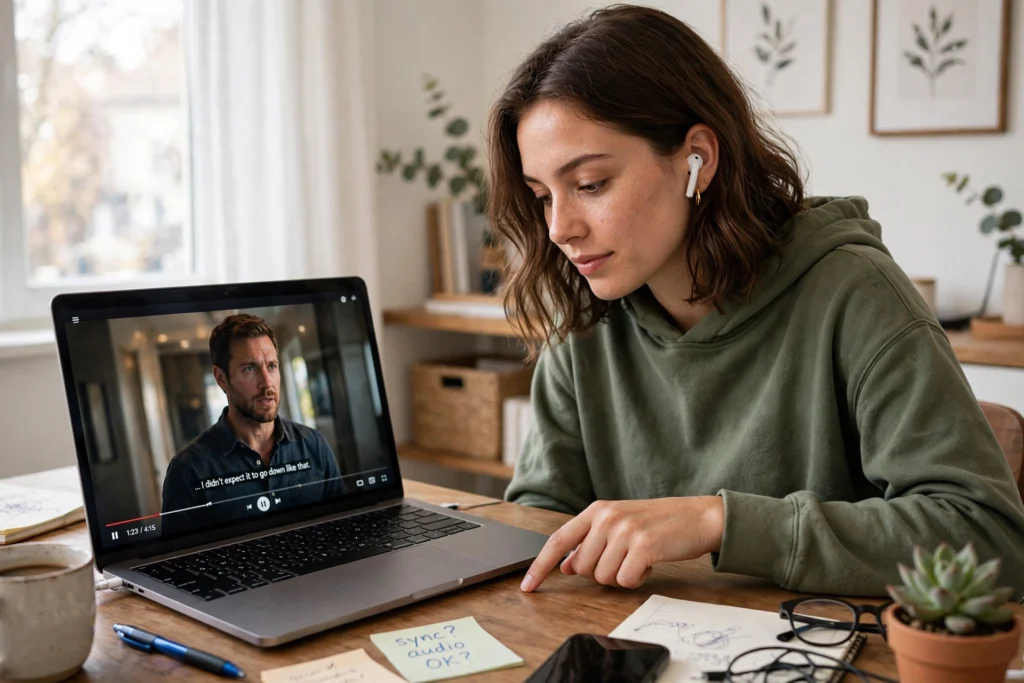
For example, imagine watching a movie. An actor opens their mouth, but you hear the words a moment later. This is called an audio-video synchronization problem, often known as a lip-sync error.
You may notice Bluetooth audio delay in several situations:
- Watching videos: Voices do not match the movement of people’s mouths.
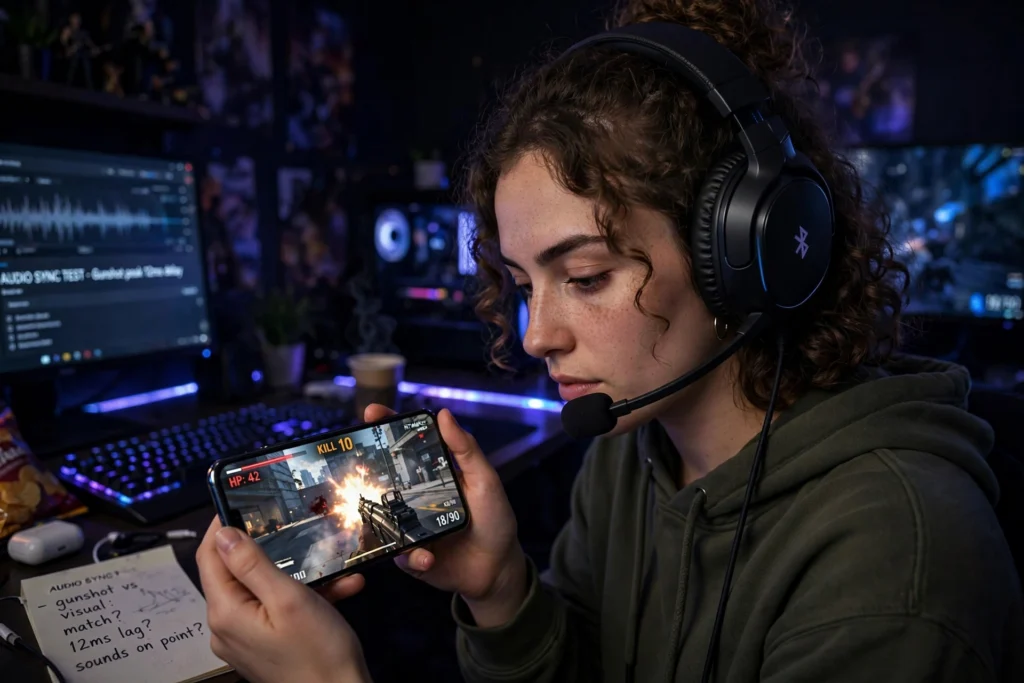
- Playing games: You hear gunshots, footsteps, or other effects after they happen on screen.
- Making video calls: Your voice or the other person’s voice seems delayed.
- Playing music: A delay can become noticeable when you tap along to a beat or play a musical instrument.
The delay depends on your Bluetooth headphones or speakers, the audio codec, your operating system, the app, and the device sending the sound.
A wired connection usually has less delay because it avoids much of the extra processing needed for Bluetooth audio. However, Bluetooth can still work well for everyday listening.
The Bluetooth Signal Chain: Where Does the Delay Come From?
Bluetooth audio does not move directly from your phone to your ears in one step. It passes through several stages, and each stage can add a little delay.
- Audio processing and encoding — The source prepares and compresses the sound.
- Bluetooth transmission — The encoded audio travels over a wireless link.
- Buffering — The receiving device stores audio briefly to avoid gaps.
- Decoding — The headphones turn the compressed data back into audio.
- Digital-to-analog conversion and playback — The audio becomes a signal that the speaker drivers can play.
1. Encoding the audio
Your phone or computer may need to compress audio before sending it. The codec controls how audio is encoded and decoded.
Common Bluetooth audio codecs include SBC, AAC, aptX, LDAC, and LC3. They have different quality, processing, and latency characteristics.
2. Sending audio over Bluetooth
The encoded data travels through a wireless connection, commonly using the 2.4 GHz radio band.
Other nearby devices can create interference. Wi-Fi equipment and some USB 3.0 devices may contribute to radio noise in certain setups. When data transmission becomes unreliable, the system may need extra buffering or recovery, depending on the device.
3. Buffering the audio
Buffering is one of the main reasons Bluetooth audio can feel delayed.
A buffer temporarily stores audio before it plays. This helps prevent sound from cutting out when the wireless connection becomes unstable.
A larger buffer can make playback smoother, but it can also increase delay. A smaller buffer may reduce latency but can cause more dropouts if the connection is unreliable.
This is a trade-off between smooth playback and fast response.
4. Decoding the audio
Your headphones or speakers decode the received data. The amount of time this takes depends on the codec and the device’s design.
5. Converting and playing the sound
The decoded digital audio passes through additional processing and digital-to-analog conversion before reaching the speaker drivers. This can add some more delay.
The total Bluetooth audio latency comes from the complete signal chain, not just the radio connection.
How Much Bluetooth Latency Is Too Much?
There is no single latency limit that works for everyone. A delay that is fine for music may be frustrating during a competitive game.
Use these figures as practical guidelines, not strict scientific limits.
| Approximate end-to-end delay | Music listening | Movies and TV | Competitive gaming |
|---|---|---|---|
| Under 40 ms | Excellent response | Usually very good | A strong target |
| 40 to 100 ms | Usually fine | Often acceptable, depending on sync | May be noticeable |
| 100 to 200 ms | Often acceptable | Lip-sync issues may appear | Usually noticeable |
| Over 200 ms | May feel delayed in rhythm-based use | Often distracting without compensation | Poor for fast reactions |
These ranges are illustrative. Your experience depends on the content, your sensitivity to delay, and whether the app or device compensates for it.
Why movies can look synchronized while games have audio lag
Video apps can often delay the picture slightly so it lines up with the audio. This is called audio-video synchronization compensation.
Games work differently. When a character fires a weapon, the game creates the sound in response to that action. It cannot always predict the action and delay everything in the same way a video player can.
That is why a movie may look perfectly synchronized through Bluetooth headphones while a game such as PUBG or Call of Duty has noticeable sound delay.
Can people hear a delay of 100 milliseconds?
A delay of 100 ms can be noticeable, especially when sound should match a visible action or a precise movement. But there is no universal threshold at which every person will notice it.
People may tolerate the same delay differently depending on whether they are listening to music, watching a film, speaking on a call, or playing a rhythm game.
Master Codec Latency Comparison: SBC, AAC, aptX, LDAC, and LC3
A Bluetooth audio codec is a system that compresses and decompresses sound. Your phone and headphones must support a compatible codec for it to be used.
The codec can affect latency, but its name alone cannot tell you the exact delay you will experience. The full system, including buffering, device firmware, operating system, and connection conditions, also matters.
| Codec | Typical latency guidance | Main points |
|---|---|---|
| SBC | Often around 150 to 250 ms in common setups, but it varies | Basic codec widely supported by Bluetooth Classic audio devices |
| AAC | Varies widely by device and operating system | Common in Apple devices and supported by some other devices |
| aptX Classic | Often lower than some standard SBC setups, but varies | Requires support from both the source and headphones |
| aptX Low Latency | About 40 ms in Qualcomm’s stated supported setup | Designed for synchronized audio and video; both ends need compatible support |
| aptX Adaptive | Qualcomm reports about 80 ms system latency under its stated conditions | Adjusts performance to balance sound quality and connection reliability |
| LDAC | No single dependable latency figure | Focuses on high quality audio; it is not specifically a low-latency gaming codec |
| LC3 | No single universal end-to-end figure | The codec used by Bluetooth LE Audio, designed for efficient audio with flexible performance |
The figures above are general guidance, not guaranteed results or a controlled comparison of every codec. SBC and AAC latency can vary substantially across phones, computers, and headphones. Qualcomm’s figures for aptX Low Latency and aptX Adaptive describe particular supported configurations, not every device using those codecs.
Which codec should you choose?
- For everyday music: SBC or AAC may be perfectly adequate if the sound is stable and you do not notice a delay.
- For watching movies: Look for a codec and device combination designed to keep audio and video synchronized. TV or app compensation may also help.
- For gaming: A supported low-latency codec can help, but the whole setup must support it. A gaming headset with its own low-latency wireless connection may be a better choice.
- For modern wireless audio: LC3 and Bluetooth LE Audio are worth knowing about, but do not assume every LC3 device has the same delay.
What makes LC3 different?
LC3 stands for Low Complexity Communication Codec. It is part of Bluetooth LE Audio and supports audio frame intervals of 7.5 ms and 10 ms. These are codec frame durations, not the total time from a game action to sound reaching your ears. The full delay also depends on transport scheduling, buffering, processing, and device design.
LE Audio requires support from both ends of the connection. For example, a compatible headset alone cannot make a computer use LE Audio if the computer’s hardware and software do not support it.
Before buying headphones for gaming, check the exact codec and wireless mode supported by both your source device and your headphones. Do not rely on a codec name printed on the product box alone.
Myth vs. Reality: Does Bluetooth 5.3 Reduce Audio Latency?
Myth: Bluetooth 5.3 always has less audio delay than Bluetooth 5.0.
Reality: A higher Bluetooth version number does not automatically mean lower audio latency.
Bluetooth version numbers describe the Bluetooth Core Specification supported by a device. Latency also depends on the audio codec, Bluetooth audio mode, device software, and buffer settings.
| Claim | What you should know |
|---|---|
| Bluetooth 5.3 always has less delay than 5.0 | Not necessarily. The version number alone cannot predict audio latency. |
| New headphones always fix audio lag | Only if the new device improves the part of the system causing the delay. |
| LDAC is always best for gaming | No. High audio quality and low latency are different goals. |
| LC3 always delivers audio in 10 ms | No. A 10 ms frame interval is not the same as total end-to-end latency. |
| A software update can fix every delay problem | Updates can help, but they cannot remove every hardware or design limit. |
Bluetooth LE Audio uses features introduced in Bluetooth Core Specification 5.2, but a device’s version number by itself does not prove that LE Audio is supported. The source device, headset, operating system, and drivers must support the required features.
If you are choosing new equipment, check its actual codec support, latency claims, and compatibility with your computer, phone, TV, or console.
How to Reduce Bluetooth Audio Latency
Try these steps in order. Test the audio after each major change so you can identify what helped.
1. Reduce wireless interference
Bluetooth commonly operates in the 2.4 GHz band, which is also used by many Wi-Fi networks and other wireless devices.
Try the following:
- Move closer to your phone, computer, or TV.
- Keep the source device in front of you rather than behind a wall or inside a cabinet.
- Move away from busy wireless equipment when possible.
- If your Wi-Fi router supports 5 GHz or 6 GHz Wi-Fi, try connecting your source device to one of those bands.
- Disconnect unused Bluetooth devices temporarily and test again.
These changes may improve connection stability. They will not necessarily reduce the minimum latency built into your codec or device.
2. Disconnect and pair your headphones again
A temporary software or connection problem can sometimes cause unusual audio behavior.
- Turn Bluetooth off on the source device.
- Turn your headphones off.
- Restart both devices.
- Turn Bluetooth back on.
- Pair the headphones again.
- Test the same video or game.
If the delay only happens in one app, check that app’s audio and synchronization settings before changing system settings.
3. Reduce Bluetooth audio delay on Windows 10 and Windows 11
Windows may use different Bluetooth audio modes depending on whether you are playing sound, using the headset microphone, or joining a call.
Bluetooth Classic commonly uses A2DP for stereo playback and the Hands-Free Profile for microphone use and call audio. The hands-free mode may reduce audio quality, but it is not correct to assume that disabling it always fixes latency.
Try these steps:
- Open Settings and select System, then Sound.
- Select your Bluetooth headphones as the output device.
- If you are not using the headphone microphone, close apps that may be using it, such as voice chat or meeting apps.
- Check whether the selected output changes when a call or game chat starts.
- Install Bluetooth and audio driver updates from your PC manufacturer’s support page.
- Restart Windows and test again.
If the headset exposes separate stereo and hands-free entries, choose the stereo playback option for listening when available. Disabling hands-free telephony may prevent the headset’s microphone from working in some applications, so do this only if you do not need that microphone.
Windows 11 devices with compatible hardware, drivers, and software may support Bluetooth LE Audio. Microsoft notes that LE Audio requires support from both the PC and the headset.
4. Reduce Bluetooth audio lag on Android
Android may let you view or change the active Bluetooth audio codec through Developer Options, but the available choices depend on the phone, operating system, and connected device.
Try this process:
- Open Settings and check for Android and system updates.
- Disconnect and reconnect your headphones.
- Test the headphones with another app to see whether the delay is app-specific.
- If you understand the setting, open Developer Options and look for Bluetooth Audio Codec.
- Check which codec is active. A codec option may be unavailable or may switch back automatically if your headphones do not support it.
- If your device offers a compatible low-latency codec, test it and compare the results.
Developer Options may show codec settings that cannot be applied to your current connection. Do not force a codec that the source and headphones do not both support.
Also, do not change unrelated options such as Absolute Volume expecting them to reduce latency. Absolute Volume controls how volume is handled between compatible devices; it is not a general audio delay setting.
5. Fix Bluetooth lag on smart TVs and streaming devices
TVs can add delay through audio processing, wireless transmission, and the sound system itself.
Try these fixes:
- Open your TV’s sound settings.
- Look for Audio Delay, Lip Sync, or AV Sync.
- Adjust the setting in small steps while watching a person speak.
- If your TV has a Game Mode, test it. It may reduce video processing delay, though the result depends on the TV.
- Check for firmware updates for the TV, streaming device, and headphones.
- Test another app or video to see if the issue occurs everywhere.
Some TVs let you adjust audio delay but not reduce the Bluetooth link’s own latency. If the sound is consistently late during gaming, a wired headset or a dedicated low-latency wireless system may work better.
6. Test another device
Connect your headphones to another phone, computer, or TV.
- If the delay happens only on one device, focus on its settings, software, drivers, or app.
- If the delay happens on every device, the headphones or their wireless mode may be the main limitation.
- If only games have a delay but videos look correct, the game may not compensate for audio latency.
This simple test can save time and help you avoid buying new hardware before you understand the cause.
Frequently Asked Questions About Bluetooth Latency
Why is my Bluetooth audio delayed?
The delay may come from audio encoding, buffering, decoding, wireless interference, or processing in your phone, computer, TV, or headphones. Start by testing another app and another source device. This helps identify whether the issue is app-specific or affects the whole connection.
How do I fix Bluetooth audio-video sync problems?
First, check whether the delay happens in one app or everywhere. Try restarting and reconnecting your headphones, then look for an Audio Delay or Lip Sync setting on your TV or streaming device. Some video apps can compensate by delaying the picture, but not every app offers that option.
Is Bluetooth 5.3 better than Bluetooth 5.0 for gaming?
Not automatically. Bluetooth 5.3 does not guarantee lower audio latency than Bluetooth 5.0. Codec support, buffering, device hardware, and the wireless mode can matter more than the version number.
What is the best Bluetooth codec for gaming?
A compatible low-latency codec such as aptX Low Latency can be useful. Qualcomm reports approximately 40 ms in its stated supported setup. However, both the transmitting device and headphones must support the required codec, and the complete system may add more delay.
For competitive gaming, check measured end-to-end latency for the exact headset and platform rather than relying only on codec names.
Is LC3 a low-latency Bluetooth codec?
LC3 is designed for efficient Bluetooth LE Audio and supports 7.5 ms and 10 ms frame intervals. These values describe audio frames, not total end-to-end latency. The final delay depends on the implementation and the rest of the audio system.
Can I reduce Bluetooth latency without buying new headphones?
Yes, sometimes. Reduce interference, restart and reconnect your headphones, update your device drivers, close apps using the headset microphone, and check audio synchronization settings. If the delay comes from the headphones’ design or the codec they support, software changes may not be enough.
Does Bluetooth latency affect music quality?
Latency and sound quality are related to the audio system, but they are not the same thing. A codec can provide good sound quality and still have noticeable delay. For ordinary music listening, a delay may not matter much unless you are playing along with the music or need precise timing.
Is wired audio always faster than Bluetooth?
Wired audio usually has lower latency because it avoids the Bluetooth wireless audio link and some of its buffering and processing. However, the total delay still depends on the source device, audio processing, and output equipment.
Final Takeaway
Bluetooth audio latency is the delay between a sound being created and you hearing it. The most useful fix depends on where that delay comes from.
For everyday listening, moderate delay may not be a problem. For movies, check lip-sync settings and app compensation. For competitive gaming, prioritize a low-latency system that is compatible with both your source device and headphones.
Do not upgrade from Bluetooth 5.0 to 5.3 based on the version number alone. Check codec support, real-world latency measurements, operating system compatibility, and the actual wireless mode before spending money.
Why is my Bluetooth audio delayed?
The delay may come from audio encoding, buffering, decoding, wireless interference, or processing in your phone, computer, TV, or headphones. Start by testing another app and another source device. This helps identify whether the issue is app-specific or affects the whole connection.
How do I fix Bluetooth audio-video sync problems?
First, check whether the delay happens in one app or everywhere. Try restarting and reconnecting your headphones, then look for an Audio Delay or Lip Sync setting on your TV or streaming device. Some video apps can compensate by delaying the picture, but not every app offers that option.
Is Bluetooth 5.3 better than Bluetooth 5.0 for gaming?
Not automatically. Bluetooth 5.3 does not guarantee lower audio latency than Bluetooth 5.0. Codec support, buffering, device hardware, and the wireless mode can matter more than the version number.
What is the best Bluetooth codec for gaming?
A compatible low-latency codec such as aptX Low Latency can be useful. Qualcomm reports approximately 40 ms in its stated supported setup. However, both the transmitting device and headphones must support the required codec, and the complete system may add more delay. For competitive gaming, check measured end-to-end latency for the exact headset and platform rather than relying only on codec names.
Is LC3 a low-latency Bluetooth codec?
LC3 is designed for efficient Bluetooth LE Audio and supports 7.5 ms and 10 ms frame intervals. These values describe audio frames, not total end-to-end latency. The final delay depends on the implementation and the rest of the audio system.
Can I reduce Bluetooth latency without buying new headphones?
Yes, sometimes. Reduce interference, restart and reconnect your headphones, update your device drivers, close apps using the headset microphone, and check audio synchronization settings. If the delay comes from the headphones' design or the codec they support, software changes may not be enough.
Does Bluetooth latency affect music quality?
Latency and sound quality are related to the audio system, but they are not the same thing. A codec can provide good sound quality and still have noticeable delay. For ordinary music listening, a delay may not matter much unless you are playing along with the music or need precise timing.
Is wired audio always faster than Bluetooth?
Wired audio usually has lower latency because it avoids the Bluetooth wireless audio link and some of its buffering and processing. However, the total delay still depends on the source device, audio processing, and output equipment.


4 Comments
Pingback: Bluetooth Audio Delay? Fix Lag in Games, Calls & Video Sync
Pingback: Wired vs Bluetooth Headphones: Which Is Better in 2026?
Pingback: Best Bluetooth Headphones for Gaming: 5 Low Latency Picks
Pingback: Bluetooth Audio Codecs Compared: LDAC vs aptX vs AAC