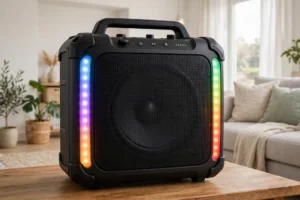
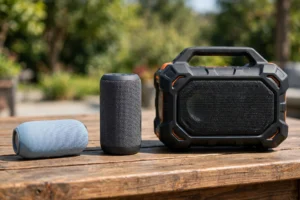



Choosing a Bluetooth speaker can be confusing when every model promises powerful sound, deep bass, long battery life, and easy pairing. Some speakers are great for travel but too quiet for outdoor parties. Others have high wattage numbers but still sound distorted at high volume. Water resistance, Bluetooth range, and battery claims can also be hard to compare.
This guide explains how to choose the right Bluetooth speaker, understand its important specifications, connect it to your phone or computer, and fix common problems. Whether you need a small travel speaker, a waterproof outdoor model, or a speaker for your desk, you will learn what matters before and after you buy.
1. Choose the Right Bluetooth Speaker for Your Needs
The best Bluetooth speaker is not always the most powerful or expensive one. Start by thinking about where you will use it, how loud it needs to be, and how easy it should be to carry.
Ultra-Portable and Pocket Speakers
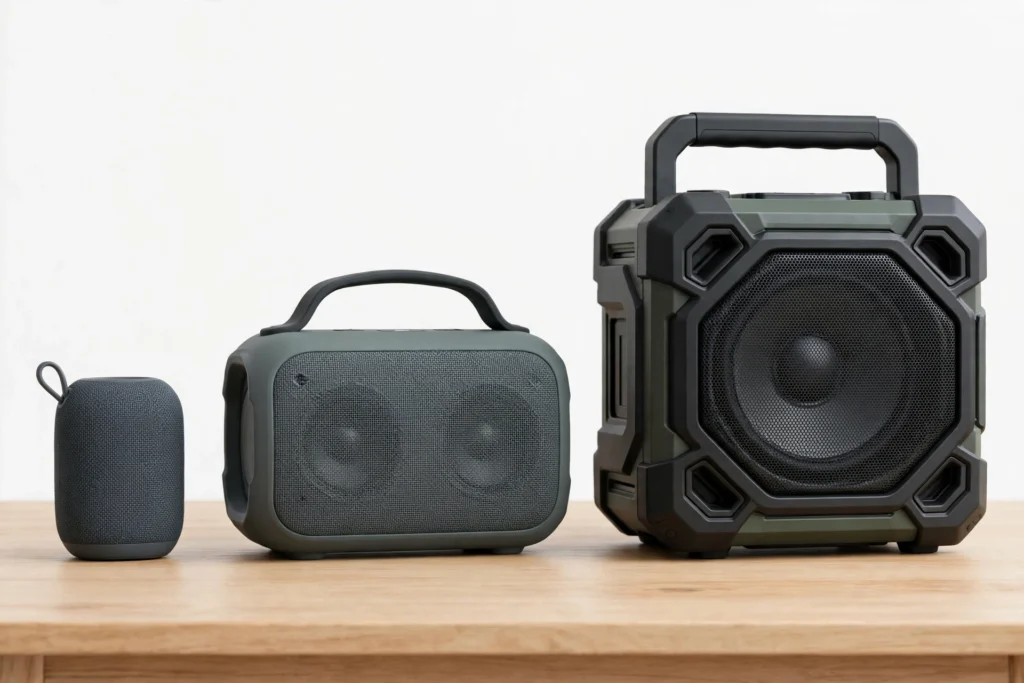
Ultra-portable speakers are made for people who want music on the move. They are usually small and light enough to fit in a backpack or travel bag.
They work well for:
- Hiking and short trips
- Personal listening in a hotel room
- Small picnics
- Cycling stops and outdoor breaks
- Listening to podcasts while travelling
The main advantage is portability. Some models also include a strap, clip, or rubberized body for easier handling.
However, small speakers have physical limits. They may not produce deep bass or fill a large outdoor space with clear sound. Turning a small speaker to maximum volume can also make the sound harsh, depending on its design.
Best choice for: People who value low weight, simple controls, and easy transport more than powerful bass.
Medium Portable Speakers and Outdoor Boomboxes
Medium-sized portable speakers offer a balance between sound output, battery life, and portability. Larger outdoor boomboxes usually provide more output and stronger bass, although they take up more space.
These speakers are useful for:
- Camping trips
- Backyard gatherings
- Beach outings
- Outdoor meals
- Small parties
- Group activities
For outdoor listening, look beyond wattage. Speaker placement, wind, background noise, and the number of people listening all affect how loud the music seems.
A speaker that sounds powerful in a quiet bedroom may struggle in a busy outdoor area. A larger model with suitable drivers and good sound processing may perform better, even if its advertised peak wattage does not look dramatically higher.
If you plan to use a speaker near a pool or beach, check its water and dust protection rating before buying.
Best choice for: People who need more volume and fuller sound for groups or outdoor activities.
Home and Desktop Bluetooth Speakers
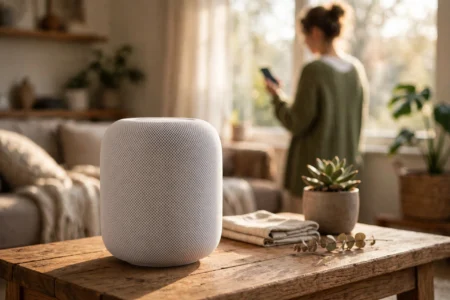
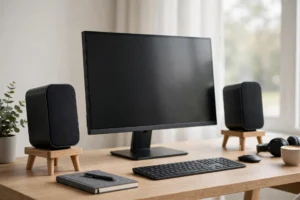
Home and desktop speakers are designed for spaces such as bedrooms, living rooms, offices, and workstations.
Common uses include:
- Listening to music while working
- Playing podcasts and audiobooks
- Watching videos
- Filling a small room with background music
- Listening to music from a phone or laptop
A desktop speaker does not need to be extremely loud. Clear vocals, balanced sound, and convenient controls may matter more than maximum output.
Also check whether the speaker supports the connections you need. Some Bluetooth speakers include a 3.5mm AUX input, while others rely on Bluetooth or USB connections. Do not assume every model supports every input.
Best choice for: People who want convenient everyday sound in a fixed location.
Quick Comparison: Which Type Should You Choose?
| Speaker type | Best use | Main benefit | Main limitation |
|---|---|---|---|
| Ultra-portable | Travel, hiking, personal listening | Small and easy to carry | Limited bass and room-filling sound |
| Medium portable | Picnics, camping, small gatherings | Balance of size and sound | Larger than pocket speakers |
| Outdoor boombox | Parties and open spaces | Higher potential output | Bulkier and often heavier |
| Home or desktop | Workstations and living rooms | Convenient everyday listening | Portability may be limited |
| Shower or wet-area speaker | Damp environments, if rated for them | Added moisture protection | Water resistance varies by model |
2. Bluetooth Speaker Wattage, Drivers, and Sound Quality
Wattage is one of the first specifications people compare when shopping for a wireless speaker. It can help you understand a speaker’s power capabilities, but it does not tell you everything about sound quality or loudness.
RMS Wattage vs. Peak Power
RMS power is commonly used to describe sustained audio output capability. Peak power refers to a higher output level that may be available for a short period under specified conditions.
Some product listings highlight peak wattage because the number looks impressive. That does not necessarily mean the speaker can deliver that power continuously or sound better than a model with a lower rating.
When comparing speakers, check whether the advertised figure is RMS or peak power. Also consider the speaker’s size, driver design, sound processing, and independent listening tests when available.
How Many Watts Do You Need?
There is no single wattage that works for every room or outdoor setting. The following table is a practical starting point, not a guarantee of loudness. Manufacturers measure and report power differently, and speaker efficiency also affects the result.
| Advertised power range | Possible use | What to consider |
|---|---|---|
| Around 5W to 10W RMS | Personal listening, a desk, a small quiet room | May struggle with background noise |
| Around 10W to 30W RMS | Bedrooms, small rooms, casual outdoor listening | A useful middle ground for many users |
| Around 30W to 60W RMS | Larger rooms and small gatherings | Check clarity at high volume and bass performance |
| 60W RMS and above | Larger spaces and louder group listening | Size, power source, speaker design, and distortion become important |
These ranges overlap. A well-designed 20W speaker can sound clearer than a poorly designed speaker advertised at 50W. For a noisy outdoor gathering, even a high-powered portable speaker may not replace a larger sound system.
Practical buying tip: Choose based on the space, expected listening distance, and sound quality you need. Do not buy based on wattage alone.
Woofers, Tweeters, and Passive Radiators
The parts inside a speaker help shape its sound.
- Woofers: Designed to reproduce lower frequencies, including much of the bass range.
- Tweeters: Reproduce higher frequencies, helping instruments and details sound clear.
- Full-range drivers: Handle a broad range of frequencies in a single driver.
- Passive radiators: Use air pressure inside the speaker enclosure to support low-frequency output without requiring a separate powered driver.
Not every Bluetooth speaker has separate woofers and tweeters. Small models may use one or more full-range drivers.
Passive radiators can help a compact speaker produce a stronger sense of bass, but they cannot remove the physical limits of a small enclosure.
Why Does a Lower-Wattage Speaker Sometimes Sound Better?
A speaker’s sound depends on more than power. Driver quality, enclosure design, tuning, and digital signal processing all matter.
Digital signal processing (DSP) adjusts the audio signal to help the speaker produce a controlled sound. It can help manage bass, balance frequencies, and limit distortion when the speaker approaches its operating limits.
A well-tuned speaker may sound full and clear at a moderate volume. A poorly designed speaker may become harsh or muddy even when its advertised wattage is high.
Before buying, look for reviews that describe sound clarity at both low and high volume. If possible, listen to the speaker yourself.
3. Bluetooth Speaker Water Resistance: IPX4, IPX7, and IP67
Water resistance matters when you use a Bluetooth speaker outdoors, near a pool, in a bathroom, or at the beach. The IP rating gives you a standardized way to understand certain types of protection.
IP stands for Ingress Protection. The code can describe protection against solid particles and water under specified test conditions.
What Do the Ratings Mean?
| Rating | Dust protection | Water protection | Practical meaning |
|---|---|---|---|
| IPX4 | Not rated by the X position | Protection against splashing water | May suit light splashes and some outdoor use |
| IPX7 | Not rated by the X position | Tested for temporary immersion under defined conditions | Can suit some situations involving accidental submersion |
| IP67 | Dust-tight | Tested for temporary immersion under defined conditions | Provides both strong dust protection and immersion protection |
The X in IPX4 and IPX7 does not mean the speaker has no dust protection. It means a dust-protection rating is not specified by that code.
IPX7 and IP67 generally refer to immersion testing under defined conditions, often up to one metre for up to 30 minutes. Always check the manufacturer’s instructions because exact test conditions and limitations matter.
A water-resistance rating is not a promise that a speaker will survive every accident.
Can You Use a Waterproof Bluetooth Speaker at the Beach?
Be careful. Freshwater test ratings do not automatically mean a speaker is safe in saltwater.
Saltwater can leave deposits and contribute to corrosion. Sand can also enter openings, damage surfaces, or interfere with buttons and charging ports.
Chlorinated pool water may also affect materials and seals. If the speaker gets exposed to saltwater, pool water, or sand, follow the manufacturer’s cleaning instructions.
Do not rinse a speaker under running water unless the manufacturer permits it.
Water Resistance Does Not Mean You Can Charge It While Wet
This is an important safety rule.
Before connecting a charging cable, make sure the charging port and connector are dry. Moisture inside a port can cause problems even when the speaker has a water-resistance rating.
Follow the manufacturer’s guidance for drying the speaker. Avoid using heat to speed up the process unless the manufacturer specifically allows it.
Buying tip: For a shower or splash-prone area, look for an appropriate water-resistance rating. For a beach or dusty campsite, dust protection is also valuable. For swimming or submersion, check the manufacturer’s exact limits rather than relying on the word “waterproof.”
4. Bluetooth Speaker Battery Life and Charging
Battery life is important for travel, camping, and outdoor parties. However, the advertised playback time is usually based on particular test conditions. Your real-world results may be different.
Why Does Battery Life Change?
Several factors can affect how long a Bluetooth speaker plays music:
- Volume: Higher volume usually requires more power.
- Bass output: Producing strong low frequencies can increase power demand.
- LED lighting: Decorative lighting uses additional energy.
- Bluetooth features: The effect depends on the speaker’s design and active features.
- Battery age: Rechargeable batteries lose capacity over time.
- Temperature: Very hot or cold conditions can affect battery performance.
A speaker advertised for 24 hours of playback will not necessarily last 24 hours at maximum volume with lighting enabled.
Advertised vs. Real-World Battery Life
There is no universal formula for converting advertised battery life into actual playback time. Different speakers use different batteries, amplifiers, drivers, and power-management systems.
Use this table to understand what to check rather than treating the figures as guaranteed results.
| Listening condition | Expected effect | What to check |
|---|---|---|
| Moderate volume, lighting off | Usually closer to the advertised result | Manufacturer’s test conditions |
| High volume | Often shorter playback time | Reviews that test loud listening |
| High volume with strong bass | May use more power | Whether the speaker limits bass at high output |
| High volume with LED lighting | Additional power use | Whether lighting can be disabled |
| Older battery | Reduced runtime is possible | Battery condition and replacement options |
If battery life matters to you, prioritize independent tests that use similar listening conditions to your own.
What Does Battery Capacity in mAh Mean?
Battery capacity is often shown in milliamp-hours (mAh). A larger number can indicate more stored charge, but it does not guarantee longer playback across different speakers.
Battery voltage, amplifier efficiency, driver design, and power consumption also matter. For this reason, comparing advertised playback time is often more useful than comparing mAh alone, provided the tests are reasonably comparable.
Can You Leave a Bluetooth Speaker on the Charger?
That depends on the model.
Many modern rechargeable devices include charging controls designed to manage the battery, but this does not mean every speaker should remain plugged in indefinitely. Heat, battery design, and the manufacturer’s charging guidance all matter.
Follow the supplied instructions. Use the recommended charger and cable, keep ventilation openings clear, and avoid charging a damaged or unusually hot speaker.
If you want a speaker for long periods of fixed-location use, check whether the manufacturer explicitly supports that type of operation.
Can a Power Bank Charge a Bluetooth Speaker?
Some speakers can charge from a power bank, but support depends on the speaker’s charging requirements and the power bank’s output.
Check whether the speaker accepts USB-A, USB-C, or USB-C Power Delivery. Do not assume that every USB-C speaker supports USB-C Power Delivery or can charge from every power bank.
A power bank with the right output can be useful during camping and travel. The correct cable and charging specification are still essential.
5. Bluetooth Versions, Range, and Audio Codecs
Bluetooth specifications can affect compatibility, connection features, and performance. But a newer Bluetooth version does not automatically mean a speaker will sound better.
Does Bluetooth 5.3 or 5.4 Improve Sound Quality?
Not by itself.
Bluetooth versions can introduce changes to supported features, efficiency, or connectivity. Actual performance depends on the capabilities implemented by both the speaker and the connected device.
Sound quality also depends on the audio codec, speaker hardware, tuning, and source recording.
For example, a speaker using Bluetooth 5.4 is not automatically better sounding than one using Bluetooth 5.2. Compare the complete product rather than choosing based on the version number alone.
What Are Bluetooth Audio Codecs?
A codec determines how digital audio is encoded for transmission and decoded for playback.
Common Bluetooth audio codecs include:
- SBC: A widely supported baseline codec.
- AAC: Used by many phones and audio products, with results that depend on the device and implementation.
- aptX: A family of codecs supported by certain devices.
- LDAC: A codec designed to support higher-bitrate Bluetooth audio under suitable conditions.
- LC3: A low-complexity codec associated with Bluetooth LE Audio.
The speaker and source device must support a compatible codec for it to be used. Having a codec on your phone does not mean every Bluetooth speaker can use it.
Higher bitrate can help preserve more audio information under suitable conditions, but it does not guarantee that a speaker will sound better. Driver quality, tuning, and listening conditions remain important.
How Far Can a Bluetooth Speaker Work From Your Phone?
Actual range depends on the speaker, phone, environment, and radio conditions.
Some manufacturers advertise a range of around 30 feet, while certain devices may work at greater distances in suitable conditions. A claim of 100 feet should not be treated as a guarantee in every home or outdoor setting.
Walls, metal objects, other wireless devices, and the position of your phone can reduce the usable range.
If the audio keeps cutting out, move the phone closer to the speaker and test again. Keep the devices away from thick walls and large metal objects where possible.
6. TWS Stereo Pairing, Multipoint, and App Control
Some Bluetooth speakers offer features that go beyond playing audio from one phone. These features can be useful, but support varies by model and brand.
What Is True Wireless Stereo (TWS)?
True Wireless Stereo, or TWS, allows compatible speakers to work together as a stereo pair. One speaker plays the left channel, and the other plays the right channel.
When supported and configured correctly, stereo pairing can create a wider listening experience than using one speaker alone.
However, two speakers cannot always be paired together simply because they both have Bluetooth. The speakers may need to support the same pairing system and compatible models.
How to Pair Two Bluetooth Speakers
The general process is:
- Turn on both speakers.
- Make sure both are charged and within range.
- Open the manufacturer’s speaker app if one is required.
- Start the stereo or multi-speaker pairing feature.
- Follow the speaker’s instructions to link the devices.
- Play audio and confirm that both speakers work as expected.
The exact steps vary by brand. Some speakers use a dedicated button, while others require an app or a specific sequence.
What Is Multipoint Pairing?
Multipoint allows a compatible Bluetooth device to maintain connections with more than one source device. For example, a speaker may support connections to both a laptop and a phone.
However, multipoint is not available on every Bluetooth speaker. Even when supported, the way audio switches between devices depends on the model.
Do not confuse multipoint with TWS. Multipoint concerns connections to source devices, while TWS links speakers for shared or stereo playback.
What Are Party Modes and Auracast?
Some speaker brands offer proprietary features for connecting multiple speakers. Names and compatibility rules vary between manufacturers.
Bluetooth LE Audio also includes Auracast broadcast audio, which can let compatible transmitters broadcast audio to compatible receivers. This does not mean every speaker with Bluetooth can use Auracast.
Check the exact model specifications before assuming that a speaker can join another brand’s party mode or broadcast system.
Do You Need a Speaker App?
Some manufacturers provide apps for custom equalizer settings, firmware updates, battery information, stereo pairing, or multi-speaker controls.
An app can be useful if it adds features you plan to use. But do not assume that every speaker requires an app for basic playback. Many models can connect through the phone’s standard Bluetooth settings.
7. How to Pair a Bluetooth Speaker With Your Phone or Computer
Most Bluetooth speakers follow the same basic setup process, although the pairing button and indicator lights vary.
Step 1: Turn on the Speaker
Charge the speaker if needed, then turn it on. If the battery is too low, the speaker may fail to enter pairing mode or may turn off during setup.
Step 2: Activate Pairing Mode
Some speakers enter pairing mode automatically the first time they are switched on. Others require you to press and hold a Bluetooth button.
Look for a flashing indicator or an audio prompt. Do not assume every flashing light means the same thing across brands.
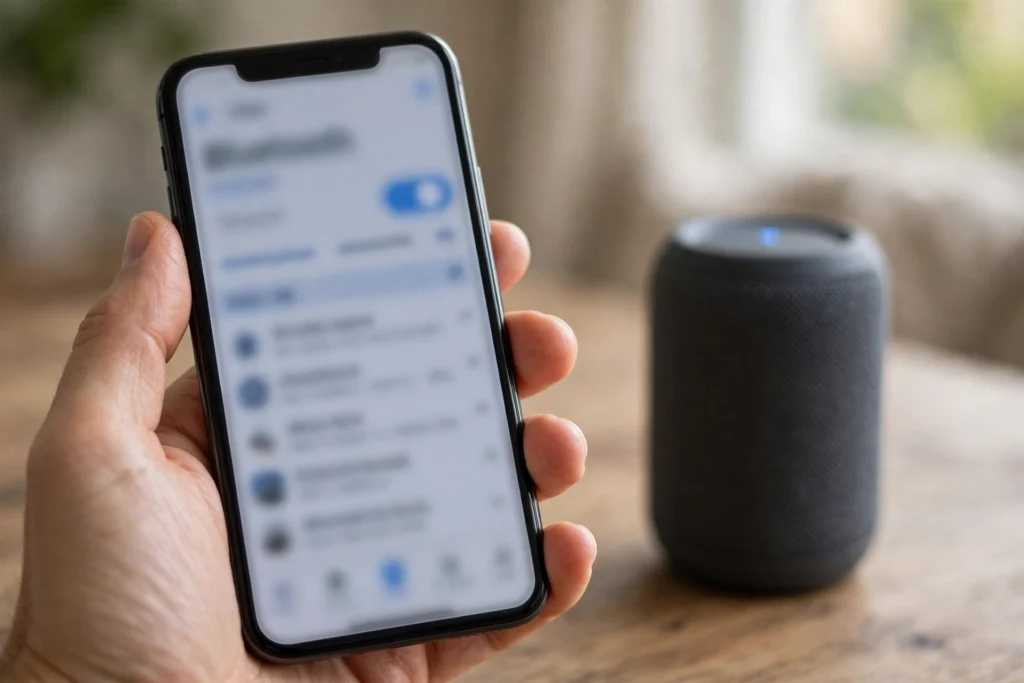
Step 3: Open Bluetooth Settings
On your phone or computer, open Bluetooth settings and make sure Bluetooth is enabled.
Find the speaker in the list of available devices. Select its name and wait for the connection to complete.
Step 4: Test the Audio
Play a song or video. If the speaker connects but no sound comes out, check the selected audio output and volume settings.
8. Troubleshooting Common Bluetooth Speaker Problems
A Bluetooth speaker may fail to connect, disconnect during playback, or connect successfully without producing sound. Start with simple checks before attempting a factory reset.
Problem 1: The Bluetooth Speaker Will Not Connect
Try these steps in order:
- Confirm that the speaker is powered on and sufficiently charged.
- Put the speaker into pairing mode.
- Open Bluetooth settings on your phone or computer.
- If the speaker was previously paired, remove or forget its saved connection.
- Restart Bluetooth on the source device.
- Restart the speaker and try pairing again.
- Move the devices closer together during setup.
If the speaker is connected to another phone or computer, disconnect it from that device if necessary. Some speakers limit how they handle multiple connections.
If it still will not connect, check the manufacturer’s model-specific instructions.
Problem 2: The Speaker Keeps Disconnecting
Random disconnections can result from distance, obstacles, interference, low battery, or problems with the source device.
Try the following:
- Move the phone closer to the speaker.
- Test in a different room or location.
- Charge the speaker.
- Temporarily disconnect other devices that may be competing for the connection.
- Restart both devices.
- Check for speaker firmware or phone software updates if available.
If the connection works well at close range but fails at a distance, the issue may be related to range or interference.
If disconnections continue even when the devices are close together, test with another phone or computer. This can help identify whether the issue is with the speaker or the original source device.
Problem 3: The Speaker Connects but Has No Sound
A successful Bluetooth connection does not always mean audio is being sent to the speaker.
Check these items:
- Raise the volume on the speaker.
- Raise the media volume on your phone or computer.
- Confirm that the speaker is selected as the audio output.
- Check whether the app is muted or playing through another output.
- Disconnect and reconnect the speaker.
- Test audio from another app.
On a computer, open the sound settings and select the correct output device. On a phone, check the audio output menu if multiple devices are connected.
If the speaker works with another device, the original device’s settings may be responsible. If it fails with several devices, the speaker may need further troubleshooting.
Problem 4: Audio Cuts Out or Sounds Distorted
If music drops out or sounds rough, lower the volume first. Maximum volume can push some speakers beyond the level at which they sound clean.
Next, move the source device closer to the speaker and test in a different location. Disconnect unnecessary wireless devices if interference appears to be a factor.
Also check the recording or streaming source. If only one app or track sounds distorted, the speaker may not be the cause.
If distortion happens consistently at moderate volume across different devices and audio sources, consult the manufacturer’s support instructions.
Problem 5: Two Speakers Will Not Pair Together
First, confirm that both speakers support the same multi-speaker or stereo-pairing feature. Two Bluetooth speakers are not automatically compatible with each other for synchronized playback.
Then:
- Charge and turn on both speakers.
- Place them close together.
- Disconnect unwanted source-device connections if the instructions require it.
- Follow the correct stereo or party-mode pairing procedure.
- Restart the pairing process if either speaker fails to join.
Use the manufacturer’s app if the model requires one. Avoid assuming that a feature name from one brand works with another brand.
Problem 6: How to Factory Reset a Bluetooth Speaker
A factory reset can help when pairing problems continue after basic troubleshooting. It may also erase saved connections and other settings.
However, there is no universal reset button combination for every Bluetooth speaker. Some models use a dedicated reset button, while others require you to hold certain buttons together for a specified time.
Before resetting:
- Check the exact model name.
- Find the manufacturer’s reset instructions.
- Make sure the speaker has enough battery.
- Follow the stated button sequence.
- Put the speaker back into pairing mode after the reset.
Do not try random button combinations, as the procedure may differ by model.
9. How to Choose the Best Bluetooth Speaker: Final Checklist
Before buying a Bluetooth speaker, check the points that matter most for your situation.
- Use case: Is it for travel, a desk, a living room, or outdoor gatherings?
- Sound output: Is the speaker powerful enough for the space?
- Sound clarity: Does it stay clear at the volume you need?
- Water protection: Is the IP rating suitable for rain, splashes, or accidental submersion?
- Dust protection: Will you use it around sand or at a campsite?
- Battery life: Is the advertised playback time realistic for your listening habits?
- Charging: Does it use USB-C, USB-A, or another charging method?
- Bluetooth compatibility: Does it work with your phone, tablet, or computer?
- Range: Will it work comfortably in the space where you plan to use it?
- Audio features: Do you need TWS stereo pairing, multipoint, or app-based EQ?
- Inputs: Do you need an AUX input or support for another audio connection?
- Controls: Are the buttons easy to use?
- Portability: Is it light enough to carry regularly?
- Support: Does the manufacturer provide clear setup and reset instructions?
The most useful Bluetooth speaker is the one that fits your daily routine. A small model can be ideal for travel, while a larger speaker may suit parties and outdoor use. For home listening, clear sound and easy controls may matter more than extreme volume.
Conclusion
Choosing a Bluetooth speaker becomes easier when you focus on your real needs instead of marketing claims. Compare the speaker’s size, sound quality, wattage, water resistance, battery life, and connectivity before making a decision.
After buying, use the correct pairing process and troubleshoot simple connection problems before attempting a factory reset. Remember that Bluetooth versions and high wattage numbers do not guarantee better sound, and a water-resistant speaker still needs proper care.
Use this guide as your starting point for selecting, setting up, and troubleshooting a Bluetooth speaker. Then follow the relevant setup or troubleshooting steps for your specific model when you need more detailed help.