

Have you ever bought Bluetooth earbuds expecting great sound, only to find that they keep disconnecting, one earbud stops working, or the battery runs out too quickly? Choosing the right Bluetooth earbuds can be frustrating when you are unsure which features matter, whether they will work well with your phone, or how to avoid paying for features you do not need. You want earbuds that sound good, connect reliably, feel comfortable, and last through your day without constant troubleshooting.
This guide will help you find Bluetooth earbuds that match your needs and budget. You will learn how to compare sound quality, battery life, noise cancellation, audio codecs, fit, and water resistance. You will also discover how to pair earbuds with your phone or computer, fix common connection and sound problems, and keep them clean and working properly for longer.
Understanding True Wireless Stereo (TWS) Earbuds
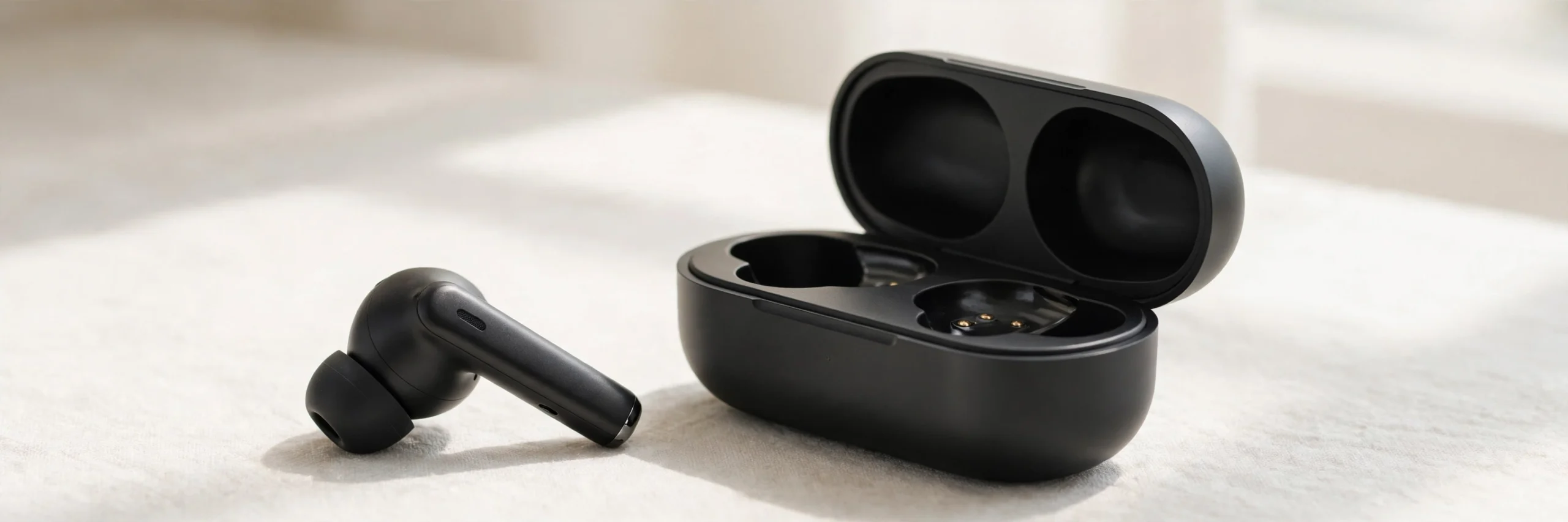
Most modern Bluetooth earbuds use a design called True Wireless Stereo (TWS). This means the left and right earbuds work without a cable connecting them to each other or to your phone.
A typical TWS system has three main parts:
- Left and right earbuds: Play audio and often contain microphones, batteries, and touch or button controls.
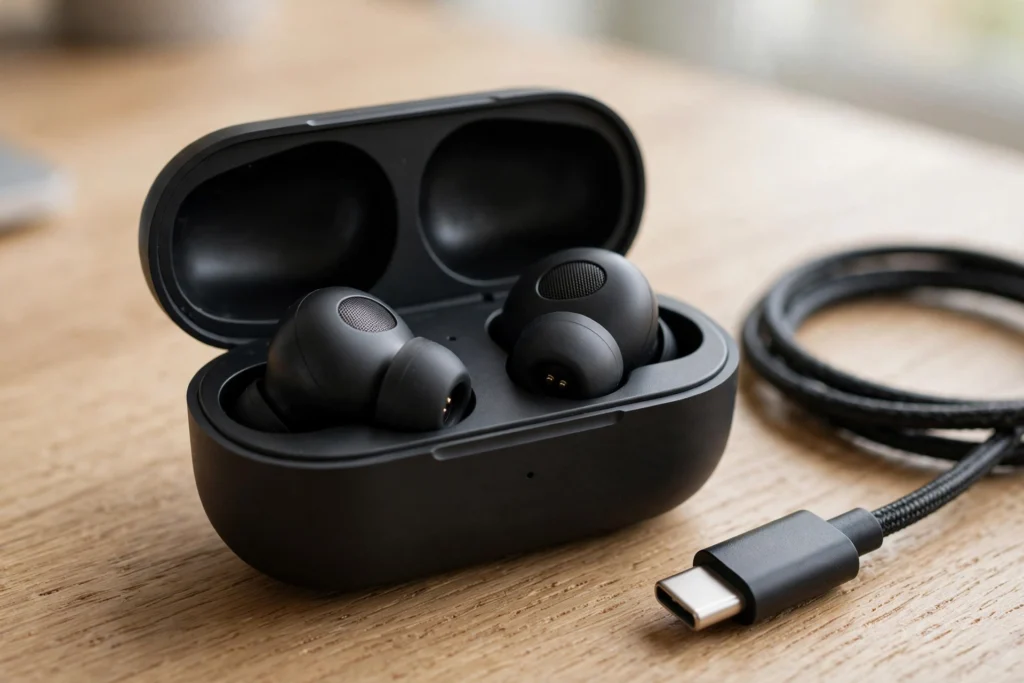
- Charging case: Stores and protects the earbuds and recharges them when they are placed inside.
- Bluetooth connection: Links the earbuds to your phone, tablet, laptop, or another compatible device.
How Do True Wireless Earbuds Work?
When you play music on your phone, the audio travels through Bluetooth to the earbuds. The earbuds then play the left and right audio channels to create stereo sound.
Some older wireless systems used a primary earbud to receive the signal and pass audio to the other earbud. Modern designs can handle this in different ways, depending on the model. You do not need to understand the internal connection method to use them.
The important thing is that both earbuds must have enough battery power and a working connection to play correctly.
What Is the Difference Between Wireless Earbuds and TWS Earbuds?
Wireless earbuds do not always mean true wireless earbuds. Some wireless models have a cable or neckband connecting the two earpieces. TWS earbuds have no cable between the left and right buds.
If you want earbuds that fit in a small case and work independently, TWS is the design to look for.
Key Features to Look For When Buying Bluetooth Earbuds
The best Bluetooth earbuds depend on how you plan to use them. Earbuds for commuting may need strong noise cancellation, while earbuds for running should fit securely and handle sweat. For work calls, microphone quality may matter more than advanced audio codecs.
Consider these features before buying.
1. Active Noise Cancellation (ANC)
Active Noise Cancellation uses microphones and electronic processing to reduce certain sounds around you. It can make steady background noise, such as the sound of an air conditioner or an airplane cabin, less distracting.
ANC is useful for:
- Travelling on buses, trains, and planes.
- Working in noisy offices.
- Listening at lower volumes in busy places.
- Focusing on music or podcasts.
However, ANC does not remove every sound. Voices, sudden noises, and high-pitched sounds may still be heard.
2. ANC vs. Passive Noise Isolation
These two features are related, but they work differently.
| Feature | How it works | Best use |
|---|---|---|
| Active Noise Cancellation | Uses microphones and electronic processing to reduce certain outside sounds | Steady background noise |
| Passive noise isolation | Uses the earbud body and ear tips to block sound physically | Reducing outside noise through a good fit |
| Transparency mode | Uses microphones to let outside sound reach your ears | Hearing announcements and conversations |
A good ear tip seal improves passive isolation and can also help ANC work better. Even expensive earbuds may perform poorly if their tips do not fit your ears.
3. Multipoint Bluetooth
Multipoint Bluetooth allows compatible earbuds to connect to two or more source devices at the same time, depending on the model.
For example, you might connect your earbuds to a laptop and a phone. You can listen to a meeting on your laptop and switch to a phone call when it arrives.
Multipoint is especially useful for remote workers and people who move between devices throughout the day. Check the manufacturer’s specifications because not all Bluetooth earbuds support it, and switching behavior varies.
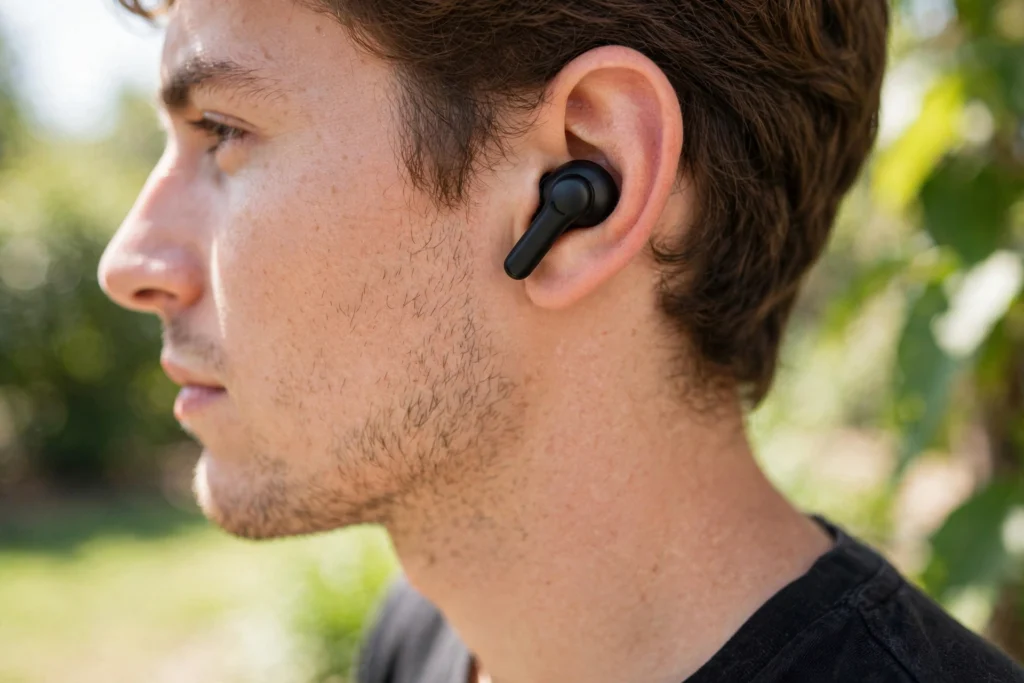
4. Fit and Comfort
Fit affects comfort, sound quality, and noise isolation. Many in-ear earbuds include small, medium, and large silicone ear tips. Some models also support memory foam tips.
Try these steps to find a good fit:
- Start with the medium tips if they are supplied.
- Insert each earbud gently and adjust it until it feels secure.
- Try a smaller or larger tip if the earbud slips or causes pressure.
- Check that both ears have a similar seal.
- Wear the earbuds for several minutes to see whether they cause discomfort.
Try the bass test: Play a song with clear bass at a comfortable volume. If the bass sounds weak or thin, adjust the earbuds or try another tip size. A better seal often improves bass response. This is a useful check, although weak bass can also result from audio settings or the earbuds themselves.
Do not force an earbud into your ear. A comfortable, stable fit is more important than making the tip feel tightly packed.
5. Microphone Quality and Controls
If you take frequent calls, check reviews for voice clarity in noisy places. The number of microphones alone does not guarantee good call quality.
Also consider whether the earbuds offer easy controls for pausing music, changing volume, answering calls, and switching ANC modes. Controls should be simple enough to use without repeatedly checking your phone.
Codecs and Compatibility: Getting the Best Audio
Bluetooth audio codecs determine how sound is encoded for wireless transmission and decoded by the earbuds. Different earbuds and phones support different codecs, so compatibility matters.
The most common names you may see are SBC, AAC, aptX, and LDAC.
Bluetooth Audio Codecs Explained
| Codec | What to know | Compatibility notes |
|---|---|---|
| SBC | A standard Bluetooth audio codec supported by many devices | Common fallback option |
| AAC | Widely used for Bluetooth audio, including Apple devices | Performance varies by device and implementation |
| aptX | A family of codecs designed for compatible Bluetooth audio devices | Both the source and earbuds must support the relevant version |
| LDAC | A Sony codec that can transmit higher-bitrate audio | Requires support on both the source device and earbuds |
A higher-bitrate codec can preserve more audio detail under suitable conditions, but it does not guarantee that music will sound better. Recording quality, earbuds, fit, audio settings, and listening conditions also matter.
Which Bluetooth Codecs Work With iPhone and Android?
Use this general compatibility guide when comparing earbuds.
| Device | SBC | AAC | aptX | LDAC |
|---|---|---|---|---|
| iPhone | Generally supported | Generally supported | Not supported as a standard system Bluetooth audio option | Not supported as a standard system Bluetooth audio option |
| Android phone | Generally supported | Often supported | Depends on the phone and chipset | Depends on the phone and software |
| Windows PC | Commonly supported, depending on Bluetooth audio support | Depends on the system and hardware | Depends on hardware and software | Depends on hardware and software |
| Mac | Generally supported | Generally supported | Not generally available as a standard system option | Not supported as a standard system Bluetooth audio option |
This table is a general guide, not a guarantee for every device or operating system version. Check your phone’s specifications and the earbuds’ supported codecs before buying.
For example, buying LDAC earbuds does not mean an iPhone will use LDAC. The earbuds can still connect using another compatible codec, but you will not get LDAC playback through the iPhone’s standard Bluetooth audio system.
You also do not need an advanced codec for every use. If you mainly listen to podcasts, make calls, or stream standard-quality audio, comfort, microphone quality, and battery life may matter more.
Understanding IP Ratings for Workouts
An IP rating tells you how well a device is protected against certain types of dust and water exposure. This matters if you plan to use Bluetooth earbuds during exercise, in light rain, or outdoors.
The letters and numbers have specific meanings. The first digit indicates protection against solid objects and dust. The second digit indicates protection against water.
Some common examples include:
- IPX4: Protection against water splashes from different directions. The X means a solid-particle protection rating is not specified in this code.
- IP57: Dust protection and resistance to temporary immersion under specified test conditions. The manufacturer’s instructions still matter.
- Sweat resistance: A general product claim that should be checked against the actual IP rating and care instructions.
Do not assume that all earbuds are waterproof because they are advertised for workouts. Water resistance can vary between the earbuds and their charging case.
Are Bluetooth Earbuds Safe for Heavy Workouts?
For exercise, look for a secure fit and a suitable water resistance rating. IPX4 may be adequate for many users who sweat or encounter light splashes, but requirements vary with the activity.
After a workout, wipe the earbuds with a soft, dry cloth. Let them dry before putting them into the charging case. Avoid charging wet earbuds, and do not expose them to soap, shampoo, or high-pressure water unless the manufacturer specifically permits it.
Battery Life: Earbuds vs. Charging Case
Battery claims can be confusing because manufacturers may report the listening time from one charge or the total time available with the charging case.
These figures are not the same.
- Single-charge battery life: How long the earbuds play before they need to return to the case.
- Total battery life: The combined listening time available from the earbuds and the extra charges supplied by the case.
- Case battery capacity: Often measured in milliamp-hours (mAh), this describes stored electrical charge. It does not directly tell you the exact number of extra listening hours.
For example, earbuds rated for 6 hours per charge with a case that supplies another 18 hours may advertise up to 24 hours of total listening time. Actual results depend on usage and testing conditions.
Does ANC Reduce Battery Life?
Yes, ANC can use additional power. The amount varies by model, volume, microphones, software, and other features. Some earbuds last noticeably less time with ANC enabled.
Do not assume a fixed battery reduction for every model. Compare the manufacturer’s stated playback times with ANC on and off when those figures are available.
Other factors that can affect battery life include:
- High listening volume.
- Long voice calls.
- Frequent use of transparency mode.
- Multipoint connections.
- Battery age and temperature.
If your earbuds run out of power quickly, charge both the earbuds and case fully, review the manufacturer’s battery guidance, and compare actual playback time with the stated figures. A battery that has aged may no longer hold as much charge as it did when new.
How to Pair Bluetooth Earbuds
Pairing connects your earbuds to a phone, tablet, or computer. The exact button sequence varies by brand, but the general process is similar.
- Charge the earbuds. Make sure the earbuds and case have enough power.
- Enter pairing mode. Open the case or remove the earbuds if the manufacturer instructs you to do so. Some models require holding a button on the case or earbuds.
- Open Bluetooth settings. On your phone or computer, turn Bluetooth on and open the list of available devices.
- Select your earbuds. Tap or click the correct device name.
- Confirm the connection. Wait for the connected status or listen for the connection prompt.
If the earbuds do not appear, make sure they are in pairing mode and are not already connected to another nearby device.
For later use, many earbuds reconnect automatically to a previously paired device. You usually do not need to repeat the full setup unless the connection has been removed or something goes wrong.
Common Bluetooth Earbud Problems and How to Fix Them
Bluetooth earbuds can develop connection, sound, charging, or battery problems. Start with the simplest checks before trying a reset.
One Earbud Is Not Working
If one earbud has no sound, try these steps:
- Put both earbuds into the charging case and check whether they charge.
- Confirm that the charging contacts are clean and dry.
- Check the left and right audio balance settings on your phone.
- Make sure the earbuds are correctly seated in the case.
- Restart Bluetooth on your source device.
- If the problem continues, follow the manufacturer’s instructions to reset and pair the earbuds again.
Some models have separate reset procedures, so do not assume that holding one button for a set number of seconds works for every brand.
Bluetooth Earbuds Will Not Connect
If your phone cannot connect to the earbuds, try the following:
- Turn Bluetooth off and back on.
- Keep the earbuds close to the phone during setup.
- Disconnect them from another device if they have connected elsewhere.
- Remove the old pairing from your phone’s Bluetooth list and pair again.
- Restart the phone and earbuds.
- Check for device-specific firmware or software updates.
If the earbuds still fail to connect, test them with another compatible phone or computer. This can help identify whether the problem is with the earbuds or the original device.
Bluetooth Earbuds Are Connected but There Is No Sound
A connected status does not always mean audio is being sent to the correct output.
Check that your phone or computer is playing sound through the earbuds rather than its built-in speakers. Raise the volume on both the source device and the earbuds if they have separate volume controls.
Also check the app you are using, the device’s audio output settings, and the left and right audio balance. If only one app has the problem, the app’s own settings may be responsible.
Why Do My Earbuds Sound Quiet?
Earbuds that gradually become quieter may have blocked speaker mesh. Earwax, dust, and skin oils can collect over the openings and reduce sound output.
Before assuming the battery or speaker has failed, inspect both earbuds and clean them according to the manufacturer’s instructions. Also check your phone’s volume limit, audio balance, equalizer, and hearing-safety settings.
If one earbud remains much quieter after cleaning, the issue may involve a blocked internal opening, a damaged driver, or another fault that needs service.
Earbuds Keep Disconnecting
Frequent dropouts can result from low battery, wireless interference, distance, software problems, or a faulty device.
Keep the phone nearby, move away from crowded wireless areas if possible, and test the earbuds with another source device. If dropouts happen only with one phone or computer, check its Bluetooth software and settings.
When Should You Reset Bluetooth Earbuds?
A reset may help when earbuds will not pair, one bud will not sync with the other, or old connection settings cause repeated failures.
First, remove the earbuds from the paired-device list if the manufacturer’s instructions recommend it. Then follow the exact reset procedure for your model and pair them again.
A reset can erase saved pairing information and other settings. It will not repair a physically damaged earbud or restore an old battery’s lost capacity.
Maintenance: How to Clean Your Bluetooth Earbuds
Regular cleaning helps maintain sound quality, comfort, and hygiene. It is especially important for in-ear earbuds because their speaker mesh and silicone tips sit close to the ear canal.
How to Clean Earbuds Safely
- Remove the earbuds from the charging case and turn them off if the model supports it.
- Remove detachable ear tips according to the manufacturer’s instructions.
- Wipe the outside with a soft, dry, lint-free cloth.
- Clean the ear tips separately if the manufacturer says they can be washed. Let them dry completely before putting them back.
- Use a soft, dry brush or the recommended cleaning tool to remove debris from the speaker mesh.
- Check the charging contacts and case for dust or moisture before charging.
Do not push pins, needles, or other sharp objects into the speaker mesh. Avoid pouring water or cleaning liquid into the earbuds. Do not use alcohol or other chemicals unless the manufacturer specifically permits them.
How Often Should You Clean Bluetooth Earbuds?
Wipe your earbuds after sweaty workouts and clean them more thoroughly when you notice visible dirt, blocked mesh, or a change in sound. If you share earbuds, clean them according to the manufacturer’s hygiene guidance before another person uses them.
Keep the charging case clean too. Dirt on the charging contacts can stop an earbud from charging even when the case itself has power.
Final Thoughts
Choosing Bluetooth earbuds is about more than finding the longest battery life or the newest Bluetooth version. A good pair should fit comfortably, sound clear, connect reliably, and offer the features you actually use.
For buying decisions, compare ANC, transparency mode, multipoint, codec compatibility, IP ratings, and single-charge battery life. For setup, use the model’s pairing instructions. For troubleshooting, check battery power, Bluetooth settings, audio output, fit, and speaker mesh before attempting a reset.
With the right fit and regular care, Bluetooth earbuds can provide convenient audio for music, calls, travel, exercise, and everyday use. Understanding their features also helps you avoid paying for technology your phone cannot use or features you do not need.
