

In this article:
- The Short Answer: Is Bluetooth Safe?
- Bluetooth Radiation Explained: Non-Ionizing vs. Ionizing Energy
- How Much Radiation Do Bluetooth Devices Emit?
- Bluetooth vs. Cell Phones: Which Poses More Risk?
- Can Bluetooth Interfere With Medical Devices?
- Real Physical Risks: Hearing Damage and Ear Strain
- Bluetooth Cybersecurity: Risks and Hacking Realities
- Is It Safe to Leave Bluetooth On All Day?
- How to Use Bluetooth Safely in Public Places
- Be Careful With Rental Cars and Shared Devices
- Bluetooth Safety Checklist
- Bluetooth Safety: What You Should Actually Worry About
- FAQs About Bluetooth Safety
- Final Answer: Is Bluetooth Safe?
Bluetooth is part of everyday life. We use it with wireless earbuds, headphones, smartwatches, keyboards, cars, speakers, and phones.
But many people still ask: is Bluetooth safe?
The short answer is that normal Bluetooth use is generally considered low risk. Bluetooth uses low-power, non-ionizing radiofrequency energy. This type of energy does not have enough energy to directly damage DNA in the way ionizing radiation, such as X-rays, can.
However, Bluetooth safety is not only about radiation. There are also practical concerns such as loud headphone volume, device privacy, unwanted connections, and Bluetooth security vulnerabilities.
This guide explains both sides in simple terms so you can use Bluetooth devices with more confidence.
The Short Answer: Is Bluetooth Safe?
For most people, normal Bluetooth use is considered safe.
Bluetooth devices use short-range radio waves at relatively low power. These are a form of non-ionizing radiation, which is different from ionizing radiation such as X-rays.
The bigger everyday concerns are usually not Bluetooth radiation itself. They include:
- Listening to headphones at very high volume
- Leaving devices or software unprotected
- Accepting unknown Bluetooth pairing requests
- Using old devices that no longer receive security updates
- Leaving personal information stored in shared devices, such as rental cars
So, if you use Bluetooth headphones, a smartwatch, or a wireless keyboard, there is generally no reason to panic about the Bluetooth signal itself.
The best approach is simple: use Bluetooth normally, protect your devices, keep software updated, and protect your hearing by keeping headphone volume at a safe level.
Bluetooth Radiation Explained: Non-Ionizing vs. Ionizing Energy
The word “radiation” can sound scary. But radiation does not always mean something dangerous.
Radiation simply means energy moving through space.
There are different types of electromagnetic radiation. Some have enough energy to damage biological tissue or DNA. Others do not.
What type of radiation does Bluetooth use?
Bluetooth uses radiofrequency electromagnetic energy.
This falls into the category of non-ionizing radiation.
Non-ionizing radiation does not have enough energy to remove electrons from atoms. That is an important difference from ionizing radiation.
For example:
- X-rays are ionizing radiation.
- Gamma rays are ionizing radiation.
- Bluetooth radio waves are non-ionizing radiation.
- Wi-Fi also uses non-ionizing radiofrequency energy.
Bluetooth also uses very low transmission power compared with many other wireless systems.
Does Bluetooth cause cancer?
There is no established evidence in the research provided for this article that ordinary Bluetooth use causes cancer or brain tumors.
That means claims such as “Bluetooth earbuds cause brain cancer” should not be treated as established fact.
It is also important to understand that saying Bluetooth uses radiation does not automatically mean it causes harm. The type, frequency, power, exposure, and duration all matter.
Is Bluetooth safe for your brain?
For normal Bluetooth use, current safety guidance generally does not identify Bluetooth exposure as a known cause of brain damage.
Wireless earbuds transmit at short range and use relatively low power. Your phone can also communicate with the earbuds while the phone itself is not pressed directly against your head.
If you are worried about exposure, you can still choose simple habits such as taking headphone breaks or using wired headphones sometimes. These choices can provide peace of mind, but they are not the same as saying normal Bluetooth use is known to be dangerous.
How Much Radiation Do Bluetooth Devices Emit?
Bluetooth is designed for short-range communication. It does not need the same type of transmission power as a cellular network connection.
Bluetooth devices can also have different power classes.
Bluetooth power classes
Bluetooth power classes describe the maximum transmission power of a Bluetooth device.
In simple terms, a higher power class can support a greater range, while lower-power devices are designed for shorter distances.
Many everyday Bluetooth accessories use low power because they only need to communicate over a short distance.
For example, your wireless earbuds only need to communicate with your phone while they are relatively close to it.
What is SAR?
You may also see the term SAR, which means Specific Absorption Rate.
SAR measures the rate at which the body absorbs radiofrequency energy under specified testing conditions.
This is useful when comparing exposure to wireless devices, but it should not be treated as a simple “danger score.”
A SAR value depends on the device, testing method, operating conditions, and regulatory requirements.
The important point is that wireless devices sold in regulated markets must meet applicable exposure limits.
Bluetooth does not need to be powerful to work
Bluetooth is designed around short-distance communication.
It uses radio signals and frequency hopping to help devices communicate reliably while sharing the crowded 2.4 GHz wireless band.
This is one reason Bluetooth does not need to continuously transmit at very high power.
For everyday users, the more useful question is not simply “Does Bluetooth produce radiation?”
It does.
The useful question is whether the exposure from normal use stays within established safety limits.
For compliant consumer devices, it is designed to do so.
Bluetooth vs. Cell Phones: Which Poses More Risk?
People often compare wireless earbuds with mobile phones.
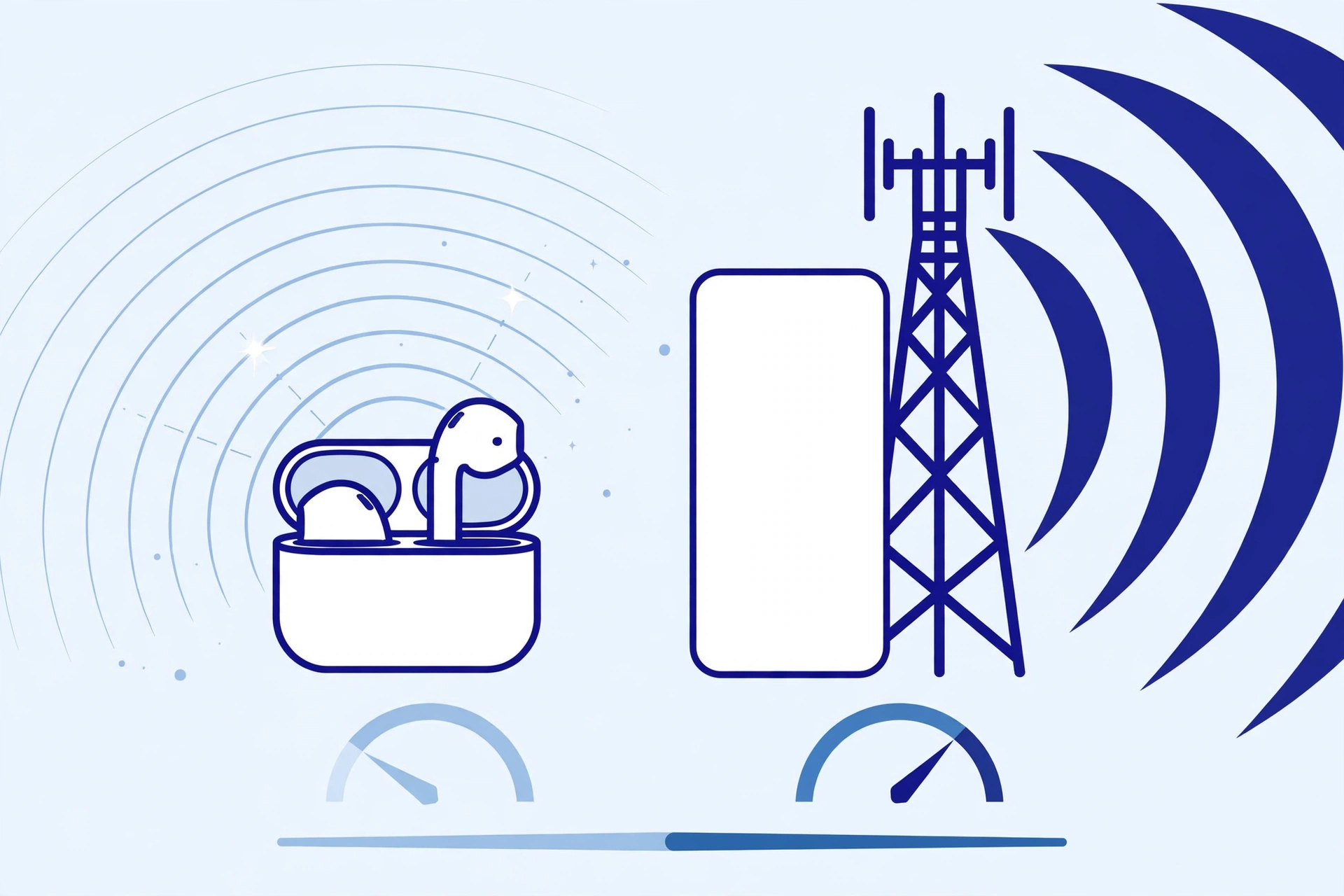
The two technologies are different, even though both use radiofrequency energy.
A smartphone can use considerably more transmission power because it may need to communicate with a distant cellular tower.
Bluetooth is designed for much shorter distances.
What happens when you use wireless earbuds?
Your phone communicates with your earbuds through Bluetooth.
The earbuds are close to your ears, but the phone itself does not need to be pressed against your head for the audio connection to work.
This can change the location of the phone’s cellular transmitter relative to your head.
However, it would be too simple to say that wireless earbuds are “risk free.” They still produce radiofrequency energy, and exposure depends on the device and how it is used.
Bluetooth, Wi-Fi, and cellular signals are not the same
All three use radiofrequency electromagnetic energy, but their power levels, frequencies, transmission patterns, and purposes can differ.
| Technology | Main purpose | Typical range | Energy type |
|---|---|---|---|
| Bluetooth | Short-range device connection | Short | Non-ionizing RF |
| Wi-Fi | Local network and internet | Local area | Non-ionizing RF |
| Cellular | Mobile network connection | Much longer | Non-ionizing RF |
| X-ray | Medical imaging | Not a wireless connection | Ionizing radiation |
The key point is that the word “radiation” alone does not tell you whether something is harmful.
Can Bluetooth Interfere With Medical Devices?
This is an important question for people who use implanted medical devices.
Modern medical devices are designed with electromagnetic compatibility in mind. Still, people with pacemakers, implantable cardioverter-defibrillators (ICDs), insulin pumps, or other implanted devices should follow the instructions provided by their doctor and device manufacturer.
Do not assume that every medical device has exactly the same safety guidance.
What should you do if you have a pacemaker or ICD?
Follow the specific instructions for your device.
As a general precaution, avoid placing wireless consumer electronics directly over an implanted device unless the manufacturer specifically says it is safe.
If you have concerns about a particular Bluetooth accessory, ask your healthcare provider or contact the medical device manufacturer.
This is especially important because the risk depends on the exact medical device, its design, and the strength and location of the electromagnetic source.
What about Bluetooth headphones?
Bluetooth headphones normally operate away from the implanted device itself.
Still, if you have a pacemaker or ICD, check your device instructions before using unfamiliar wireless accessories.
When medical advice and general technology advice conflict, follow the instructions for your specific medical device.
Real Physical Risks: Hearing Damage and Ear Strain
One of the most important things to understand about Bluetooth safety is that the sound coming from your headphones can be a much more practical concern than the Bluetooth signal itself.
Bluetooth may carry the audio, but your ears are exposed to the sound.
Listening to music or videos at very high volume for long periods can damage hearing.
It may contribute to:
- Hearing loss
- Ringing in the ears, known as tinnitus
- Ear discomfort
- Sound sensitivity
How loud is too loud?
Risk depends on both volume and time.
A louder sound can cause harm more quickly than a quieter sound.
That is why simply asking “How many hours can I wear Bluetooth earbuds?” does not have one answer for everyone.
Instead, use safer listening habits.
Safer headphone habits
Try these simple rules:
- Keep the volume at a comfortable level.
- Take regular breaks from headphones.
- Avoid turning the volume up to block out loud background noise.
- Use noise cancellation when appropriate so you do not need to increase volume.
- Give your ears quiet time after long listening sessions.
- If you notice ringing or muffled hearing, reduce your listening time and volume.
A useful rule is that comfortable listening is better than maximum volume.
If other people can easily hear your music while standing next to you, your volume may be higher than necessary.
Bluetooth Cybersecurity: Risks and Hacking Realities
Bluetooth safety is not only about health.
Bluetooth is also a communication technology, which means security matters.
A Bluetooth connection can potentially expose devices to attacks when there are security weaknesses.
Two terms you may see are bluesnarfing and bluebugging.
What is bluesnarfing?
Bluesnarfing refers to attacks where an attacker attempts to access or steal information from a Bluetooth device without proper permission.
Depending on the vulnerability, information could include data stored on a device.
Modern Bluetooth security has improved over time, but old devices, outdated software, weak implementations, or poorly secured connections can create risks.
What is bluebugging?
Bluebugging is a type of Bluetooth attack in which an attacker attempts to gain unauthorized control or access to functions on a vulnerable device.
These attacks are not something that happens automatically every time you turn Bluetooth on.
They generally depend on technical vulnerabilities, device configuration, proximity, and other conditions.
Can someone hack my phone through Bluetooth?
It is possible for Bluetooth vulnerabilities to be abused, but that does not mean every phone with Bluetooth enabled is easy to hack.
Modern phones use security controls designed to reduce these risks.
Your risk is also affected by whether:
- Your operating system is updated
- Bluetooth is configured securely
- Your device is discoverable
- You accept unknown pairing requests
- You use an old device with known vulnerabilities
The safest approach is not to panic about Bluetooth. Instead, keep your devices updated and avoid unknown connections.
The practical approach is to treat Bluetooth like any other wireless technology: keep your devices updated, avoid unknown pairing requests, and remove connections you no longer use.
Is It Safe to Leave Bluetooth On All Day?
For most people, leaving Bluetooth enabled is not automatically dangerous.
However, you do not need to keep Bluetooth discoverable to everyone all the time.
There is an important difference between:
Bluetooth being enabled and your device actively accepting or advertising connections.
Modern phones usually manage Bluetooth connections through security and permission controls.
Still, if you are in a crowded public place and are not using Bluetooth, turning it off can reduce unnecessary wireless activity and potential attack opportunities.
It is a simple precaution, especially when using an older device.
How to Use Bluetooth Safely in Public Places
Public places can contain many Bluetooth devices.
Airports, shopping centers, hotels, offices, and public transport areas may have large numbers of wireless devices nearby.
You can reduce unnecessary risk with a few simple habits.
1. Do not accept unknown pairing requests
If a device you do not recognize asks to pair, do not accept it.
If you accidentally receive a strange request, simply reject it.
2. Keep your phone updated
Software updates often include security fixes.
Install updates for:
- Your phone
- Bluetooth accessories
- Smartwatches
- Laptops
- Cars
- Other connected devices
3. Remove old Bluetooth connections
Your phone may remember devices you used months or years ago.
Review your Bluetooth settings and remove devices you no longer use.
This keeps your device list clean and makes it easier to recognize unknown connections.
4. Use a strong screen lock
Bluetooth security is only one part of device security.
A strong PIN, password, fingerprint, or other supported lock can help protect your phone if someone gets physical access to it.
Bluetooth attacks depend on the specific vulnerability, device, software, connection, and attack method.
Being near a Bluetooth device does not automatically give someone access to it. However, outdated software, vulnerable implementations, weak security settings, or unsafe pairing behavior can increase risk.
Be Careful With Rental Cars and Shared Devices
This is an easy Bluetooth privacy issue to overlook.
When you connect your phone to a rental car, the car’s entertainment system may store information about the connection.
Depending on the system, this may include:
- Your phone name
- Pairing information
- Contacts
- Call history
- Recent calls
- Other synced information
The exact information depends on the vehicle and the connection settings.
Before returning a rental car
Remove your phone from the vehicle’s Bluetooth system.
If the vehicle offers an option such as “Delete Device,” “Remove Phone,” or “Clear Personal Data,” use it.
Also check whether the car has stored:
- Contact information
- Call history
- Navigation destinations
- Paired devices
This is one of the most useful Bluetooth privacy habits when using shared vehicles.
Bluetooth Safety Checklist
Here is a simple checklist you can follow.
For health
- Keep headphone volume comfortable.
- Take breaks from long listening sessions.
- Do not listen at maximum volume.
- Pay attention to ringing or muffled hearing.
- Follow medical device instructions if you have an implanted device.
For security
- Keep your phone and accessories updated.
- Do not accept unknown pairing requests.
- Remove Bluetooth devices you no longer use.
- Avoid unnecessary connections with unknown devices.
- Review Bluetooth permissions on your phone.
- Turn Bluetooth off when you do not need it, especially on older devices.
For privacy
- Remove your phone from rental cars before returning them.
- Clear stored personal data from shared infotainment systems.
- Avoid pairing your phone with devices you do not trust.
- Use a screen lock and other device security features.
Bluetooth Safety: What You Should Actually Worry About
It is easy to focus on the word “radiation” and forget about more practical risks.
For normal Bluetooth use, the major points are different.
| Concern | What you should know |
|---|---|
| Bluetooth radiation | Bluetooth uses low-power, non-ionizing radiofrequency energy. |
| Cancer concerns | Ordinary Bluetooth use has not been established as a cause of cancer. |
| Brain safety | Current guidance does not identify normal Bluetooth exposure as a known cause of brain damage. |
| Headphone use | Excessive volume and long listening periods can damage hearing. |
| Hacking | Bluetooth vulnerabilities can create security risks, especially with outdated or poorly secured devices. |
| Public Bluetooth | Avoid unknown pairing requests and unnecessary connections. |
| Medical devices | Follow the specific instructions for your pacemaker, ICD, or other medical device. |
| Rental cars | Remove your phone and clear personal information before returning the vehicle. |
FAQs About Bluetooth Safety
Is Bluetooth radiation harmful to humans?
Bluetooth uses non-ionizing radiofrequency energy at relatively low power. Normal use of compliant Bluetooth devices is generally considered safe within applicable exposure limits.
The type of radiation matters. Bluetooth radio waves are not the same as ionizing radiation such as X-rays.
Does Bluetooth cause cancer?
There is no established evidence in the research used for this article that normal Bluetooth use causes cancer.
Claims that Bluetooth headphones directly cause brain tumors should not be treated as established scientific fact.
Is Bluetooth safe for your brain?
Normal Bluetooth exposure has not been established as a cause of brain damage.
If you are still concerned, you can reduce personal exposure by using wired headphones or taking breaks. These are optional precautions, not evidence that normal Bluetooth use is known to be harmful.
Are wireless earbuds safe to wear for long hours?
The main concern with long headphone use is often sound exposure rather than Bluetooth radiation.
Listening at high volume for long periods can increase the risk of hearing damage and tinnitus.
Keep the volume comfortable and take regular breaks.
Bluetooth Power Classes and Frequency Hopping
Bluetooth devices can use different power classes. In simple terms, power class affects how strongly a device can transmit and how far it may communicate.
Bluetooth also uses Frequency-Hopping Spread Spectrum (FHSS). Instead of staying on one frequency all the time, Bluetooth rapidly changes between channels within its operating band.
You do not need to understand the technical details to use Bluetooth safely. These systems are part of how Bluetooth manages short-range wireless communication.
The important point is that Bluetooth is designed for short-range connections and can use relatively low transmission power.
Can someone hack my phone through Bluetooth?
Bluetooth attacks are possible when attackers can exploit vulnerabilities or weaknesses in a device or connection.
That does not mean simply having Bluetooth turned on makes your phone easy to hack.
Keep your phone updated, avoid unknown pairing requests, and remove connections you no longer use.
Is it safe to leave Bluetooth enabled all day?
For most people, leaving Bluetooth enabled is not automatically dangerous.
However, turning it off when you are not using it can reduce unnecessary connections and may be a sensible security habit, especially with older devices.
Do Bluetooth devices interfere with medical equipment?
Some medical devices can have specific electromagnetic interference guidance.
If you have a pacemaker, ICD, insulin pump, or another implanted medical device, follow the manufacturer’s instructions and ask your healthcare provider about specific Bluetooth accessories if you are unsure.
Are Bluetooth headphones safe for children?
Children should follow the same basic headphone safety rules, especially around volume and listening time.
Keep the volume comfortable and avoid prolonged exposure to loud sound.
If you have a specific medical concern about a child using a wireless device, speak with a qualified healthcare professional.
Final Answer: Is Bluetooth Safe?
For most people, normal Bluetooth use is considered safe.
Bluetooth uses low-power, non-ionizing radiofrequency energy. It is very different from ionizing radiation such as X-rays.
The more practical risks are often elsewhere.
High headphone volume can harm hearing. Poor device security can create privacy problems. Old software can contain vulnerabilities. Shared devices such as rental cars can retain personal information if you do not remove it.
So you do not need to fear Bluetooth simply because it uses radio waves.
Instead, use it wisely:
Keep your devices updated. Avoid unknown pairing requests. Protect your privacy on shared devices. Keep headphone volume comfortable. And follow the instructions for any medical device you use.
That gives you a simple and practical approach to Bluetooth safety without unnecessary fear or confusion.
