

In this article:
- At a Glance: Bluetooth vs. Wi-Fi Comparison Table
- Core Purpose: Personal Network (PAN) vs. Local Network (LAN)
- Bluetooth Creates a Personal Area Network
- Wi-Fi Creates a Local Network
- Does Bluetooth Need Wi-Fi to Work?
- Speed, Bandwidth, and Range: How They Compare
- Why Is Wi-Fi Faster Than Bluetooth?
- What Do These Speeds Mean in Real Life?
- Wi-Fi vs. Bluetooth Range
- Power Consumption: Battery Drain Comparison
- Bluetooth Low Energy
- Which Uses More Battery, Bluetooth or Wi-Fi?
- Practical Use Cases: When to Use Bluetooth vs. Wi-Fi
- Wireless Audio and Headphones
- Smart Home and IoT Devices
- Direct File Transfers
- Bluetooth vs. Wi-Fi for Gaming
- What About Gaming Latency?
- 2.4 GHz Signal Interference: Why Bluetooth and Wi-Fi Can Conflict
- How Bluetooth Handles Interference
- Why Do Bluetooth Headphones Stutter on 2.4 GHz Wi-Fi?
- How to Fix Bluetooth and Wi-Fi Interference
- Bluetooth vs. Wi-Fi: Security
- Bluetooth vs. Wi-Fi: Which One Should You Use?
- Frequently Asked Questions
- Final Takeaway
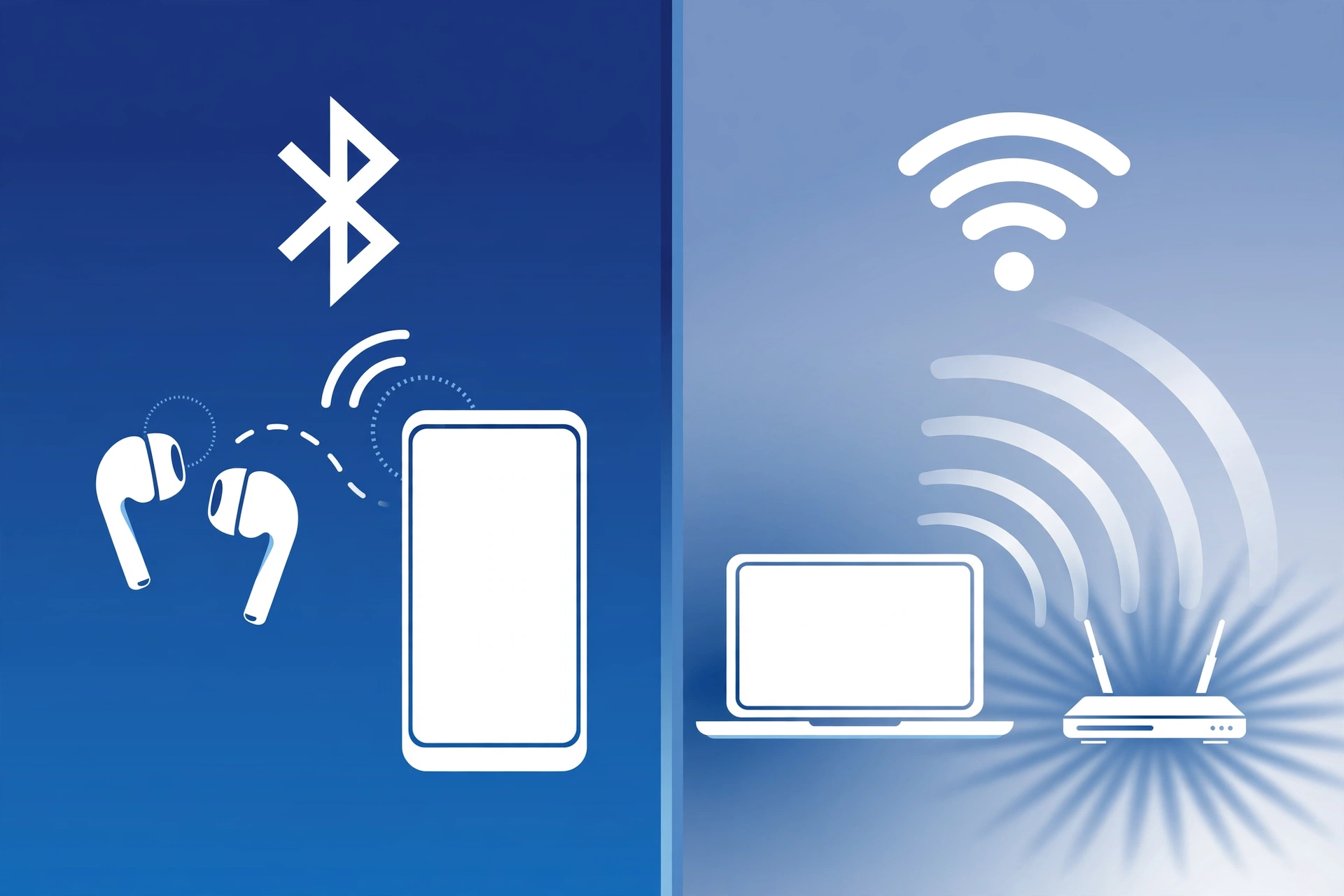
Bluetooth and Wi-Fi are both wireless technologies, but they are built for different jobs.
Bluetooth is mainly for connecting nearby devices, such as earbuds, smartwatches, keyboards, and car audio.
Wi-Fi is mainly for connecting devices to a network, such as your home router, and handling internet access, video streaming, downloads, and other high-volume data.
So, when comparing Bluetooth vs Wi-Fi, neither one replaces the other. The right choice depends on what you want to do.
At a Glance: Bluetooth vs. Wi-Fi Comparison Table
| Feature | Bluetooth | Wi-Fi |
|---|---|---|
| Main purpose | Connect nearby devices | Connect devices to a network |
| Network type | Personal Area Network (PAN) | Local Area Network (LAN) |
| Typical use | Earbuds, watches, keyboards | Internet, streaming, downloads |
| Speed | Lower | Much higher |
| Range | Usually shorter | Usually longer |
| Power use | Very low, especially BLE | Usually higher |
| Internet needed | No | No for local Wi-Fi, but usually used for internet |
| Connection | Often device to device | Usually through a router or access point |
| Best for | Accessories and low-power devices | High-speed data and internet |
Modern Bluetooth standards include Bluetooth 5.3 and 5.4, while modern Wi-Fi includes standards such as Wi-Fi 6E and Wi-Fi 7. The exact speed and range still depend on the device, environment, and implementation.
Core Purpose: Personal Network (PAN) vs. Local Network (LAN)
The easiest way to understand the difference between Bluetooth and Wi-Fi is to look at what each technology is designed to connect.
Bluetooth Creates a Personal Area Network
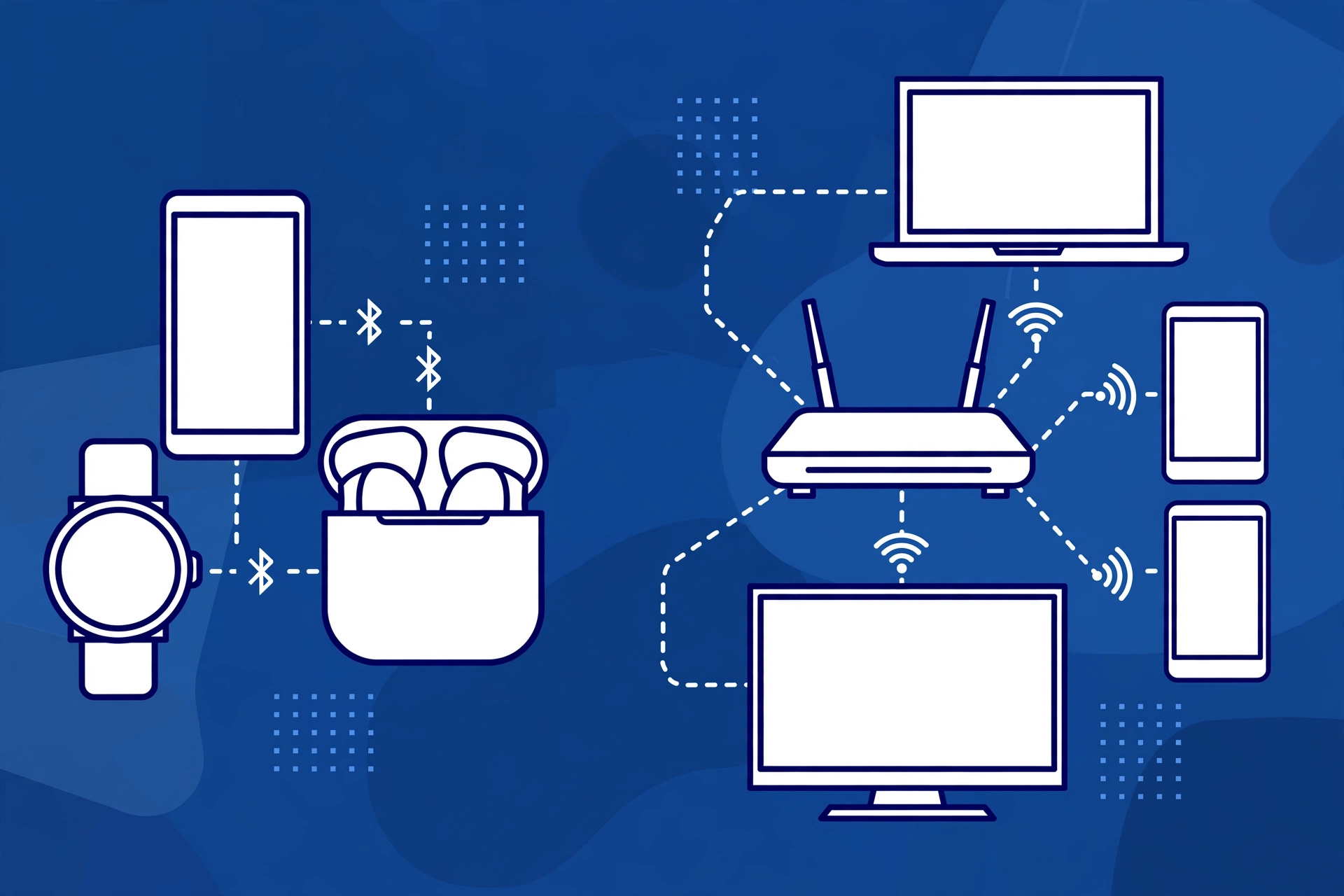
Bluetooth is commonly used to create a small Personal Area Network, or PAN.
It can connect devices directly.
For example:
Phone → Bluetooth earbuds
or
Phone → Smartwatch
or
Laptop → Bluetooth mouse
You do not normally need a router for these connections.
Bluetooth is useful because it keeps the setup simple.
Pair the devices, connect them, and use them.
Wi-Fi Creates a Local Network
Wi-Fi is commonly used to connect devices to a Local Area Network, or LAN.
A home Wi-Fi setup often looks like this:
Phone → Wi-Fi router → Internet
The router acts as a central point for the network.
Several devices can connect to the same network, including:
- Phones
- Laptops
- TVs
- Tablets
- Smart speakers
- Game consoles
- Printers
- Smart home devices
This makes Wi-Fi much better suited to moving large amounts of data between devices and the internet.
Does Bluetooth Need Wi-Fi to Work?
No.
Bluetooth can work without Wi-Fi.
You can connect Bluetooth earbuds to a phone even when the phone has no Wi-Fi connection.
You also do not need an internet connection to use Bluetooth for basic device-to-device communication.
Wi-Fi can also work without the internet. For example, devices can communicate over a local Wi-Fi network even if the router has no internet connection.
The important difference is that Bluetooth and Wi-Fi are separate wireless technologies.
Speed, Bandwidth, and Range: How They Compare
If you are asking about Bluetooth vs Wi-Fi speed, Wi-Fi is generally designed for much higher data rates.
Wi-Fi can support very large amounts of data. This makes it suitable for:
- 4K video
- Large file downloads
- Online gaming
- Video calls
- Cloud backups
- High-speed internet
Bluetooth is designed for smaller amounts of data and short-range connections.
This makes it useful for:
- Wireless audio
- Keyboard input
- Mouse input
- Fitness trackers
- Wearables
- Sensors
Why Is Wi-Fi Faster Than Bluetooth?
Wi-Fi is built for high bandwidth.
Bluetooth focuses more on simple device connections and power efficiency.
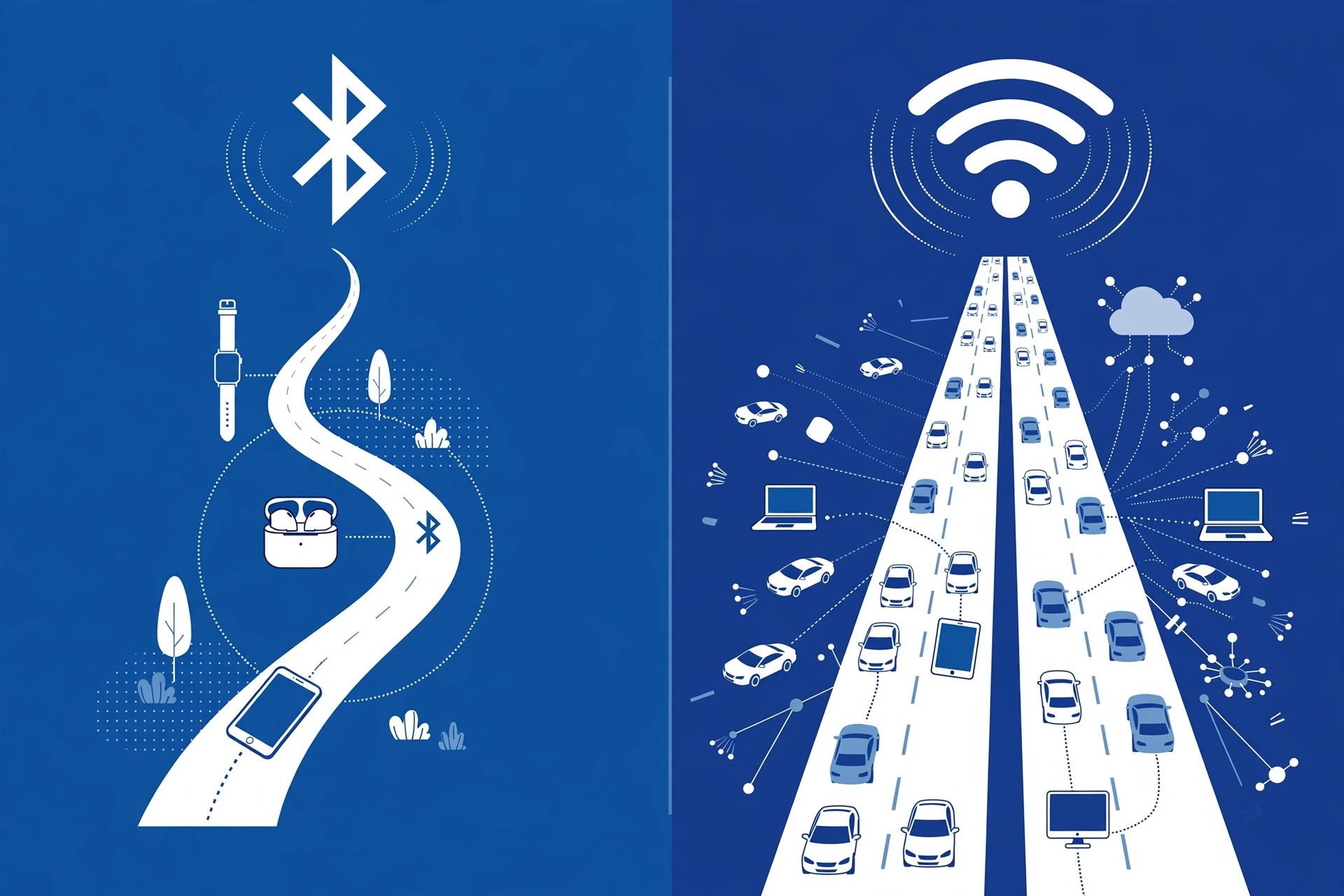
Think of it this way:
Bluetooth: A small road used for nearby traffic.
Wi-Fi: A much larger road designed to move much more traffic.
This does not mean Bluetooth is slow for every task.
A Bluetooth connection can easily handle tasks such as sending audio to wireless earbuds. It simply is not designed to replace Wi-Fi for large data transfers or high-volume network traffic.
What Do These Speeds Mean in Real Life?
Raw speed numbers can be confusing.
You do not need a huge data rate to send information from your phone to a smartwatch.
A wearable may only need to send small amounts of information, such as:
- Steps
- Heart rate data
- Notifications
- Sensor readings
Bluetooth is well suited to this type of work.
But imagine downloading a large movie or streaming high-quality 4K video.
That requires much more bandwidth.
This is where Wi-Fi becomes the better fit.
Wi-Fi vs. Bluetooth Range
Range depends on many factors, including:
- Device design
- Transmit power
- Walls
- Furniture
- Interference
- Radio frequency
- Antenna design
In general, Wi-Fi is better suited to covering a home or larger local area.
Bluetooth is usually intended for shorter-range personal connections.
For example, Bluetooth works well when your phone is connected to earbuds that you are wearing.
Wi-Fi is designed to let your phone stay connected while you move around your home or office.
Walls can reduce the range of both technologies. Signal attenuation becomes stronger as obstacles and distance increase.
So the real-world range may be very different from the maximum range listed by a manufacturer.
Power Consumption: Battery Drain Comparison
Power consumption is one of the biggest differences in Bluetooth vs Wi-Fi power consumption.
Bluetooth, especially Bluetooth Low Energy (BLE), is designed to use very little power.
This is important for small devices with small batteries.
Examples include:
- Fitness trackers
- Sensors
- Smartwatches
- Wireless accessories
- Other battery-powered devices
Wi-Fi usually needs more power because it is designed to handle much more data.
Bluetooth Low Energy
BLE allows compatible devices to communicate while using very little power.
A small sensor does not need to send information every second.
It can send a small amount of information and then spend time in a low-power state.
This is one reason Bluetooth is useful for battery-powered devices.
Which Uses More Battery, Bluetooth or Wi-Fi?
There is no single number that applies to every device.
It depends on what the device is doing.
For example:
Bluetooth smartwatch connection:
Small amounts of data can be exchanged with low power use.
Wi-Fi video streaming:
The device may continuously receive large amounts of data while also processing video and keeping the screen active.
So Wi-Fi generally has a higher power requirement during heavy data use, while Bluetooth is designed for lower-power connections.
The actual battery impact depends on the device and workload.
Practical Use Cases: When to Use Bluetooth vs. Wi-Fi
The easiest way to choose between Bluetooth and Wi-Fi is to think about the job.
| Use case | Better fit |
|---|---|
| Wireless earbuds | Bluetooth |
| Smartwatch | Bluetooth |
| Wireless keyboard | Bluetooth |
| Wireless mouse | Bluetooth |
| Large file transfer | Wi-Fi |
| 4K video streaming | Wi-Fi |
| Internet browsing | Wi-Fi |
| Smart plug | Usually Wi-Fi |
| Battery-powered sensor | Bluetooth or another low-power protocol |
| Home network | Wi-Fi |
Wireless Audio and Headphones
Bluetooth is very common for wireless headphones and earbuds.
Your phone can send audio directly to the headphones.
Bluetooth audio can use codecs such as:
- SBC
- AAC
- aptX
- LDAC
- LE Audio
The exact audio experience depends on the phone, headphones, codec support, connection quality, and settings.
Wi-Fi can also be used for wireless audio.
Some systems use Wi-Fi streaming through technologies such as AirPlay or Chromecast.
Wi-Fi can support higher bandwidth, which can be useful for network-based audio systems.
For simple personal headphones, Bluetooth is usually the more convenient option because you can connect directly without setting up a Wi-Fi network.
Smart Home and IoT Devices
Smart home devices can use different wireless technologies.
A smart plug or smart bulb may use Wi-Fi because it needs to connect directly to your home network.
Bluetooth can also be useful for low-power devices.
Bluetooth Mesh can allow Bluetooth devices to communicate across a larger network of devices.
The choice depends on the device.
| Feature | Bluetooth based device | Wi-Fi device |
|---|---|---|
| Power use | Often lower | Often higher |
| Internet access | Usually needs another connection | Can connect through router |
| Setup | Can be simple | Usually needs Wi-Fi credentials |
| Battery devices | Good fit | Less ideal for tiny batteries |
| High data needs | Limited | Better |
Modern smart home systems can also involve technologies such as Matter and Thread, so Bluetooth and Wi-Fi are not the only options.
Direct File Transfers
Bluetooth can transfer files, but it is generally not the first choice for large files.
Wi-Fi based options such as Wi-Fi Direct can move much larger amounts of data at higher speeds.
On supported devices, technologies such as AirDrop use wireless networking to make device-to-device sharing fast and convenient.
If you need to send a large video, many photos, or another large file, Wi-Fi based transfer is usually more suitable.
For small amounts of information, Bluetooth can still work well.
Bluetooth vs. Wi-Fi for Gaming
Gaming creates another interesting comparison.
Bluetooth is commonly used for:
- Controllers
- Headsets
- Keyboards
- Mice
Wi-Fi is commonly used for:
- Online multiplayer
- Game downloads
- Cloud gaming
- Network communication
Bluetooth and Wi-Fi therefore often work together rather than compete.
For example, you might play an online game over Wi-Fi while using a Bluetooth controller.
What About Gaming Latency?
Latency is the time it takes for information to travel between devices.
Lower latency can be important for gaming.
The actual result depends on the device, Bluetooth mode, Wi-Fi network, game, router, interference, and other factors.
So it is not enough to simply say that one technology always has lower latency.
The specific connection matters.
2.4 GHz Signal Interference: Why Bluetooth and Wi-Fi Can Conflict
One of the most useful things to understand about Bluetooth vs Wi-Fi is the 2.4 GHz band.
Both Bluetooth and some Wi-Fi networks can use the 2.4 GHz ISM band.
Other wireless devices can also use this band.
When many devices are active at the same time, the radio environment can become crowded.
This may cause problems such as:
- Bluetooth audio stuttering
- Connection drops
- Slower Wi-Fi
- Pairing problems
- Delayed wireless input
How Bluetooth Handles Interference
Bluetooth uses Frequency Hopping Spread Spectrum (FHSS).
Instead of staying on one frequency, Bluetooth can hop between channels.
This helps Bluetooth deal with some interference from other devices.
However, frequency hopping does not mean interference is impossible.
Heavy traffic in the 2.4 GHz band can still affect wireless performance.
Why Do Bluetooth Headphones Stutter on 2.4 GHz Wi-Fi?
Imagine your phone is connected to Bluetooth earbuds.
At the same time, your phone is downloading a large file over a busy 2.4 GHz Wi-Fi network.
Both wireless systems are operating around the same frequency range.
If the environment is crowded, you may notice:
- Audio cuts
- Short pauses
- Connection problems
- Slow network performance
This does not necessarily mean your headphones are broken.
The wireless environment may simply be crowded.
How to Fix Bluetooth and Wi-Fi Interference
Try these steps if you experience Bluetooth Wi-Fi lag.
- Move Wi-Fi to 5 GHz
If your router supports 5 GHz Wi-Fi, connect your device to that network. This moves Wi-Fi traffic away from the 2.4 GHz band used by Bluetooth. - Use 6 GHz When Available
Modern Wi-Fi systems may also support 6 GHz. Wi-Fi 6E and newer systems can use this band when supported by your router and device. This can reduce congestion on 2.4 GHz. - Move Closer to the Router
A stronger Wi-Fi signal can improve network performance. Try moving your router to a more open location if possible. - Reduce Unnecessary Wireless Traffic
If many devices are using the network, pause downloads or other heavy activity while troubleshooting. - Keep Devices Updated
Update your:
- Phone
- Router
- Bluetooth accessories
- Computer
- Wireless drivers
Updates can improve wireless performance and fix connection problems.
Bluetooth vs. Wi-Fi: Security
Security depends on how each technology is configured and used.
Wi-Fi networks can use security systems such as WPA3 and encryption methods such as AES.
Bluetooth also includes security features designed to protect wireless connections.
Neither technology should simply be called “safe” or “unsafe” without looking at the setup.
Good habits include:
- Keep devices updated.
- Use strong Wi-Fi passwords.
- Use modern Wi-Fi security when available.
- Avoid pairing with unknown Bluetooth devices.
- Remove old Bluetooth pairings.
- Do not accept unexpected connection requests.
The security question is therefore more complicated than asking whether Wi-Fi is safer than Bluetooth.
Bluetooth vs. Wi-Fi: Which One Should You Use?
Use Bluetooth when you need a simple, nearby connection between devices.
Examples:
- Earbuds
- Headphones
- Smartwatch
- Keyboard
- Mouse
- Controller
- Fitness tracker
Use Wi-Fi when you need higher data speeds or network access.
Examples:
- Internet
- 4K streaming
- Large file transfers
- Online gaming
- Cloud backups
- Home networks
- Network printers
In many cases, you will use both at the same time.
For example:
Phone + Bluetooth earbuds + Wi-Fi internet
Bluetooth handles the audio connection.
Wi-Fi handles the internet connection.
They have different jobs.
Frequently Asked Questions
Does Bluetooth require Wi-Fi or the internet?
No. Bluetooth can connect compatible devices directly without Wi-Fi or an internet connection.
Can you use Bluetooth without Wi-Fi?
Yes. You can use Bluetooth earbuds, keyboards, mice, controllers, and other devices without being connected to Wi-Fi.
Is Bluetooth faster than Wi-Fi?
Generally, no. Wi-Fi is designed for much higher data rates and larger amounts of network traffic.
Bluetooth focuses more on short-range connections and low power use.
Does Wi-Fi reach farther than Bluetooth?
Wi-Fi is generally better suited to covering larger areas, but actual range depends on the device, radio band, antenna, obstacles, and environment.
Which uses more battery, Bluetooth or Wi-Fi?
Bluetooth, especially BLE, is designed for low power use. Wi-Fi usually uses more power during heavy data activity.
The actual battery impact depends on what the device is doing.
Why is Wi-Fi faster than Bluetooth?
Wi-Fi is designed for high bandwidth and network traffic. Bluetooth is designed for lower-power personal connections.
Can Wi-Fi replace Bluetooth?
Not completely.
Wi-Fi can handle many tasks that Bluetooth handles, but Bluetooth remains useful for simple personal accessories such as earbuds, watches, keyboards, mice, and sensors.
Can Bluetooth and Wi-Fi work at the same time?
Yes.
Your phone can use Wi-Fi for internet access while Bluetooth connects to earbuds, a smartwatch, or another accessory.
Why do Bluetooth headphones sometimes stutter when Wi-Fi is on?
If Wi-Fi is using the crowded 2.4 GHz band, it can contribute to wireless interference.
Switching Wi-Fi to 5 GHz or 6 GHz, when supported, can help reduce this type of congestion.
Is Wi-Fi safer than Bluetooth?
Both technologies have security features, and security depends on the device, software, settings, and how the connection is used.
Using updated devices and secure settings is more important than choosing one technology based only on its name.
Final Takeaway
The real difference in Bluetooth vs Wi-Fi comes down to their purpose.
Bluetooth is built for nearby personal connections and low-power communication.
Wi-Fi is built for higher-speed networking and internet access.
Bluetooth is a strong fit for earbuds, watches, keyboards, mice, controllers, and sensors.
Wi-Fi is a better fit for large downloads, video streaming, online gaming, internet access, and home networks.
The two technologies are not direct replacements for each other. In many everyday situations, they work together.
If you remember only one thing, remember this:
Use Bluetooth for simple nearby device connections. Use Wi-Fi when you need high-speed network communication.
