
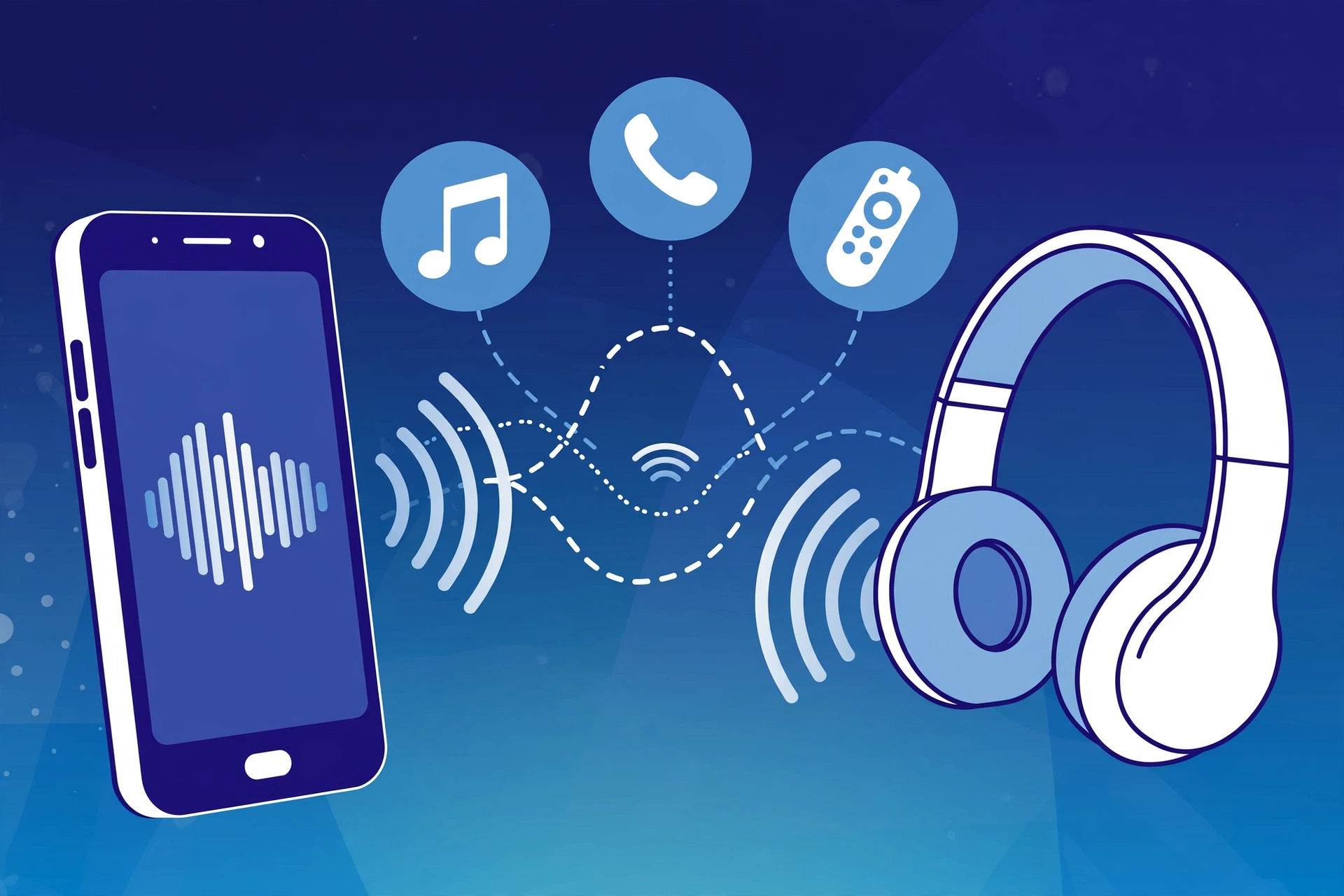
In this article:
- What Is a Bluetooth Profile? The Simple Explanation
- Why Bluetooth Profiles Matter
- The Bluetooth Handshake: Pairing Is Only the Beginning
- Source and Sink Devices
- Bluetooth Versions vs. Profiles vs. Codecs: What Is the Difference?
- The Core Audio and Media Profiles
- The Core Communication Profiles: HFP and HSP
- Why Your Headset Audio Drops During PC Calls
- Data, Input, and Car Connectivity Profiles
- Bluetooth Low Energy Profiles and GATT
- What Profile Do Bluetooth Headphones Use?
- How Bluetooth Profiles Affect Device Compatibility
- How to Fix Common Bluetooth Profile Problems
- Can You Change a Bluetooth Profile on Android?
- Do You Need to Download Bluetooth Profiles?
- Can a Firmware Update Add a New Bluetooth Profile?
- Can a Bluetooth Device Support Multiple Profiles?
- How Do I Know What Bluetooth Profile My Device Has?
- Bluetooth Profiles Explained in One Simple Table
- Frequently Asked Questions
- Final Takeaway
Bluetooth makes it easy to connect phones, headphones, keyboards, cars, smartwatches, and many other devices without cables. But Bluetooth is more than just turning on a switch and pairing two devices.
You may have seen terms such as A2DP, AVRCP, HFP, HSP, HID, PBAP, and MAP in device specifications. These names are called Bluetooth profiles.
So, what are Bluetooth profiles?
A Bluetooth profile is a set of rules that tells Bluetooth devices how to perform a specific job. One profile can handle music, another can handle phone calls, and another can handle a keyboard or mouse.
In simple terms, Bluetooth is the connection, while a Bluetooth profile tells the connected devices what they can do together.
For example:
- A2DP is used for stereo music.
- AVRCP lets you control music with buttons on headphones.
- HFP is used for hands-free calls.
- HSP is an older headset profile.
- HID is used by devices such as Bluetooth keyboards and mice.
- PBAP can share phonebook information with a car.
- MAP can allow supported messages to be accessed by a car system.
- GATT is widely used with Bluetooth Low Energy devices such as fitness trackers and smart devices.
Understanding these profiles can also explain some common Bluetooth problems, such as why your headphones suddenly sound worse when you join a video call.
What Is a Bluetooth Profile? The Simple Explanation
Think of Bluetooth as a way for devices to communicate wirelessly.
But simply connecting two devices does not tell them how to communicate.
A Bluetooth profile provides the rules for a particular type of communication.
A simple analogy is language.
Imagine that two people are standing in the same room. They can hear each other, but if they do not speak a language they both understand, communication becomes difficult.
Bluetooth devices work in a similar way.
The Bluetooth Core Specification provides the basic technology for Bluetooth communication. Profiles build on that technology and define how devices perform specific tasks.
For example, when your phone sends music to Bluetooth headphones, the devices need a profile designed for audio streaming.
That profile is A2DP, or Advanced Audio Distribution Profile.
When you press the play or pause button on your headphones, another profile can handle those control commands.
That profile is AVRCP, or Audio/Video Remote Control Profile.
So a Bluetooth profile is not simply another version of Bluetooth. It defines how Bluetooth is used for a particular function.
Why Bluetooth Profiles Matter
Bluetooth profiles matter because different devices support different functions.
A Bluetooth speaker may support audio streaming and media controls.
A keyboard needs an input profile.
A car system may support phone calls, contacts, and messages.
A fitness tracker may use Bluetooth Low Energy technologies for exchanging small amounts of data.
This means two devices can sometimes pair successfully but still not support every feature together.
That is one of the most important things to understand about Bluetooth device compatibility.
The Bluetooth Handshake: Pairing Is Only the Beginning
When you pair your phone with headphones, it may look like everything is ready.
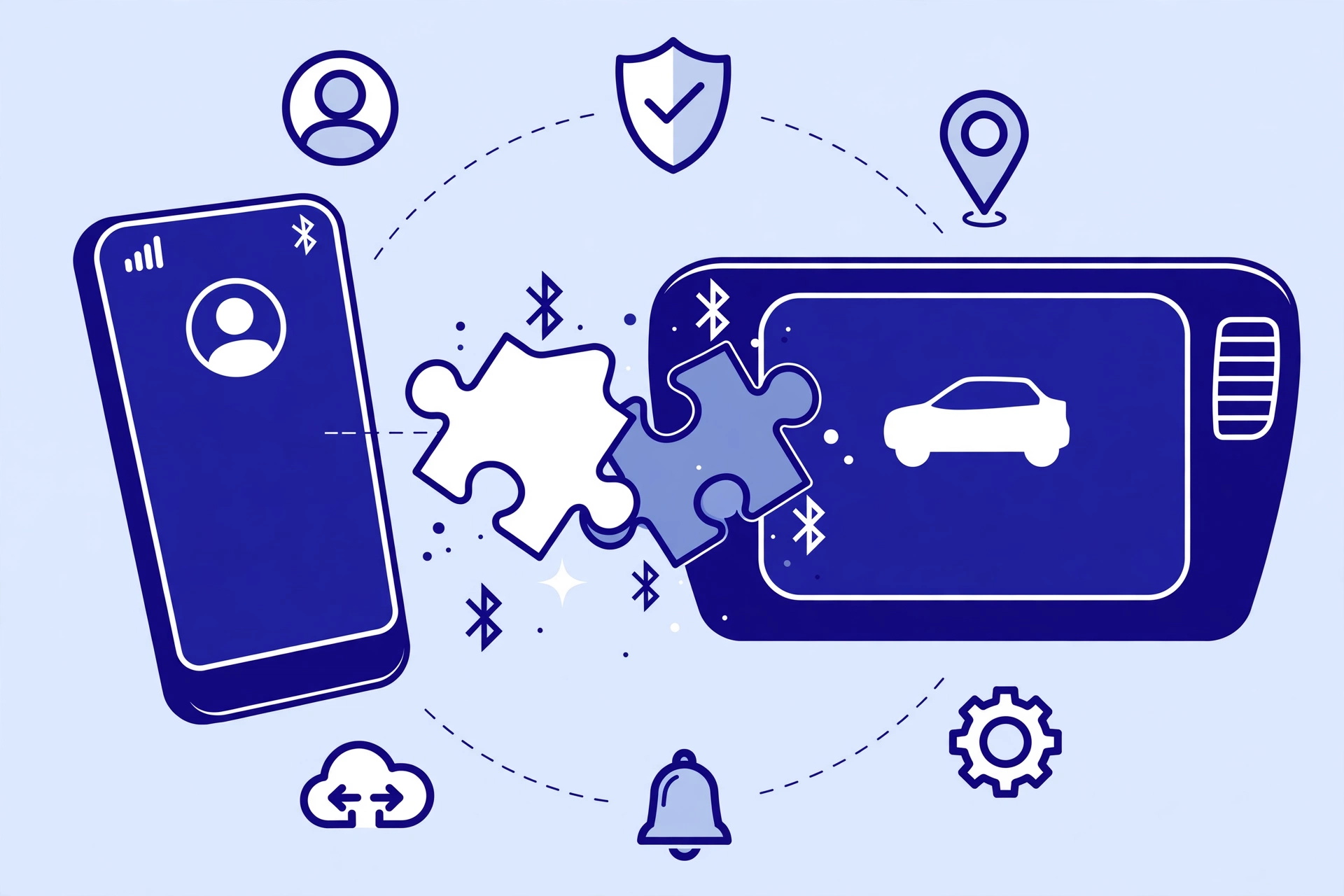
But pairing only creates the basic connection.
The devices still need to support the functions you want to use.
Think about it this way:
Pairing does not guarantee that every Bluetooth feature will work. The two devices must support the Bluetooth function and profiles needed for that task. For example, a phone and headset may pair successfully, but a feature such as music, calls, or media controls may not work if the required support is missing.
Pairing = making the connection
Profile = deciding what the connection can do
For example, your phone may connect to a Bluetooth headset. If the headset supports the required audio and call profiles, you can listen to music and make calls.
If a feature is not supported by the required profile, that feature may not work.
Source and Sink Devices
You may also see the terms Source and Sink when reading about Bluetooth audio.
A Source sends the audio.
For example:
- Smartphone
- Computer
- Tablet
A Sink receives the audio.
For example:
- Bluetooth headphones
- Wireless speaker
- Car audio system
When you play music from your phone through headphones, the phone acts as the audio source and the headphones act as the audio sink.
The devices need compatible Bluetooth capabilities and profiles for the desired function.
This is why checking only the words “Bluetooth 5.3” on a product box is not always enough.
Bluetooth Versions vs. Profiles vs. Codecs: What Is the Difference?
These three terms are often confused:
- Bluetooth version
- Bluetooth profile
- Bluetooth codec
They are related to Bluetooth, but they are not the same thing.
| Bluetooth term | Simple meaning | Example |
|---|---|---|
| Bluetooth Version | Describes the Bluetooth technology generation and capabilities | Bluetooth 5.0, 5.3 |
| Bluetooth Profile | Defines rules for a specific Bluetooth function | A2DP, HID |
| Bluetooth Codec | Describes how audio is compressed and transmitted | AAC, aptX, LDAC |
A simple way to remember them is:
Version = the pipe
Profile = the traffic rules
Codec = how the audio cargo is packaged
The analogy is not a complete technical description, but it makes the difference easier to understand.
Bluetooth Version
Bluetooth versions such as Bluetooth 5.0 or Bluetooth 5.3 describe the underlying Bluetooth technology.
A newer version does not automatically mean that every Bluetooth profile or audio codec is supported.
Bluetooth Profile
A profile tells Bluetooth devices how to perform a certain function.
A2DP is for audio streaming.
HID is for input devices such as keyboards and mice.
Bluetooth Codec
A codec deals with audio data.
Examples include AAC, aptX, and LDAC.
A codec and a profile do different jobs.
For example, A2DP defines the audio streaming function, while an audio codec can determine how the audio data is encoded for transmission.
This difference is important when comparing Bluetooth headphones.
The Core Audio and Media Profiles
Bluetooth headphones and speakers use several profiles for different jobs.
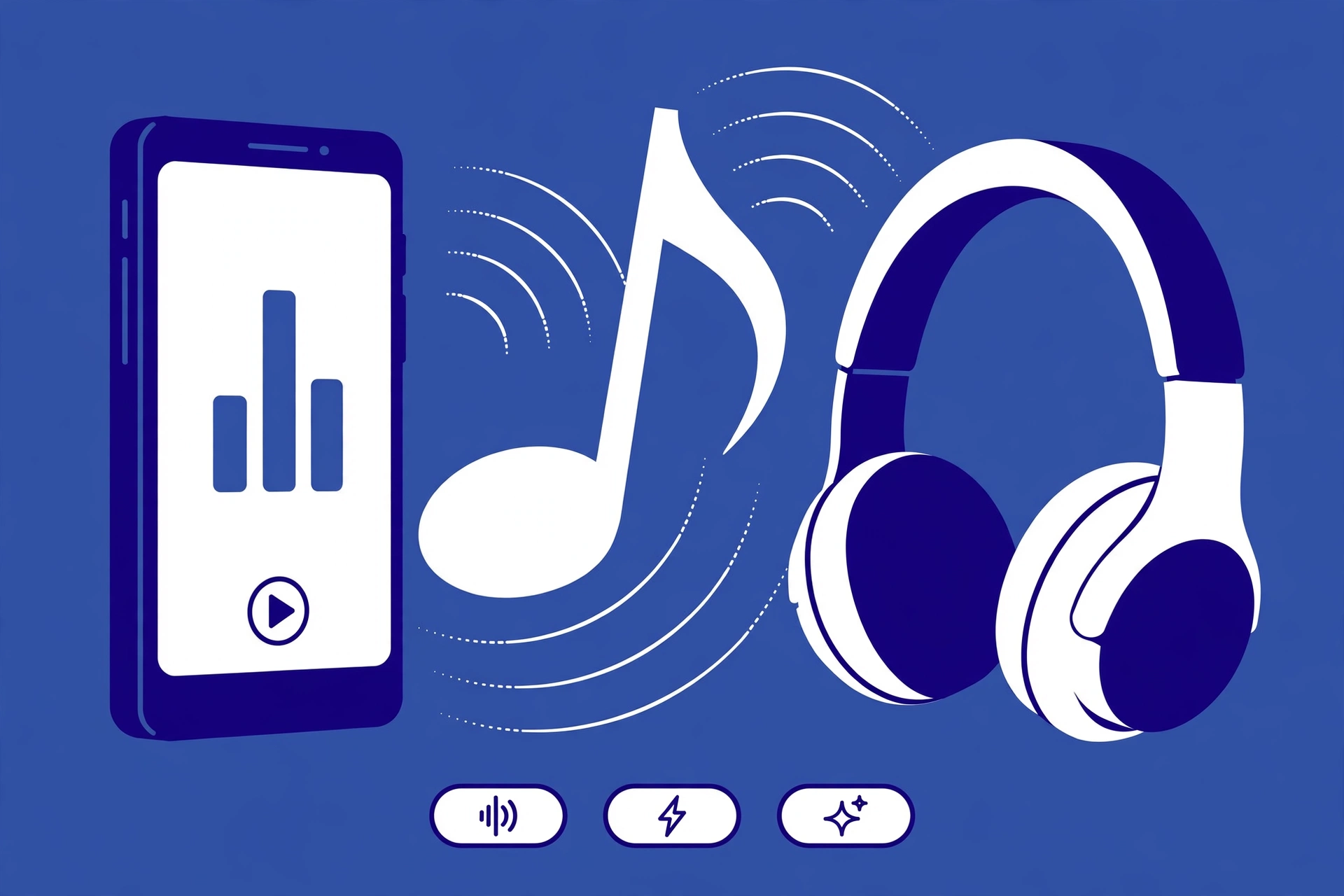
The two important ones to know are A2DP and AVRCP.
A2DP: Advanced Audio Distribution Profile
A2DP defines the Bluetooth function used for audio streaming. An audio codec, such as AAC or aptX, can then be used to encode the audio for transmission. In simple terms, A2DP describes the audio streaming function, while the codec describes how the audio is encoded.
A2DP stands for Advanced Audio Distribution Profile.
It is one of the most important Bluetooth audio profiles.
A2DP is used to send stereo audio from a source device to a compatible receiving device.
For example:
Phone → Bluetooth headphones
or:
Laptop → Bluetooth speaker
When you listen to music, podcasts, or other media over Bluetooth, A2DP is an important part of the connection.
What Does A2DP Do?
A2DP handles the streaming of audio from one device to another.
It is designed for audio playback rather than two-way voice communication.
This makes it suitable for:
- Music
- Podcasts
- Videos
- Movies
- Other media playback
Audio codecs such as AAC or aptX can work with Bluetooth audio systems that use the appropriate profile support.
A2DP in Everyday Life
Suppose you connect your phone to wireless headphones and start Spotify.
Your phone sends the audio to the headphones.
The headphones receive and play the audio.
A2DP is the profile that supports this type of audio distribution.
AVRCP: Audio/Video Remote Control Profile
AVRCP stands for Audio/Video Remote Control Profile.
While A2DP handles audio streaming, AVRCP handles remote control commands.
For example, when you press:
- Play
- Pause
- Next track
- Previous track
on your Bluetooth headphones, AVRCP can be involved in sending those control commands to the phone or media player.
A2DP vs. AVRCP
The easiest way to remember the difference is:
A2DP = sends the audio
AVRCP = controls the media
So when your headphones play music and let you pause that music with a button, different Bluetooth functions are working together.
The Core Communication Profiles: HFP and HSP
Bluetooth audio changes when you move from listening to music to making a phone or computer call.
This is where HFP and HSP become important.
HFP: Hands-Free Profile
HFP stands for Hands-Free Profile.
It is designed for two-way voice communication.
This means audio can travel in both directions:
Headset microphone → phone or computer
and:
Phone or computer → headset
HFP is commonly associated with hands-free calling.
It allows a headset to use its microphone while also sending call audio to the user.
Why HFP Is Different From A2DP
A2DP is designed for high-quality audio streaming.
HFP is designed for two-way voice communication.
When you need a microphone and speaker at the same time, Bluetooth has to handle both directions of communication.
This creates an important difference from normal music playback.
HSP: Headset Profile
HSP stands for Headset Profile.
It is an older Bluetooth profile designed for basic headset functions and voice communication.
HSP provides a simpler headset connection than HFP.
Modern devices may support HFP instead of relying only on HSP, but HSP remains an important term to understand when reading about Bluetooth profiles.
HFP vs. HSP
Both profiles are related to headset communication, but HFP is designed for more advanced hands-free functions.
In simple terms:
| Profile | Main purpose |
|---|---|
| HSP | Basic headset communication |
| HFP | Hands-free voice communication |
If you are checking a modern Bluetooth headset, HFP is usually the more important profile to look for when voice calls matter.
Why Your Headset Audio Drops During PC Calls
This is one of the most confusing Bluetooth problems.
You connect your wireless headphones to your computer.
Music sounds good.
Then you join a Zoom, Teams, Discord, or other voice call.
Suddenly, the audio sounds much worse.
Why?
The reason is often related to the Bluetooth audio profile being used.
Music Mode
When you only listen to music, the connection can use an audio streaming setup based on A2DP.
Your headphones receive the audio stream.
The microphone does not need to send your voice back to the computer.
Call Mode
When you activate the headset microphone during a call, the computer needs two-way audio.
Your voice needs to travel from the headset microphone to the computer.
The computer also needs to send the other person’s voice back to the headset.
This can cause the Bluetooth connection to switch from the high-quality music mode to a call-oriented mode using HFP.
The available audio quality can drop because the connection now has to handle microphone and speaker audio.
That is why music can suddenly sound tinny, narrow, or lower quality when you join a PC call.
A Simple Example
Imagine listening to music:
Computer → A2DP → Headphones
Then you join a meeting:
Computer ↔ HFP ↔ Headset
The headset now needs to send your microphone audio and receive call audio.
That change can affect the sound quality you hear.
What Can You Do?
If you do not need the Bluetooth headset microphone, you can sometimes select a different microphone on your computer while keeping your headphones as the output device.
This can allow your headphones to continue using the higher-quality media audio path, depending on your operating system, Bluetooth hardware, drivers, and device support.
This is one reason a wired microphone or separate USB microphone can sometimes improve the experience when using Bluetooth headphones for PC calls.
Data, Input, and Car Connectivity Profiles
Bluetooth profiles are not only for headphones.
Other profiles support keyboards, mice, cars, phones, and data devices.
HID: Human Interface Device Profile
HID stands for Human Interface Device Profile.
It is used by Bluetooth input devices.
Common examples include:
- Wireless keyboards
- Bluetooth mice
- Some game controllers
- Other supported input devices
When you press a key on a Bluetooth keyboard, the keyboard needs a way to tell the computer which key was pressed.
HID provides the rules for this type of communication.
What Is HID in Bluetooth?
In simple terms:
HID = Bluetooth input devices
So if you are asking what profile a Bluetooth keyboard or mouse uses, HID is one of the key profiles to know.
PBAP: Phone Book Access Profile
PBAP stands for Phone Book Access Profile.
It allows supported Bluetooth devices to access phonebook information.
This is especially useful in vehicles.
For example, a compatible car infotainment system may use PBAP to access contacts from a connected phone.
This can help the car display contact names and phone numbers.
MAP: Message Access Profile
MAP stands for Message Access Profile.
It is designed to provide access to supported messages between compatible devices.
Car infotainment systems can use MAP to interact with messages from a connected phone when both sides support the required functionality.
If your car does not show certain messages, profile support can be one part of the compatibility picture.
However, the exact behavior also depends on the phone, vehicle system, operating system, permissions, and manufacturer implementation.
SPP: Serial Port Profile
SPP stands for Serial Port Profile.
It is used for serial-style data communication over Bluetooth.
SPP is especially familiar in older Bluetooth projects and hardware applications.
For everyday users, you may not interact with SPP directly, but it is useful to know because Bluetooth profiles are also used for data communication, not just audio.
Bluetooth Low Energy Profiles and GATT
Bluetooth is also used by small devices that need to save battery.
This is where Bluetooth Low Energy, often called BLE, becomes important.
BLE is commonly used by devices such as:
- Fitness trackers
- Smartwatches
- Sensors
- Health and activity devices
- Smart home products
One important part of BLE is GATT, which stands for Generic Attribute Profile.
GATT provides a way for BLE devices to organize and exchange data.
For example, a fitness tracker may collect information and then share that information with a phone through a BLE connection.
Why GATT Matters
BLE devices often send small amounts of data instead of continuously streaming high-quality audio.
That makes BLE useful for battery-powered devices that need to communicate regularly without using as much power as some other wireless applications.
So when you connect a smartwatch or fitness tracker to a phone, the Bluetooth technology involved may be very different from the Bluetooth audio connection used by wireless headphones.
What Profile Do Bluetooth Headphones Use?
Bluetooth headphones can support more than one profile.
For music playback, A2DP is a key profile.
For media controls, AVRCP can be used.
For voice calls, HFP may be used.
Some devices may also support HSP or other Bluetooth functionality.
This is why a single Bluetooth product can have several profiles.
Each profile can serve a different purpose.
How Bluetooth Profiles Affect Device Compatibility
Two devices do not automatically support every Bluetooth feature just because both have Bluetooth.
For example, a phone may connect to a car but not provide every feature the car supports.
The same thing can happen with headphones, computers, keyboards, and other devices.
When checking compatibility, look beyond the Bluetooth version.
Check the profiles supported by both devices and make sure they cover the function you need.
For audio, also check codec support when sound quality or codec features matter.
How to Fix Common Bluetooth Profile Problems
If your Bluetooth device connects but does not work as expected, try these steps.
1. Check What Feature Is Not Working
First, identify the problem.
Is it:
- Music?
- Microphone?
- Media controls?
- Contacts?
- Messages?
- Keyboard input?
Different functions use different profiles.
2. Check Bluetooth Device Settings
On Android, open your connected Bluetooth device settings.
Depending on your phone and Android version, you may see options such as:
- Media audio
- Phone calls
- Contacts
- Other device permissions
If Media audio is disabled, your headphones may connect but not play music.
If Phone calls is disabled, call functionality may not work.
The exact names and options can differ between Android devices.
3. Check Windows Sound Settings
On Windows, check your sound output and input devices.
If your Bluetooth headset has separate playback and microphone options, make sure the correct devices are selected.
If call software activates the headset microphone, the Bluetooth connection may move into a call-oriented mode.
If you want higher-quality playback, try using a separate microphone when practical.
4. Disconnect and Pair Again
If the correct options are enabled but the device still does not work properly:
- Disconnect the Bluetooth device.
- Remove or forget the device.
- Restart Bluetooth.
- Restart the phone or computer if needed.
- Pair the devices again.
- Test the feature.
This can fix temporary connection or configuration problems.
5. Check Both Devices
Remember that Bluetooth compatibility depends on both sides.
Check:
Phone + headphones
or:
Computer + headset
or:
Phone + car
If one device does not support the required profile or feature, changing a setting on the other device may not solve the problem.
Can You Change a Bluetooth Profile on Android?
You normally do not manually install a Bluetooth profile like you would install an ordinary app.
Profiles are part of the Bluetooth functionality provided by the device and its operating system.
However, Android may let you turn certain Bluetooth functions on or off for a connected device.
For example, you may be able to control whether a headset is used for media audio or phone calls.
The exact settings depend on the phone manufacturer and Android version.
Do You Need to Download Bluetooth Profiles?
Usually, no.
Bluetooth profiles are generally supported by the device, operating system, Bluetooth stack, and firmware.
You do not normally download A2DP or HFP as separate apps.
If a device does not support a particular profile, installing a random app will not necessarily add that hardware or system support.
Can a Firmware Update Add a New Bluetooth Profile?
A firmware or software update can change device functionality, but you should not assume that every update will add a new Bluetooth profile.
Whether a new feature can be added depends on the device hardware, firmware, operating system, and manufacturer.
Check the manufacturer’s update notes when you want to know what a specific update changes.
Can a Bluetooth Device Support Multiple Profiles?
Yes.
A single Bluetooth device can support multiple profiles for different functions.
For example, a Bluetooth headset may support:
- A2DP for media audio
- AVRCP for media controls
- HFP for calls
These profiles serve different purposes.
Supporting multiple profiles allows one device to perform several Bluetooth functions.
How Do I Know What Bluetooth Profile My Device Has?
Start by checking the device’s technical specifications or user manual.
Look for terms such as:
- A2DP
- AVRCP
- HFP
- HSP
- HID
- PBAP
- MAP
- GATT
- SPP
For headphones, focus on audio and call profiles.
For keyboards and mice, look for HID.
For cars, check profiles related to calls, contacts, messages, and media.
If the manufacturer does not list profiles clearly, the exact supported features may need to be confirmed through the device documentation.
Bluetooth Profiles Explained in One Simple Table
| Profile | Main purpose | Common example |
|---|---|---|
| A2DP | Stereo audio streaming | Music to headphones |
| AVRCP | Media control | Play, pause, skip |
| HFP | Hands-free voice communication | Phone or PC calls |
| HSP | Basic headset communication | Older Bluetooth headsets |
| HID | Input devices | Keyboard and mouse |
| PBAP | Phonebook access | Car contacts |
| MAP | Message access | Supported car messaging |
| SPP | Serial data communication | Bluetooth hardware |
| GATT | BLE data exchange | Fitness tracker or sensor |
Frequently Asked Questions
What are Bluetooth profiles and why are they important?
Bluetooth profiles are rules that define how Bluetooth devices perform specific tasks. They are important because different profiles support different functions, such as music, calls, media controls, keyboards, phonebooks, and messages.
What profile do Bluetooth headphones use?
Bluetooth headphones commonly use A2DP for media audio, AVRCP for media controls, and HFP for hands-free calls. Some devices may also support HSP and other Bluetooth features.
What is the difference between A2DP and AVRCP?
A2DP is used for streaming audio. AVRCP is used for media control commands such as play, pause, and track selection.
What is the difference between HFP and HSP?
Both are Bluetooth headset profiles related to voice communication. HFP provides hands-free functionality and is generally more advanced than the older HSP.
Do both Bluetooth devices need the same profile?
The devices need compatible support for the profile or Bluetooth function required for the task. If the required functionality is not supported on one side, that feature may not work even if the devices can pair.
Why does Bluetooth audio sound bad when I join a PC call?
When the headset microphone becomes active, the Bluetooth connection may switch from an audio streaming mode based on A2DP to a call mode using HFP. Because the connection now has to handle two-way voice communication, playback quality can become lower.
What is the difference between a Bluetooth profile and a codec?
A Bluetooth profile defines how a Bluetooth function works. A codec defines how audio data is encoded and transmitted. For example, A2DP is an audio profile, while AAC and LDAC are audio codecs.
Do I need to manually download Bluetooth profiles?
Usually no. Bluetooth profiles are normally provided through the device, operating system, Bluetooth stack, and firmware.
Can I update a Bluetooth profile?
A software or firmware update may change Bluetooth functionality, but whether it can add or change profile support depends on the device and manufacturer.
Can one Bluetooth device support multiple profiles?
Yes. A Bluetooth headset, for example, can support A2DP for music, AVRCP for media controls, and HFP for calls.
Why won’t my car display my text messages?
Message access can depend on MAP support, but it can also depend on the phone, car system, operating system, permissions, and manufacturer implementation. Both sides need to support the required functionality.
Final Takeaway
Bluetooth profiles explained simply means understanding the different rules Bluetooth devices use for different jobs.
You do not need to memorize every profile.
For everyday use, remember these:
A2DP = music
AVRCP = media controls
HFP = hands-free calls
HSP = basic headset communication
HID = keyboards and mice
PBAP = phonebook access
MAP = message access
GATT = BLE data
The most important lesson is that Bluetooth version, Bluetooth profile, and Bluetooth codec are different things.
Bluetooth 5.3 does not tell you everything about what a device can do. The profiles tell you which functions are supported, while codecs describe how audio can be encoded for transmission.
Understanding profiles can also help you solve real Bluetooth problems. If your music sounds great until you join a PC call, for example, the switch from an A2DP-based media connection to HFP call audio may explain the change.
Once you understand what each profile does, Bluetooth specifications become much easier to read and compare.
