

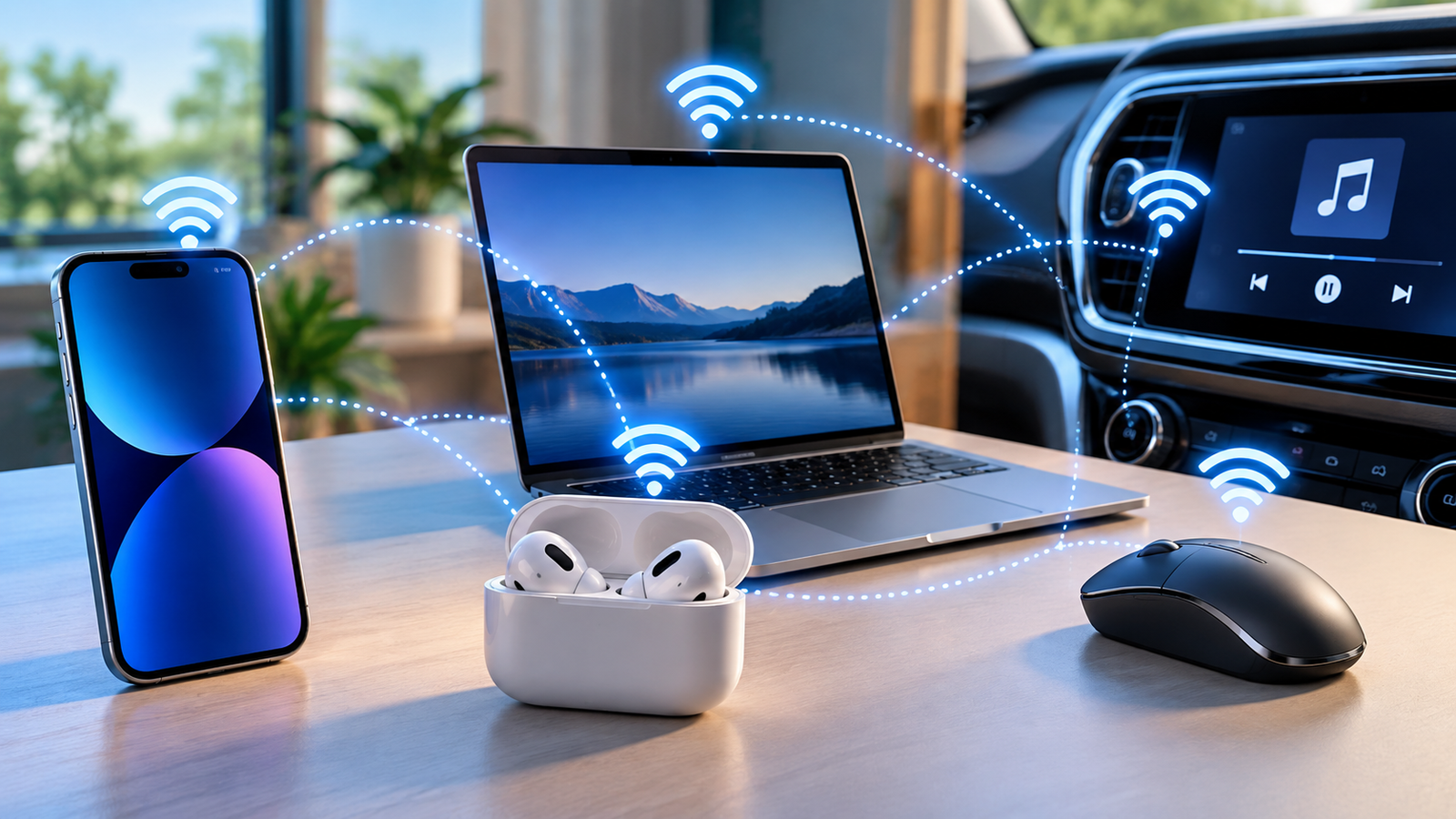
Bluetooth is a short-range wireless technology that lets two devices talk to each other without any cables. It’s what lets your phone send music to a pair of earbuds, your laptop connect to a wireless mouse, or your car play audio from your phone through its speakers, all without plugging anything in.
The technology is managed by the Bluetooth SIG (Special Interest Group), a group of companies including Apple, Google, Microsoft, and thousands of others that maintain the Bluetooth standard so that devices from different manufacturers can talk to each other reliably. That’s the whole point of Bluetooth: it’s a shared language that any compliant device, regardless of brand, can speak.
What Does Bluetooth Actually Do?
At its core, Bluetooth does two things: it finds nearby devices, and it moves small amounts of data between them over radio waves.
Before two devices can talk, they need to pair, a one-time handshake where each device confirms it’s allowed to connect to the other and remembers that connection for next time. Once paired, most devices reconnect automatically whenever they’re both turned on and in range, which is why your headphones just “know” to connect to your phone every morning without you doing anything.
That handshake is also why Bluetooth feels different from other wireless connections you use every day. It’s built for short bursts of communication between two (or a few) specific devices, not for browsing the internet.
Why Is It Called “Bluetooth”? (The Viking Origin Story)
The name has nothing to do with teeth or the color blue. It comes from a 10th-century Scandinavian king. Harald “Bluetooth” Gormsson united rival Danish and Norwegian tribes under a single kingdom, much the way the technology was designed to unite competing wireless standards under one protocol.
The Bluetooth logo is actually a tribute to him: it merges two ancient runic letters, Hagall and Bjarkan, which represent his initials in Younger Futhark script. It’s a small piece of trivia, but it explains a name that otherwise seems completely disconnected from what the technology does. For the full story of how the standard developed from there, see our history of Bluetooth technology.
Quick Answer: Does Bluetooth Use Internet, Cellular Data, or Wi-Fi?
No. Bluetooth is completely independent of your internet connection, cellular data plan, and Wi-Fi network. It creates a direct radio link between two devices, so it works exactly the same in airplane mode, in a basement with no signal, or on a hiking trail with zero bars, as long as both devices are within range of each other and have Bluetooth turned on.
This is one of the most common points of confusion for beginners, because Wi-Fi and Bluetooth both use radio waves and both often get toggled from the same settings screen. They are not the same thing, and they’re not competing for the same job. For a full side-by-side comparison of when to use each one, see Bluetooth vs. Wi-Fi: What’s the Real Difference?
How Bluetooth Works (Without Technical Jargon)
You don’t need to understand radio engineering to use Bluetooth, but knowing roughly what’s happening under the hood makes the rest of this guide, range, interference, and battery use, much easier to follow.
Direct Radio Waves: The Digital Handshake
Bluetooth devices communicate using radio waves in the 2.4 GHz band, officially known as the ISM (Industrial, Scientific, and Medical) band, the same general range of the radio spectrum used by Wi-Fi routers, microwave ovens, and many other household gadgets. It’s an unlicensed public band, meaning any device manufacturer can use it without special permission, which is a big part of why Bluetooth hardware is so cheap and common.
When two devices pair, they exchange a small amount of identifying information and agree on how they’ll communicate going forward. After that, they can reconnect automatically whenever they’re both nearby, without repeating the full pairing process. For a deeper technical walkthrough of exactly what happens during that handshake, see How Does Bluetooth Work?
Why Bluetooth Doesn’t Interfere With Your Home Wi-Fi
Since Bluetooth and Wi-Fi share the same general frequency band, it’s a fair question why your wireless earbuds don’t cause your Wi-Fi to glitch. The answer is a feature called Adaptive Frequency Hopping (AFH). Instead of sitting on one fixed frequency, a Bluetooth connection rapidly jumps between dozens of narrow channels within the 2.4 GHz band, many times per second. If one channel is busy or noisy, for example because your Wi-Fi router is using it, Bluetooth simply hops past it.
In practice, this means Bluetooth and Wi-Fi can run in the same room, in the same house, even in the same device, without meaningfully interfering with each other under normal conditions.
Bluetooth Range: How Far Can the Signal Travel?
Bluetooth’s range depends on the “power class” of the radio inside each device, a category defined by the Bluetooth specification itself:
- Class 2 (the radio found in most phones, headphones, speakers, and laptops) is by far the most common in consumer electronics, with a nominal range of around 10 meters (33 feet).
- Class 1 devices use more power for longer range, sometimes 100 meters or more, and typically show up in industrial equipment or specialized long-range adapters rather than everyday gadgets.
- Class 3 is rarely used today, with a very short nominal range of about 1 meter.
These are maximum spec-defined figures under ideal conditions, not guarantees. Real-world range is almost always shorter once walls, interference, and device orientation come into play. For a full breakdown of what affects real-world performance, see Bluetooth Range Explained.
What Blocks Bluetooth Signals? (Walls, Water, and Obstacles)
Bluetooth signals lose strength faster than Wi-Fi when passing through solid objects, because Bluetooth radios run on very little power. Dense materials like concrete, brick, metal, and water block or weaken the signal more than lighter materials like drywall or wood, and nearby 2.4 GHz devices can occasionally cause brief interruptions too.
None of this makes Bluetooth unreliable for its intended use. It’s built for short-range connections, not for reaching through multiple floors of a house. For the specifics on walls and building materials, see Does Bluetooth Work Through Walls?
Bluetooth Classic vs. Bluetooth Low Energy (BLE)
“Bluetooth” isn’t really one single technology. It’s a family of two related radio standards that behave quite differently, and understanding the difference explains a lot about why some devices last weeks on a battery while others need daily charging.
Bluetooth Classic: Continuous Audio & Streaming
Bluetooth Classic is the older, original version of the technology, and it’s still what powers most audio devices today: headphones, speakers, and car stereos. It’s built to maintain a continuous, relatively high-bandwidth stream of data, which is exactly what’s needed to send an uninterrupted audio signal. The tradeoff is power: keeping that constant stream alive uses noticeably more battery than an intermittent connection would.
Bluetooth Low Energy (BLE): Battery-Saving Smart Devices
Bluetooth Low Energy, introduced in Bluetooth 4.0, was designed for the opposite priority: devices that need to sip power for months or years rather than stream continuously. Instead of holding an always-on connection, BLE devices typically wake up, send a small burst of data, and go back to sleep. This is why a fitness tracker, a smart lock, or a wireless keyboard can run for a long time on a small battery. They’re using BLE, not Classic, and they’re not trying to stream audio.
BLE is also the standard behind most smart home devices, health trackers, and Bluetooth “beacons” used in retail and asset tracking, since those use cases care far more about battery life and simplicity than raw throughput. For a full breakdown of BLE and when it’s used instead of Classic, see What Is Bluetooth Low Energy (BLE)?
The Future: LE Audio and Auracast Broadcasts
For years, BLE’s low power came at a real cost: it couldn’t handle continuous, high-quality audio the way Classic could, so headphones stuck with Classic. LE Audio, introduced as part of the Bluetooth 5.2 specification, closes that gap. Built around a new, more efficient audio codec called LC3, LE Audio brings audio streaming to the low-power BLE side of Bluetooth, meaning newer earbuds and hearing aids can get Classic-like audio quality while drawing meaningfully less power.
LE Audio also enables Auracast, a real step beyond an incremental upgrade: broadcasting audio from one source to an effectively unlimited number of Bluetooth receivers at once. For example, a gym TV can broadcast audio to anyone’s headphones who tunes in, or a public venue can offer an audio feed to visitors with compatible earbuds or hearing aids, something Bluetooth simply couldn’t do before.
Bluetooth Version Guide: What Changes Between Versions?
Bluetooth version numbers can look intimidating, but for a typical user, only a handful of updates actually changed what the technology can do in everyday use.
Evolution from Bluetooth 4.0 to Bluetooth 5.4
Bluetooth 4.0 (2010) is the version most worth knowing about historically, because it’s when Bluetooth Low Energy was introduced, the split that created the “Classic vs. BLE” distinction covered above. From there, the 5.x series of updates (starting with Bluetooth 5.0 in 2016) focused on practical, incremental improvements, including better range, faster data transfer, and Bluetooth 5.2’s introduction of LE Audio and Auracast, described above. Later updates in the 5.x line refined reliability and added features aimed more at developers and specific device categories than at everyday consumers.
The practical takeaway: if a device supports Bluetooth 5.0 or later, it’s using a modern, capable version of the standard. The specific 5.x sub-version matters far less to daily use than whether a device supports LE Audio. For the full version-by-version comparison, see Bluetooth Versions Explained.
What’s New in Bluetooth 6.0? (Channel Sounding Explained)
Bluetooth 6.0 introduced a genuinely new capability called Channel Sounding: a way for two Bluetooth devices to precisely measure the distance between each other, down to a matter of centimeters in ideal conditions. This is a meaningfully different feature from anything earlier versions offered, and it’s aimed at use cases like more accurate item trackers, secure “digital key” car unlocking that only works when your phone is genuinely close by, and indoor location features. It’s a forward-looking addition (most consumer devices haven’t adopted it yet), but it points toward Bluetooth playing a bigger role in precise location and security, not just audio and data transfer.
Common Uses for Bluetooth Today
Bluetooth shows up in far more places than most people realize, spanning both Bluetooth Classic and BLE devices depending on what each category needs. It works essentially the same way across Windows, Android, iOS, and macOS, though each platform has its own settings menu and quirks. See our Windows Bluetooth setup guide if you’re specifically connecting something to a PC.
Audio Devices (Headphones, Earbuds, Speakers, Car Stereos)
Audio is Bluetooth’s most visible use case. It relies on A2DP, one of the standard Bluetooth “profiles” that define what a particular kind of connection can do, in this case, streaming stereo audio from one device to another. Within that connection, the two devices negotiate an audio codec, the method used to compress and transmit the sound, and the codec in use has a real effect on quality and lag. Common codecs include the baseline SBC supported by virtually every device, Apple’s AAC, Qualcomm’s higher-quality aptX, and Sony’s high-resolution LDAC, alongside the newer, more efficient LC3 used by LE Audio devices. You don’t need to memorize this list to use Bluetooth audio. Most devices negotiate the best shared option automatically, but the choice of codec explains why audio quality can vary noticeably between different headphone and phone combinations. For a deeper look at how Bluetooth audio and codecs actually work, see Bluetooth Audio Explained.
Computer Peripherals (Keyboards, Mice, Controllers)
Wireless keyboards, mice, and game controllers are another major Bluetooth category, typically using either Classic or BLE depending on the device’s age and power needs. These devices prioritize low input lag and reliability over raw bandwidth, and because they’re not streaming continuous audio, many run for months on a small battery or a couple of AA batteries.
Smart Home, Wearables, and Health Trackers
Smartwatches, fitness bands, smart locks, and many smart home sensors lean heavily on BLE specifically because of its low power draw. A smart lock that needs to run for a year on a coin battery, or a fitness tracker meant to be worn and charged only occasionally, simply couldn’t work using Bluetooth Classic’s more power-hungry connection model.
Is Bluetooth Safe? (Security & Battery Basics)
Two of the most common beginner concerns about Bluetooth are battery drain and security. Both deserve straightforward, non-alarmist answers.
Does Leaving Bluetooth On Drain Phone Battery?
For most modern phones, simply leaving Bluetooth turned on, without anything actively connected or streaming, uses a very small amount of battery. The technology’s core design goal, especially on the BLE side, is efficient standby power use. The situation changes when Bluetooth is actively doing something power-intensive, like continuously streaming audio to headphones, which does use meaningfully more battery than idle Bluetooth or no Bluetooth at all, the same way any active radio or continuous data transfer would. For most people, the convenience of leaving Bluetooth on outweighs the modest battery cost. For a more detailed breakdown of what actually affects battery life, see Does Bluetooth Drain Battery?
Can Someone Hack Your Device Over Bluetooth?
Bluetooth security has improved substantially over the years, and modern Bluetooth connections use encryption to protect paired connections. That said, no wireless technology is risk-free, and Bluetooth has had documented vulnerabilities in the past, the way any widely used protocol does. The realistic risk for an everyday user is low, and it drops further with a few basic habits rather than requiring any special expertise. For a full look at real Bluetooth security risks and how they’re mitigated, see Is Bluetooth Safe?
3 Simple Rules for Secure Bluetooth Pairing
- Only accept pairing requests you initiated yourself. If a pairing prompt appears that you didn’t trigger, decline it.
- Turn off “discoverable” mode when you’re not actively pairing a new device. Most devices only need to be visible to others during the initial setup, not all the time.
- Keep your device’s software up to date. Security patches for Bluetooth vulnerabilities are typically delivered through regular OS and firmware updates.
Frequently Asked Questions About Bluetooth
Does Bluetooth need Wi-Fi or internet to work?
No. Bluetooth creates a direct connection between two devices using its own radio signal and works completely independently of Wi-Fi, cellular data, or an internet connection.
Does Bluetooth use cellular data?
No. Bluetooth doesn’t touch your mobile data plan at all. It’s a separate, short-range radio technology that doesn’t route through your carrier’s network in any way.
What’s the practical difference between Bluetooth Classic and BLE?
Classic is built for continuous, higher-bandwidth connections like audio streaming; BLE is built for infrequent bursts of data at very low power, which is why it’s used in fitness trackers, smart locks, and similar battery-conscious devices.
Why do I have to pair a device before I can use it?
Pairing is a one-time security and identification step that lets two devices confirm they’re allowed to connect to each other and remember that relationship going forward, so you don’t have to manually reconnect every single time. See our step-by-step pairing guide if you’re setting up a device for the first time.
What is Bluetooth 6.0’s biggest new feature?
Channel Sounding, a way for two Bluetooth devices to measure the precise distance between each other, opening the door to more accurate trackers and more secure proximity-based features like car unlocking.
My Device Won’t Pair or Connect: What Should I Do?
That’s a common issue with several possible causes, from a full device list to a stuck pairing cache. See our dedicated guide to fixing Bluetooth connection problems for a full troubleshooting walkthrough.
