
In this article:
- Quick Lookup: The Master Bluetooth Terms Dictionary
- Key Distinction: Version vs. Profile vs. Codec
- Bluetooth Version
- Bluetooth Profile
- Bluetooth Codec
- Category 1: Pairing & Connection Terms
- Pairing Mode vs. Discoverable Mode
- Why Devices Hide After Pairing
- Passkey, PIN Code, and OOB Authentication
- Bonding, Pairing Memory, and Multipoint Connection
- Category 2: Audio Codecs & Sound Quality Terms
- What Is a Bluetooth Audio Codec?
- Bitrate
- Latency
- Sample Rate
- Lossy Compression
- Standard and High-Res Codecs: SBC, AAC, aptX, and LDAC
- SBC
- AAC
- aptX
- LDAC
- iPhone vs. Android Codec Support
- Category 3: Bluetooth Profiles & Protocols
- Media and Control Profiles: A2DP vs. AVRCP
- Call and Voice Profiles: HFP and HSP
- Why Bluetooth Sound Can Get Worse During Calls
- Category 4: Next-Gen Bluetooth Tech
- Classic Bluetooth vs. Bluetooth Low Energy (BLE)
- LE Audio, LC3 Codec, and Auracast
- What Is Auracast?
- Frequently Asked Questions
- Final Takeaway
Bluetooth has many technical terms. You may see words like pairing, codec, A2DP, AVRCP, BLE, Multipoint, LC3, and Auracast when you buy earbuds, headphones, speakers, or smart devices.
These terms can look confusing at first.
This Bluetooth terms explained guide breaks the most important words into simple English. You will learn what each term means, why it matters, and where you may see it in real life.
Quick Lookup: The Master Bluetooth Terms Dictionary
| Bluetooth Term | Simple Meaning | Why It Matters |
|---|---|---|
| Pairing | Setting up two Bluetooth devices | Lets devices recognize each other |
| Discoverable Mode | Makes a device visible for pairing | Helps your phone find new devices |
| Passkey | Security code used during pairing | Helps confirm the connection |
| Bonding | Saving pairing information | Allows easier reconnection later |
| Multipoint | One device connects to multiple sources | Useful for switching between phone and laptop |
| Codec | Compresses and sends audio | Can affect sound and performance |
| Bitrate | Amount of audio data sent per second | Can affect audio quality |
| Latency | Delay between action and sound | Important for gaming and videos |
| Sample Rate | Number of audio samples per second | Part of digital audio quality |
| SBC | Common Bluetooth audio codec | Basic codec supported by many devices |
| AAC | Bluetooth audio codec | Common on Apple devices and many headphones |
| aptX | Family of Bluetooth audio codecs | Used on supported devices |
| LDAC | High-quality Bluetooth audio codec | Designed for higher bitrate audio |
| A2DP | Bluetooth stereo audio profile | Handles music streaming |
| AVRCP | Bluetooth media control profile | Handles play, pause, volume, and track controls |
| HFP | Hands-Free Profile | Used for calls and two-way voice |
| HSP | Headset Profile | Older basic headset communication |
| Bluetooth Classic | Traditional Bluetooth technology | Common for audio and other connections |
| BLE | Bluetooth Low Energy | Designed for low-power devices |
| LE Audio | Newer Bluetooth audio system | Adds features such as LC3 and Auracast |
| LC3 | Codec used by LE Audio | Designed for efficient Bluetooth audio |
| Auracast | Bluetooth broadcast audio | Allows audio to reach multiple listeners |
Key Distinction: Version vs. Profile vs. Codec
This is one of the biggest sources of confusion when people read Bluetooth specifications.
A product may say:
Bluetooth 5.3
That does not automatically mean it supports every modern codec or feature.
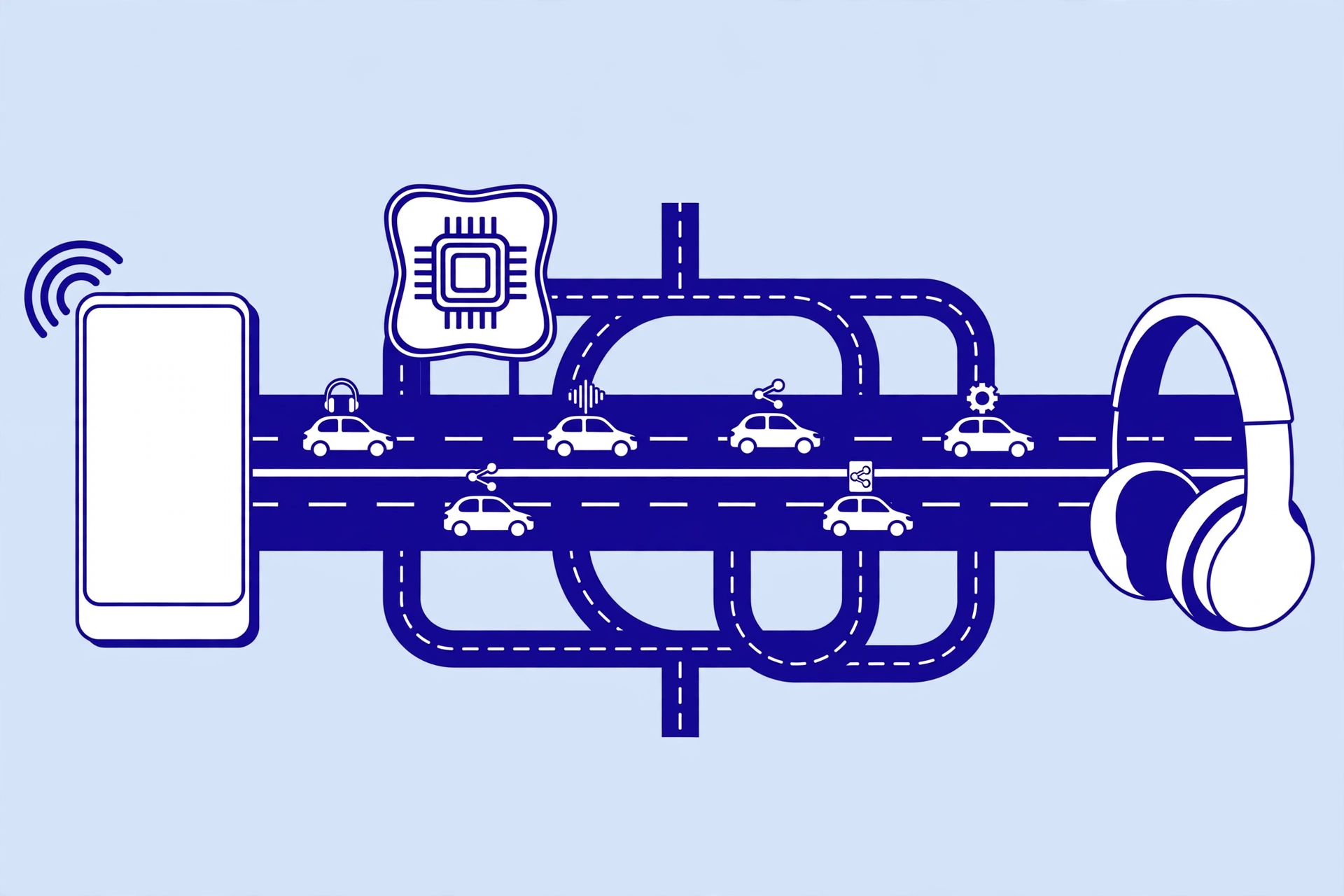
Think of Bluetooth like a road system:
- Bluetooth Version = The Highway
- Profile = The Type of Vehicle
- Codec = How the Cargo is Packed
They work together, but they are not the same thing.
Bluetooth Version
A Bluetooth version describes parts of the underlying Bluetooth technology and its capabilities.
You may see:
- Bluetooth 5.0
- Bluetooth 5.1
- Bluetooth 5.2
- Bluetooth 5.3
- Bluetooth 5.4
A newer version can bring improvements, but the version number alone does not tell you everything about the product.
Bluetooth Profile
A profile describes how Bluetooth is used for a specific job.
For example:
- A2DP handles stereo audio streaming.
- AVRCP handles media controls.
- HFP supports hands-free calls.
So two devices can have the same Bluetooth version but support different profiles.
Bluetooth Codec
A codec handles audio compression and transmission.
Examples include:
- SBC
- AAC
- aptX
- LDAC
- LC3
A phone and headphones need compatible codec support to use a particular codec.
What it means for you:
Do not buy headphones just because they say Bluetooth 5.3 or 5.4. Check the supported codecs, profiles, and other features too.
Category 1: Pairing & Connection Terms
Pairing Mode vs. Discoverable Mode
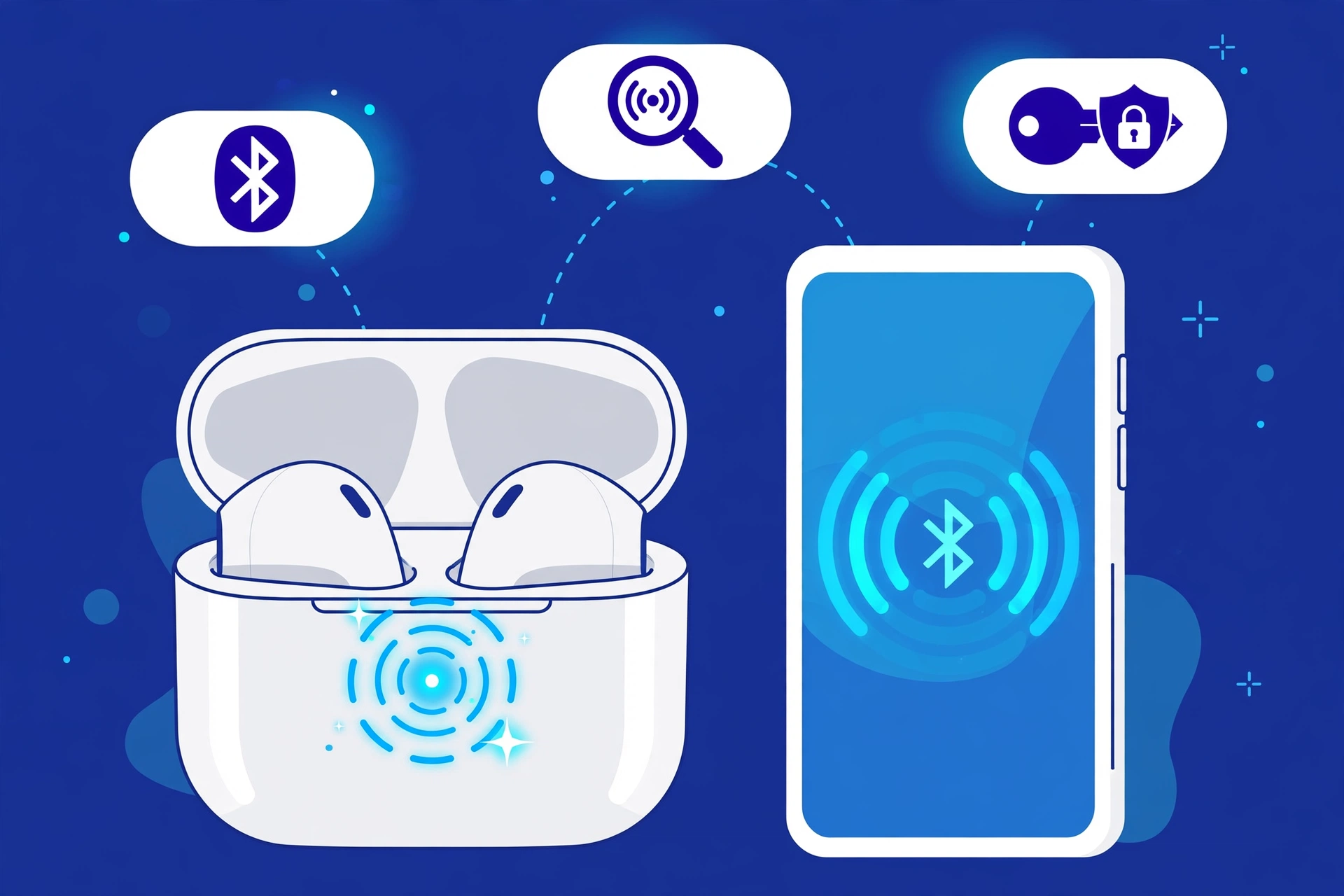
Pairing is the process of setting up a Bluetooth connection between two devices.
For example:
Phone → Earbuds
When you first connect your earbuds to your phone, you normally put the earbuds into pairing mode.
Discoverable mode means the device makes itself available so another device can find it.
Some products enter pairing mode automatically the first time you turn them on. Others require you to hold a button.
What it means for you:
If your phone cannot find your earbuds, the earbuds may not actually be in pairing mode.
Try putting the earbuds back into pairing mode before searching again.
Why Devices Hide After Pairing
A device may stop being discoverable after it has been paired.
This helps avoid unnecessary pairing attempts and keeps the device from constantly appearing as a new device.
If you want to connect the earbuds to another phone, you may need to activate pairing mode again.
The exact button or process depends on the product.
Passkey, PIN Code, and OOB Authentication
A Bluetooth passkey is a code used during some Bluetooth pairing processes.
You may also see the term PIN.
Older Bluetooth devices sometimes used common codes such as:
- 0000
- 1234
Modern devices often handle authentication automatically and show a confirmation message instead.
OOB, or Out-of-Band, pairing uses another communication method to help set up or confirm the Bluetooth connection.
Secure Simple Pairing (SSP) is a Bluetooth pairing system designed to make secure connections easier on supported devices.
What it means for you:
If an older car stereo, keyboard, or other device asks for a Bluetooth PIN, check the product instructions first. Newer devices often do not require you to manually enter a code.
Bonding, Pairing Memory, and Multipoint Connection
These terms are related but have different meanings.
Pairing memory means a device remembers another device after they have been paired.
That is why your earbuds can often reconnect to your phone after you turn them on.
Bonding refers to storing the information needed to recognize and authenticate a device again.
Multipoint is different.
Multipoint allows a supported Bluetooth device, such as headphones, to maintain connections with multiple source devices.
For example:
Laptop + Phone → Headphones
You could listen to music from your laptop and then switch to your phone when a call arrives, if the headphones and devices support that feature.
What it means for you:
If you regularly move between a laptop and phone, Multipoint can make Bluetooth headphones much more convenient.
Category 2: Audio Codecs & Sound Quality Terms
What Is a Bluetooth Audio Codec?
A codec is a system used to encode and decode audio.
Bluetooth audio often needs compression because wireless connections have limited bandwidth.
Different codecs use different methods to handle the audio.
Common Bluetooth audio codecs include:
- SBC
- AAC
- aptX
- LDAC
- LC3
The codec supported by both your phone and headphones can affect how audio is transmitted.
What it means for you:
A codec can affect audio quality, efficiency, and sometimes latency. But a higher codec bitrate does not automatically mean you will hear better sound in every situation.
Bitrate
Bitrate describes how much audio data is transmitted over time.
It is commonly measured in kbps, or kilobits per second.
In simple terms:
More data per second can allow more audio information to be preserved.
But bitrate is only one part of audio quality.
The codec, headphones, source audio, connection, and listening environment also matter.
What it means for you:
Do not judge a Bluetooth codec only by its highest bitrate number.
Latency
Latency is the delay between an action and the sound you hear.
For example, you tap a button in a game and hear the sound slightly later.
High latency can be annoying when:
- Gaming
- Watching videos
- Playing instruments
- Making live recordings
What it means for you:
If your Bluetooth headphones are mainly for music, latency may not matter much. If you play games or watch videos, lower latency can be more important.
Sample Rate
Sample rate describes how many times digital audio is sampled each second.
It is usually measured in kHz.
You may see values such as:
- 44.1 kHz
- 48 kHz
- 96 kHz
Sample rate is one part of digital audio. It should not be treated as a simple score for overall sound quality.
Lossy Compression
Lossy compression reduces the amount of data in an audio file or stream by removing some information.
Many Bluetooth audio systems use some form of compression.
The goal is to provide useful audio quality while fitting the available wireless bandwidth.
What it means for you:
Lossy does not automatically mean bad sound. The result depends on the codec, settings, source audio, headphones, and your own hearing.
Standard and High-Res Codecs: SBC, AAC, aptX, and LDAC
SBC
SBC stands for Subband Codec.
It is a common Bluetooth audio codec and is widely supported.
It provides basic Bluetooth audio compatibility across many devices.
What it means for you:
If your phone and headphones do not share another compatible codec, SBC may be used.
AAC
AAC stands for Advanced Audio Coding.
It is used by many devices and is especially common in Apple’s ecosystem.
What it means for you:
AAC support can be important when choosing headphones for an iPhone or other Apple device.
aptX
aptX is a family of Bluetooth audio codecs.
You may see versions such as:
- aptX
- aptX HD
- aptX Adaptive
Support depends on the phone, headphones, operating system, and other hardware.
What it means for you:
Do not assume that every Android phone or Bluetooth 5.x device supports aptX. Check the actual specifications of both devices.
LDAC
LDAC is a Bluetooth audio codec designed to support higher bitrate audio transmission.
It is associated with Sony technology and is supported by some Android phones and headphones.
What it means for you:
LDAC can be useful if both your phone and headphones support it. However, codec support alone does not guarantee that you will hear a dramatic improvement.
iPhone vs. Android Codec Support
Codec compatibility depends on the exact device.
| Codec | iPhone | Android |
|---|---|---|
| SBC | Commonly supported | Commonly supported |
| AAC | Commonly supported | Device dependent |
| aptX | Not generally available as a standard iPhone Bluetooth codec | Supported on some devices |
| LDAC | Not generally supported as a standard iPhone Bluetooth codec | Supported on some devices |
| LC3 | Depends on device and software support | Depends on device and software support |
What it means for you:
Always check both sides of the connection. Your headphones may support LDAC, but that does not mean your phone supports it.
Category 3: Bluetooth Profiles & Protocols
Media and Control Profiles: A2DP vs. AVRCP
A2DP stands for Advanced Audio Distribution Profile.
It is used for Bluetooth stereo audio streaming.
For example:
Phone → Bluetooth headphones
A2DP handles the audio stream.
AVRCP stands for Audio/Video Remote Control Profile.
It helps devices control media.
For example, the buttons on your headphones may let you:
- Play
- Pause
- Skip tracks
- Control volume
A2DP and AVRCP do different jobs.
What it means for you:
Your headphones can use A2DP to receive music and AVRCP to let you control that music.
Call and Voice Profiles: HFP and HSP
HFP stands for Hands-Free Profile.
It supports two-way voice communication.
This is commonly used for:
- Phone calls
- Car hands-free systems
- Computer calls
HSP stands for Headset Profile.
It is an older Bluetooth profile for basic headset communication.
Why Bluetooth Sound Can Get Worse During Calls
You may notice that music sounds better before joining a Zoom, Discord, or other voice call.
One reason is that the Bluetooth connection may switch from a high-quality stereo audio mode to a voice communication mode.
HFP supports two-way audio because your microphone needs to send voice back to the computer or phone.
This can change the available audio quality.
What it means for you:
If your Bluetooth headphones suddenly sound worse when you turn on the microphone, the change may be related to the Bluetooth voice profile rather than a problem with the headphones.
Category 4: Next-Gen Bluetooth Tech
Classic Bluetooth vs. Bluetooth Low Energy (BLE)
Bluetooth Classic is commonly used for applications such as traditional Bluetooth audio and other higher-throughput connections.
Bluetooth Low Energy, or BLE, is designed to use less power.
BLE is useful for devices such as:
- Fitness trackers
- Sensors
- Smart devices
- Wearables
BLE devices can send small amounts of information and spend much of their time using very little power.
| Feature | Bluetooth Classic | Bluetooth Low Energy |
|---|---|---|
| Main focus | General Bluetooth communication | Low-power communication |
| Power use | Higher in many use cases | Designed for lower power |
| Common examples | Traditional Bluetooth audio | Trackers and sensors |
What it means for you:
BLE helps small battery-powered devices stay useful for long periods without constantly using large amounts of power.
LE Audio, LC3 Codec, and Auracast
LE Audio is a newer Bluetooth audio architecture built around Bluetooth Low Energy.
It introduces technologies and features such as:
- LC3
- Multi-Stream Audio
- Auracast
- Support for hearing-related applications
LC3 stands for Low Complexity Communication Codec.
It is the codec used by LE Audio.
LC3 is designed to provide efficient audio transmission while working within the low-power design of LE Audio.
What it means for you:
LE Audio can bring new options for modern wireless earbuds, headphones, hearing devices, and other audio products.
What Is Auracast?
Auracast is a Bluetooth broadcast audio feature.
Traditional Bluetooth audio often looks like:
Phone → Earbuds
Auracast can allow:
One audio source → Multiple compatible listeners
For example, imagine an airport screen or public audio system broadcasting sound that people with compatible earbuds can join.
It can also be useful in places such as:
- Airports
- Theaters
- Classrooms
- Museums
- Public events
It is similar to joining a shared wireless audio broadcast.
What it means for you:
Auracast can turn Bluetooth audio from a private connection into a shared broadcast that multiple compatible devices can receive.
Frequently Asked Questions
What Is the Most Important Bluetooth Term to Look for When Buying Headphones?
There is no single term that matters for everyone.
Check the features that match your needs.
For audio, look at supported codecs.
For switching between devices, check for Multipoint.
For calls, look at microphone and voice support.
For newer audio features, check for LE Audio and LC3.
Does a Higher Bluetooth Version Number Mean Better Sound Quality?
No.
A newer Bluetooth version does not automatically mean better sound.
Bluetooth version, audio codec, profile, headphones, and software support are separate things.
For example, Bluetooth 5.3 does not automatically mean that a pair of headphones supports LDAC or another high-quality codec.
What Is Bluetooth Latency and Can I Fix It?
Latency is the delay between an action and the sound you hear.
It can be noticeable during gaming or video playback.
Possible steps include:
* Use a lower-latency supported codec or mode.
* Keep your phone and headphones updated.
* Stay close to the source device.
* Reduce wireless interference.
* Check whether your headphones have a gaming or low-latency mode.
The exact solution depends on the devices you are using.
Final Takeaway
Understanding Bluetooth terms explained does not need to be difficult.
The most useful terms to remember are:
- Pairing: Sets up two Bluetooth devices.
- Codec: Handles audio compression and transmission.
- Bitrate: Measures how much audio data is sent.
- Latency: Measures audio delay.
- A2DP: Handles Bluetooth stereo audio streaming.
- AVRCP: Handles media controls.
- HFP: Supports hands-free two-way voice.
- BLE: Focuses on low-power Bluetooth communication.
- LE Audio: Newer Bluetooth audio architecture.
- LC3: Codec used by LE Audio.
- Multipoint: Lets supported devices connect with multiple sources.
- Auracast: Enables Bluetooth broadcast audio.
The biggest thing to remember is that Bluetooth version, profile, and codec are not the same thing. A newer Bluetooth number does not automatically guarantee better sound, lower latency, or support for every modern feature.
When buying Bluetooth headphones or another wireless device, look beyond the Bluetooth version and check the features that actually match how you plan to use the device.
